Behind the Balance Sheet: The True Cost of Employees

Have you ever wondered what lies beneath the numbers on a company’s balance sheet? 

While revenue & expenses may paint a picture of financial health, one crucial factor often goes unnoticed: the true cost of employees. 

This blog post will uncover the hidden costs associated with employees. We will be going to cover the following: 

  • Traditional Employee Costs
  • How to determine employee cost?
  • Calculating direct & indirect employee expenses
  • Hidden Costs of Employees
  • How do we optimize employee costs?

Join us on this journey as we explore the true cost of employees & how to leverage data & technology to reduce those costs. 

Let’s get started. 

Understanding Traditional Employee Costs

In business finance, understanding the true cost of employees goes beyond merely considering their salaries & wages. 

Let’s take a closer look at the components that make up traditional employee costs, offering you a comprehensive understanding of how they impact your bottom line.

1) Salary & Wages: 

When we think of employee costs, the first thing that comes to mind is the salaries & wages paid to the workforce. 

It represents the direct compensation for their time & effort dedicated to the company. 

For instance, let’s consider a small startup that employs five individuals with an average annual salary of $50,000 each. 

The total salary expense for the company would be $250,000 per year.

2)Benefits & Insurance: 

Besides their salaries, companies often provide various benefits & insurance coverage to attract & retain talent. These benefits may include: 

  • Health insurance
  • Dental coverage 
  • Retirement plans

These perks enhance employee satisfaction & add to the overall cost of employment.

For example, if the company’s benefits package costs $10,000 per employee annually, the total benefits expense for our startup with five employees would be $50,000 annually.

3)Payroll Taxes & Contributions: 

Employers are responsible for payroll taxes & contributions, separate from an employee’s salary. These include taxes for:

  • Social Security
  • Medicare
  • Unemployment insurance
  • Contributions to state & federal programs

The percentage varies based on location & applicable laws. 

Let’s assume the total payroll taxes & contributions amount to 15% of the total employee wages. For our startup, this would be $37,500 per year.

4)Training & Development Expenses: 

Investing in employee training & development is crucial for improving:

  • Skills
  • Knowledge
  • Performance

These expenses encompass 

  • Workshops
  • Seminars
  • Online courses 

Suppose our startup allocates $5,000 per employee annually for training & development. The total expense for all five employees would be $25,000 per year.

5)Workplace Amenities & Perks: 

Companies often offer amenities & perks to create a conducive & enjoyable work environment. These could include:

  • Office snacks
  • Gym memberships
  • Flexible working hours 

Such perks contribute to the employee experience but also add to the overall cost. 

For example, if our startup spends an average of $2,000 per employee on workplace amenities, the total expense would amount to $10,000 per year.

Understanding these traditional employee costs is essential for businesses to comprehensively view their financial commitments.

When we add up the figures for our small startup, the total cost of employees would be:

Total Employee Costs = ( Total Salaries + Total Benefits + Total Payroll Taxes + Total Training Expenses + Total Workplace Amenities Total)

Employee Costs = $250,000 + $50,000 + $37,500 + $25,000 + $10,000 = $372,500 per year

By breaking down these costs, companies can identify areas for optimization & cost-saving measures without compromising the well-being of their valuable workforce. 

How to determine employee cost?

Determining employee cost is a critical aspect of managing your business finances effectively. 

On average, employee cost ranges from 1.25 to 1.4 times the team member’s salary, but this figure can vary based on several factors. 

For instance, the benefits the business owner offers, overhead costs, & the total number of employees play a significant role in the final cost calculation.

According to data from the Bureau of Labor in 2021, the average salary cost for private industry team members was approximately $26.86 per hour worked, with benefit costs averaging around $11.22. 

This means the total cost of employing a single individual can range from $38.08 to over $45 per hour. 

With this in mind, business owners must consider all employee costs when calculating their costs & budget accordingly.

How to Calculate Employee Cost?

To accurately determine the true cost of an employee, consider the following formula:

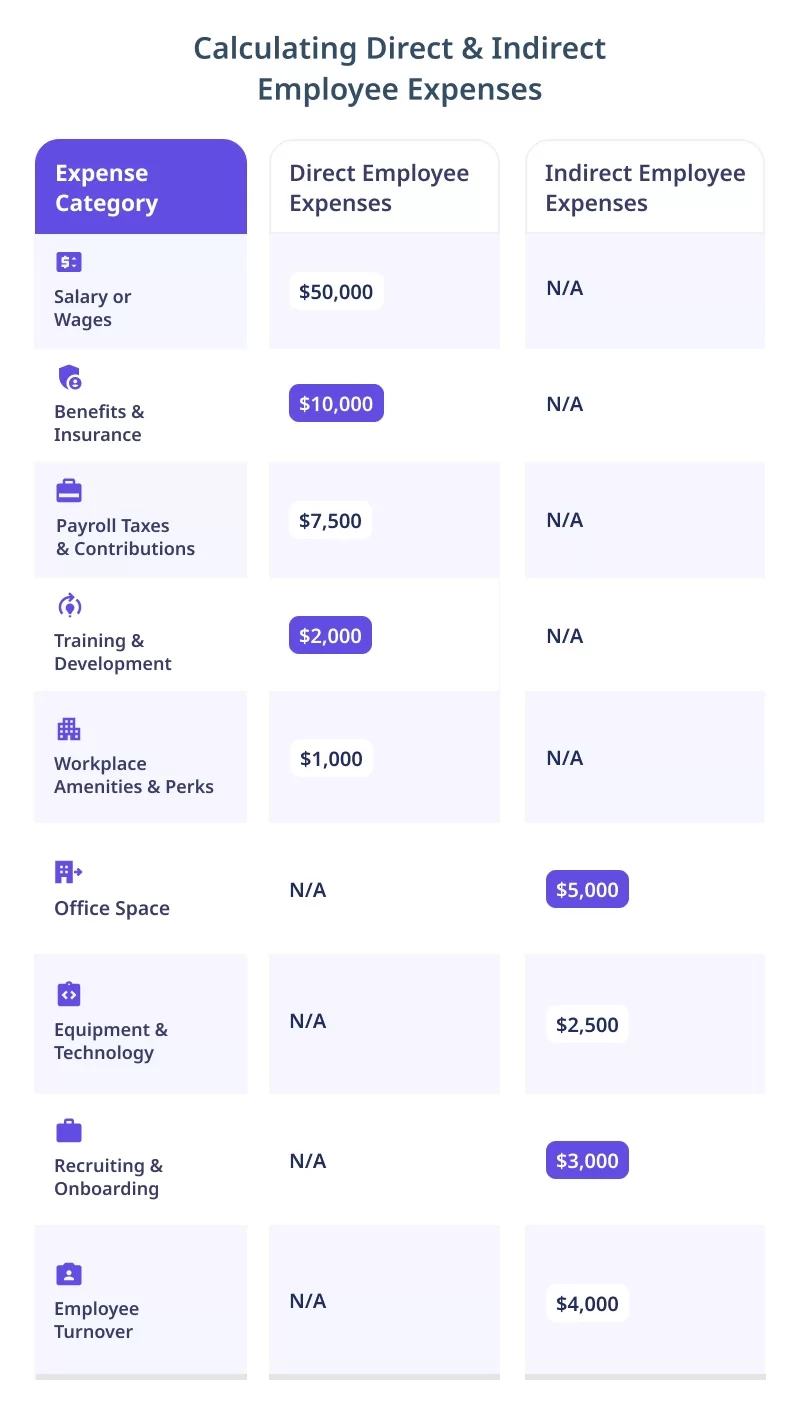
Employee Cost = (Salary or Wages) + (Benefits & Insurance) + (Payroll Taxes & Contributions) + (Training & Development Expenses) + (Workplace Amenities & Perks)

Let’s use a numerical example to illustrate this formula:

  • Employee Salary: $50,000 per year
  • Benefits & Insurance: $10,000 per year
  • Payroll Taxes & Contributions: 15% of Salary
  • Training & Development Expenses: $2,000 per year
  • Workplace Amenities & Perks: $1,000 per year
  • Employee Cost = ($50,000) + ($10,000) + (15% of $50,000) + ($2,000) + ($1,000)
  • Employee Cost = $50,000 + $10,000 + $7,500 + $2,000 + $1,000

Employee Cost = $70,500
Balance Sheet

Accounting For Intangible Factors Affecting Employee Costs:

In addition to tangible expenses, it’s crucial to consider intangible factors that impact employee costs. These may include:

  • Employee Morale: Low morale can lead to decreased productivity & increased turnover, affecting overall costs.
  • Work-Life Balance: Employees with a healthy work-life balance tend to be more engaged & loyal.
  • Company Culture: A positive & supportive culture can attract & retain top talent.

Incorporating Employee Performance & Productivity Metrics:

Employee performance & productivity significantly influence costs. Consider metrics such as:

  • Revenue Per Employee: Calculate how much revenue each employee generates on average.
  • Absenteeism Rate: Track the frequency of employee absences to identify potential productivity issues.
  • Employee Retention Rate: Measure the percentage of employees who stay with the company over time.

By incorporating these metrics, you can assess the impact of employee performance on your organization’s financial health & make data-driven decisions to improve productivity & reduce costs.

Hidden Costs of Employees

1)Employee Turnover & Recruitment Expenses:

Employee turnover can be a significant hidden cost for businesses. 

When an employee leaves, there are expenses related to recruiting & hiring a replacement. These costs include: 

  • Job advertisements
  • Recruitment agency fees
  • Interview expenses
  • Onboarding costs for the new employee

Let’s consider a numerical example:

  • Annual Turnover Rate: 15%
  • Average Recruitment Expense per Employee: $2,000

Calculation:

  • Total Recruitment Expenses = Annual Turnover Rate * Average Recruitment 

Expense per Employee

  • Total Recruitment Expenses = 0.15 * $2,000
  • Total Recruitment Expenses = $300 per employee

2)Administrative Overhead for HR & Payroll Processing:

HR & payroll processing require time & resources, leading to administrative overhead costs. These expenses encompass: 

  • HR staff salaries
  • Payroll software
  • Office supplies
  • Other administrative expenses

For instance:

  • HR Staff Salaries (Annual): $100,000
  • Payroll Software & Office Supplies (Annual): $5,000

Calculation:

  • Total Administrative Overhead = HR Staff Salaries + Payroll Software & Office Supplies
  • Total Administrative Overhead = $100,000 + $5,000
  • Total Administrative Overhead = $105,000

3)Absenteeism & Its Impact on Productivity:

Absenteeism, whether due to illness, personal reasons, or disengagement, can lead to reduced productivity & increased workload for other employees. 

Calculate the cost of absenteeism using the following example:

Average Employee Salary per Day: $200

Average Annual Absenteeism Days per Employee: 10 days

Calculation:

  • Total Absenteeism Costs = Average Employee Salary per Day * Average Annual 

Absenteeism Days per Employee

  • Total Absenteeism Costs = $200 * 10
  • Total Absenteeism Costs = $2,000 per employee

4)Employee Disengagement & Reduced Efficiency:

Disengaged employees are less productive, leading to inefficiencies & missed opportunities. 

Calculating the exact cost of disengagement can be challenging, but you can estimate it based on decreased productivity & potential revenue loss:

Estimated Productivity Loss per Disengaged Employee (Annual): $5,000

Number of Disengaged Employees: 5

Calculation:

  • Total Cost of Employee Disengagement = Estimated Productivity Loss per 

Disengaged Employee * Number of Disengaged Employees

  • Total Cost of Employee Disengagement = $5,000 * 5
  • Total Cost of Employee Disengagement = $25,000

Potential Legal Liabilities & HR-related Lawsuits:

HR-related lawsuits & legal liabilities can arise from various issues, including:

  • Discrimination claims
  • Workplace accidents 
  • Labor law violations

Significant hidden costs include legal expenses, settlements, & potential damage to the company’s reputation. Let’s assume:

Legal Expenses & Settlements (Annual): $50,000

Calculation:

Total Legal Liabilities = Legal Expenses & Settlements

Total Legal Liabilities = $50,000

Mitigating these hidden expenses through effective HR strategies & employee engagement initiatives can lead to long-term cost savings & improved organizational performance.

Introducing Workstatus: Your Financial Efficiency Solution

workstatus ws

In pursuing financial efficiency, businesses understand the importance of accurately calculating the true cost of employees. 

Workstatus emerges as a powerful solution, offering a comprehensive platform for time tracking & employee monitoring. 

By utilizing Workstatus, companies can gain valuable insights into: 

Features Of Workstatus That Help In Calculating Employee Costs:

1) Time Tracking & Activity Monitoring: Optimizing Employee Hours

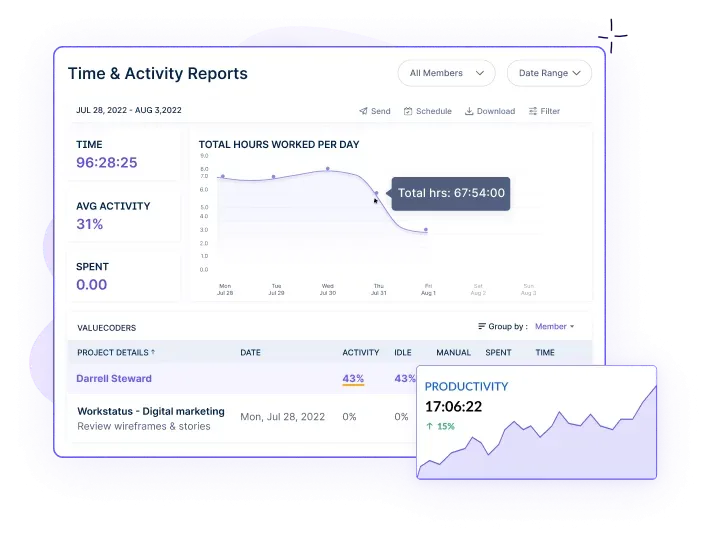
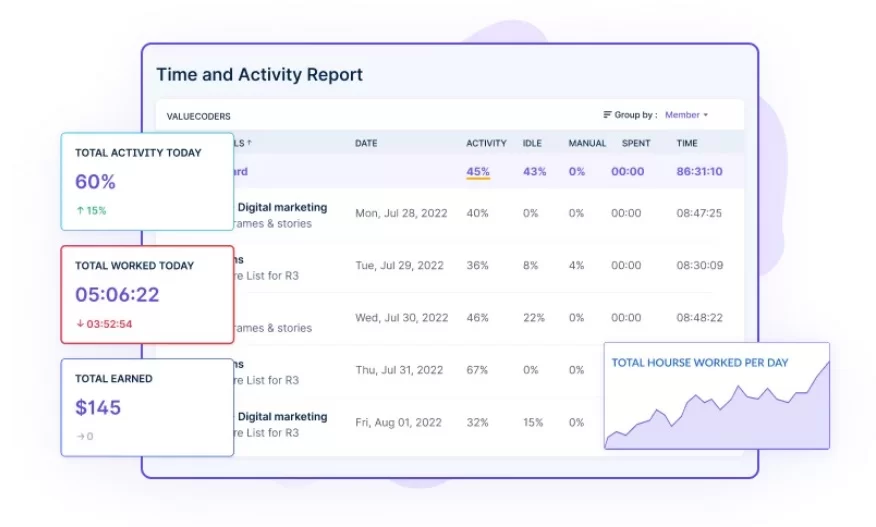
time and Activity report

Workstatus allows precise tracking of employee working hours & activities. 

By monitoring time spent on tasks & projects, businesses can accurately determine the labor cost of each undertaking.

This invaluable feature enables managers to optimize employee hours, ensuring enhanced productivity while staying within budgetary constraints.

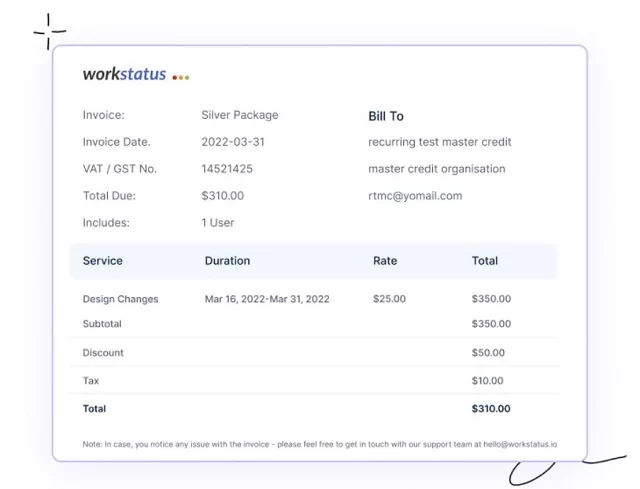
2)Payroll Management & Invoicing: Streamlining Financial Processes
Invoice

Workstatus simplifies payroll management by automating time data & generating accurate timesheets

With seamless integration into payroll systems, businesses can effortlessly:  

  • Calculate employee earnings
  • Reduce the risk of errors 
  • Saving time

Additionally, the software streamlines client invoicing, ensuring that billable hours are accurately recorded & accounted for.

3)Performance & Productivity Analytics: Data-Driven Insights
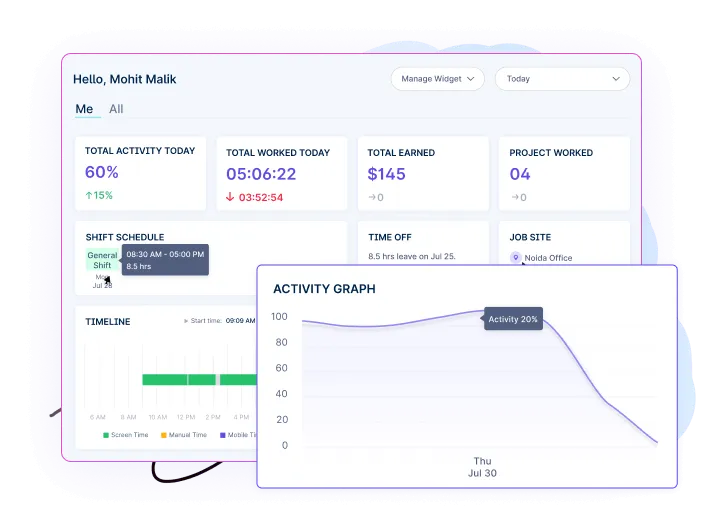
Activity Graph

Workstatus provides detailed performance analytics, offering objective individual & team productivity insights

By analyzing productivity trends & identifying areas for improvement, companies can: 

  • Optimize resource allocation 
  • Maximize output
  • Ultimately leading to improved cost efficiency

4)Integrations With Other Business Tools: Seamless Workflow

Workstatus integrates with other essential business tools, such as project management platforms & collaboration software. 

This integration allows for a smooth data flow, ensuring that all aspects of employee costs are consolidated in one central location. 

The result is enhanced efficiency in decision-making & resource allocation.

With its features & user-friendly interface, Workstatus emerges as a valuable asset for businesses seeking to delve into the true cost of employees. 

By leveraging Workstatus, companies can take proactive steps towards: 

Automatic Time Tracking

Automatic Time Tracking

Cost efficiency

Next World 

In conclusion, “Behind the Balance Sheet: the True Cost of Employees” has shed light on the often overlooked aspect of business accounting – the true cost of employees. 

Throughout this exploration, we realized that employee-related expenses extend beyond mere salaries & benefits. Factors like:

  • Training
  • Turnover
  • Productivity
  • Contribute significantly to the cost of maintaining a workforce.

Acknowledging the true cost of employees is crucial for making informed business decisions & achieving sustainable growth. 

By understanding the comprehensive expenses associated with human capital, companies can: 

  • Optimize their resources
  • Increase efficiency
  • Foster a more supportive work environment

As the next step, we encourage business leaders & decision-makers to consider implementing Workstatus. This advanced employee management tool offers valuable insights into:

With Workstatus, companies can gain real-time visibility into: 

  • Employee activities
  • Identify potential cost-saving opportunities
  • Create a more productive & engaged workforce, leading to greater cost efficiency & sustained business success.

Automatic Time Tracking

Automatic Time Tracking

FAQs

How does Workstatus contribute to overall business performance?

Workstatus improves overall business performance by providing data-driven insights & optimization opportunities. With: 

  • Better resource allocation
  • Streamlined processes
  • Enhanced employee productivity
  • Businesses can achieve higher efficiency & profitability.

Can Workstatus integrate with other business tools?

Yes, Workstatus offers seamless integrations with various business tools, including project management platforms & collaboration software. This: 

  • Integration streamlines data flow
  • Centralizes information
  • Enhances workflow efficiency                                                                                              

How can I get started with Workstatus for my business?

Getting started with Workstatus is simple! 

We’ll guide you through the implementation process & help you unlock the full potential of Workstatus for improving cost efficiency & achieving business success.
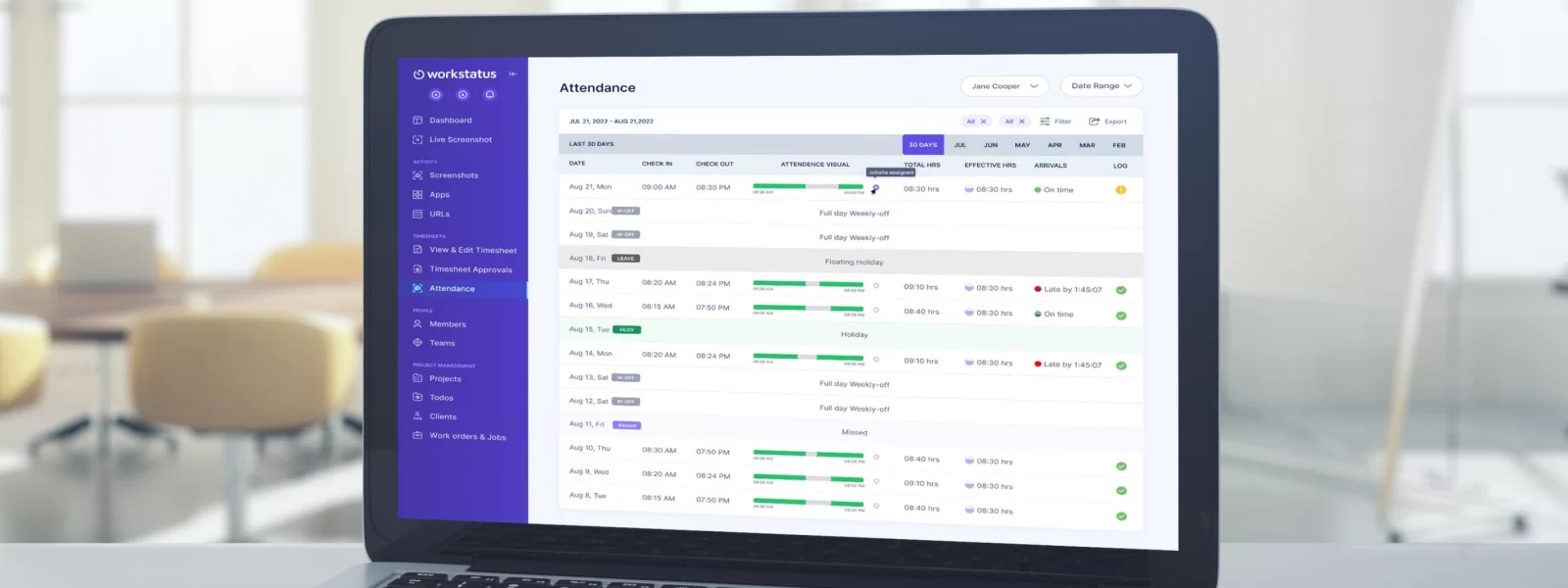
Employee Attendance Tracker Excel Templates You Need

Are you tired of endlessly scrolling through piles of papers to track your employees’ attendance?

We feel you!

That’s why we’re introducing the ultimate solution to simplify and automate your employee attendance tracking process – Workstatus Employee Attendance Tracker Excel Template.

This robust tool is here to revolutionize how you manage and monitor your team’s attendance, making it a breeze for small businesses and larger organizations.

This blog post will cover why the Attendance Tracker Excel Template is beneficial, its features, and how to track your team’s attendance.

So join us as we explore what this amazing tool can do for you!

Let’s get started by understanding.

Overview Of The Employee Attendance Tracker Excel Template

The Employee Attendance Tracker Excel Template is designed to monitor and record employee attendance.

It provides a user-friendly interface for employers or HR departments to manage and analyze attendance data. The template typically includes the following:

  • Calendar view
  • Employee information input
  • Attendance tracking
  • Reporting capabilities

Importance Of Tracking Employee Attendance

Tracking employee attendance helps ensure accurate payroll processing by capturing the hours worked.

It aids in identifying patterns of absenteeism or tardiness, enabling proactive measures to address attendance issues. Employee attendance tracking can:

  • Promotes accountability
  • Encourages punctuality
  • Improves overall productivity

It assists in compliance with labor laws, as attendance records may be required for audits or legal purposes.

Compatibility With Excel Versions

The Employee Attendance Tracker Excel Template is generally compatible with various versions of Microsoft Excel.

It can work with: 

  • Excel 2010
  • Excel 2013 
  • Excel 2016
  • Excel 2019
  • Excel for Office 365

Reviewing the template’s documentation or instructions to confirm compatibility before use is advisable.

Now, let’s look at the 

Elements Of Employee Attendance Tracker Excel Template

The Workstatus Employee Attendance Tracker Excel Template consists of the following elements:

Employee Information Section

This section lets you input and store relevant employee details such as: 

  • Names
  • Employee IDs
  • Departments
  • Positions

It serves as a centralized database for employee information, making it easy to track attendance for each individual.

Attendance Log Section

The attendance log section provides a calendar or date-based view where you can record the attendance status of employees on a daily or shift basis.

It typically includes columns or fields to mark attendance as: 

  • Present
  • Absent 
  • Late
  • On leave

The log section helps monitor and track attendance patterns over time for each employee.

Monthly Summary Section

This section provides a consolidated view of attendance data for each employee every month.

It calculates and displays essential metrics such as the following: 

  • Number of working days
  • Total days present
  • Total absences
  • Late arrivals

The summary section enables quick analysis of attendance trends and patterns at a glance.

Customizable Fields And Formulas

The template offers customization options to accommodate specific requirements or additional information.

You can add or modify fields to include extra details, such as: 

  • Shift timings
  • Overtime hours
  • Other relevant data

Formulas can be customized to automatically calculate totals, percentages, or any other desired calculations based on the attendance data.

Data Validation And Error Checking

The template incorporates data validation rules and error-checking mechanisms to ensure accurate and reliable attendance tracking.

It includes validation checks to: 

  • Prevent duplicate entries
  • Enforce specific formats 
  • Highlight potential errors or inconsistencies

These features help maintain data integrity and minimize manual data entry errors.

Now, let’s take a look at

How To Set Up the Template

Download The Template From Workstatus

  • Visit the Workstatus website or the designated source for the template
  • Locate the Employee Attendance Tracker Excel Template and click on the download button
  • Save the template file to your desired location on your computer

Streamline your attendance management today!

Download the Workstatus Employee Attendance Tracker Excel Template Now

Streamline your attendance management today!

Template Setup

  • Open the downloaded template using Microsoft Excel
  • Review the template’s instructions or documentation to familiarize yourself with its features and functionalities
  • Ensure you have the required version of Microsoft Excel installed on your computer for compatibility

File Structure And Organization

  • The template is typically structured with different worksheets or tabs for various sections, such as: 
  • Employee information
  • Attendance log
  • Monthly summary
  • Each worksheet serves a specific purpose and can be accessed by clicking on its corresponding tab at the bottom of the Excel window
  • Familiarize yourself with the layout and structure of the template to navigate between different sections efficiently

Customization Options

  • The template provides customization options for your needs.
  • To add or remove columns, select the column header you want to add or delete, right-click, and choose the appropriate option.
  • Modifying formulas requires a basic understanding of Excel functions. 
  • Locate the formula you wish to modify 
  • Select the cell
  • Edit the formula within the formula bar at the top of the Excel window

Entering Employee Details And Configuring Settings

  • Begin by navigating to the employee information section of the template
  • Input employee details such as: 
  • Names
  • Employee IDs
  • Departments 
  • Positions into the designated fields or columns
  • Customize additional fields or settings, such as: 
  • Shift timings
  • Overtime rates
  • Leave types
  • Refer to the template’s instructions or documentation for specific guidance on configuring settings and utilizing additional features

Start Using

  • Once employee details and settings are configured, proceed to the attendance log section
  • Enter the attendance status of each employee on a daily or shift basis using the provided fields or columns
  • Take advantage of any automated calculations or features within the template, such as:
  • Total working days
  • Attendance percentages
  • Summaries
  • Regularly update the attendance log to keep track of employee attendance and monitor any patterns or trends.

By following these steps, you can effectively set up and start using the Employee Attendance Tracker Excel Template from Workstatus to manage and track employee attendance efficiently.

Now, let’s take a look at how you can 

Optimize Attendance Recording With The Template

Recording Attendance Data

1. The Employee Attendance Tracker Excel Template lets you easily record:

  • Daily
  • Weekly
  • Monthly attendance data

You can input the attendance status of each employee for specific dates.

2. The template provides a user-friendly interface where you can navigate to the attendance log section and quickly update the attendance status for each employee. 

This helps you maintain an accurate record of employee attendance over time.

By regularly updating the attendance data in the template, you can: 

  • Track attendance patterns
  • Identify trends
  • Monitor employee attendance performance

Marking Leaves, Vacations, And Holidays

1. The template includes features to mark:

  • Leaves
  • Vacations
  • Holidays

You can customize the template to include specific leave types, such as: 

  • Annual leave
  • Sick leave
  • Personal leave

When an employee takes a leave or goes on vacation, you can simply mark the corresponding dates in the attendance log section of the template. 

This allows you to keep track of employees’ time off and ensures accurate calculations of attendance metrics.

A centralized record of leaves, vacations, and holidays allows you to effectively manage and plan for workforce availability and ensure proper staffing arrangements.

Auto-Calculation Of Attendance, Late Arrivals, And Early Departures

One of the key advantages of the template is its ability to calculate attendance-related metrics automatically.

The template is pre-programmed with formulas that calculate:

  • Totals
  • Percentages
  • Other relevant statistics 

The template can calculate each employee’s total number of: 

  • Working days
  • Total days present
  • Total absences
  • Late arrivals
  • Early departures

These calculations help you: 

  • Monitor attendance patterns
  • Identify areas of concern
  • Make informed decisions to improve attendance management

The auto-calculation feature saves you time and effort by eliminating the need for manual calculations and provides accurate and reliable attendance statistics at a glance.

Generating Attendance Reports

The template offers reporting capabilities that allow you to generate attendance reports effortlessly. 

These reports provide a comprehensive overview of employee attendance for specific periods, such as: 

  • Daily
  • Weekly
  • Monthly

You can customize the template to generate attendance reports for individual employees, departments, or the entire organization. 

The reports can include attendance summaries, attendance percentages, and other relevant metrics. Attendance reports also help you: 

  • Analyze attendance trends
  • Identify recurring issues
  • Track progress in attendance management efforts

They are also valuable documentation for payroll processing, audits, or legal purposes.

Tracking Overtime And Compensatory Time Off

The template can be customized to include tracking overtime hours and compensatory time off.

You can add fields or columns to record additional information related to overtime work or compensatory time earned by employees.

You can effectively manage and compensate employees for additional work hours by tracking overtime and compensatory time off in the template.

This ensures fair and accurate payroll processing and compliance with labor laws.

The template’s customization options allow you to tailor it to your organization’s specific overtime policies and practices, providing a comprehensive attendance and time management solution.

As we are now moving to the final phase of our blog, let’s take a look at

How To Make The Most Out Of The Template?

Conditional Formatting For Visual Cues

Utilize conditional formatting in the template to highlight important attendance patterns visually.

For example, you can set up conditional formatting rules to automatically change cell background colors based on specific criteria, such as marking late arrivals or absences in red and on-time attendance in green.

This visual cue will make it easier to quickly identify attendance issues or exceptional performance, allowing you to take prompt actions or appreciate employees who maintain good attendance records.

Using Data Filters And Sorting Options

Leverage the template’s data filtering and sorting features to analyze attendance data from different perspectives.

For instance, you can filter the attendance log based on department or employee IDs to view attendance records for specific groups.

By sorting data based on attendance status or dates, you can quickly identify the most common reasons for absences or late arrivals, enabling you to address those issues proactively and improve overall attendance.

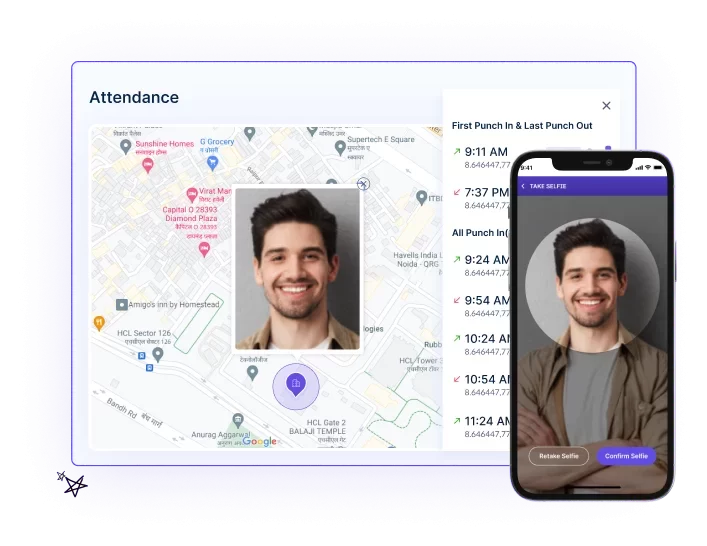
Integrating Workstatus Selfie Validation And Attendance Management Software For Accuracy

Integrate Workstatus selfie validation and attendance management software with the template for enhanced accuracy and security.

With selfie validation, employees can verify their attendance by taking a selfie at work or during clock-in/out, reducing the possibility of fraudulent attendance entries.

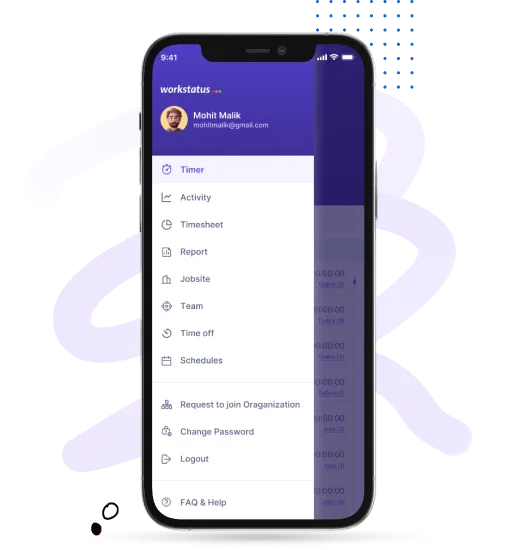
Manage Everything From Mobile

Integrate Workstatus selfie validation and attendance management software with the template for enhanced accuracy and security. 

With selfie validation, employees can verify their attendance by taking a selfie at work or during clock-in/out, reducing the possibility of fraudulent attendance entries.

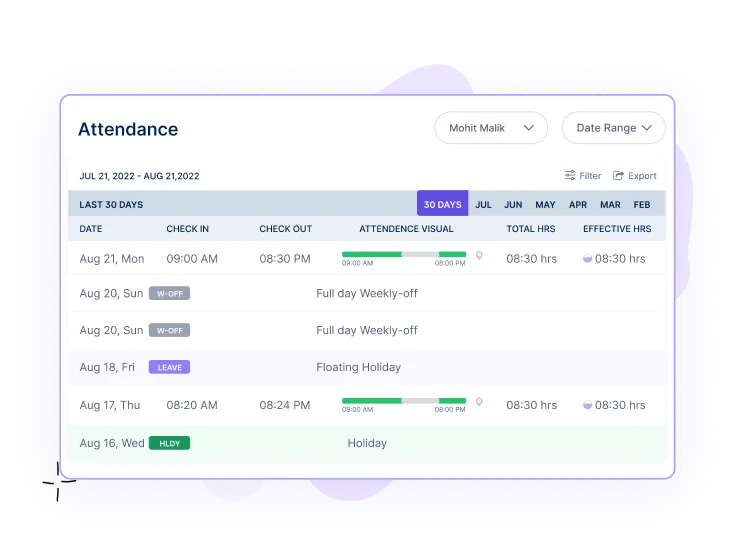
Attendance

The integration will streamline the attendance tracking process, as attendance data captured by the software will automatically sync with the Excel template, minimizing manual data entry and potential errors.

Moreover, the selfie validation feature adds an extra layer of security. 

It ensures that the recorded attendance corresponds to the actual presence of employees, boosting the reliability of attendance data for reporting and payroll purposes.

Conclusion

workstatus ws

The Workstatus Employee Attendance Tracker Excel Template is essential for effectively managing employee attendance. 

With its user-friendly interface and comprehensive features, this template provides a convenient way to track and monitor employee attendance records. 

This template allows businesses to: 

  • Save time
  • Improve accuracy
  • Streamline their attendance management process.

So what are you waiting for?

Download the template now and experience the benefits firsthand.

FAQs

Q: Can Workstatus integrate with other HR or payroll systems? 

A: Yes, Workstatus is designed to integrate seamlessly with various HR and payroll systems. 

It allows for easy data exchange between platforms, ensuring smooth coordination between attendance management, HR processes, and payroll calculations.

Q: Is Workstatus attendance management software compatible with mobile devices? 

A: Yes, Workstatus attendance management software is compatible with mobile devices. 

It offers mobile applications for iOS and Android platforms, allowing employees to conveniently clock in and out, view their attendance records, and receive notifications on the go.

Q: How secure is the data stored in Workstatus attendance management software? 

A: Workstatus takes data security seriously. The software employs robust security measures, including: 

  • Data encryption
  • Secure servers
  • Access controls 
  • Regular backups

 To protect the integrity and confidentiality of your attendance data.

Take a step towards efficient attendance management

Opt for Workstatus

Take a step towards efficient attendance management

Decoding the DuPont Shift Schedule: Pros and Cons Explored

Are you tired of the traditional 9-to-5 work schedule, feeling like it’s sapping your productivity and leaving little time for personal pursuits? 

Well, we’ve got something intriguing to offer! 

Welcome to our blog post on decoding the DuPont Shift Schedule – a revolutionary way to structure your work hours. 

Whether you’re seeking better work-life balance or looking to optimize your team’s performance, this unique scheduling system has pros and cons that deserve exploration. 

Get ready as we delve deep into DuPont shifts, uncovering how they can transform you and your organization.

Let’s get started. 

What Is The DuPont Shift Schedule?

The DuPont Shift Schedule is a popular system widely used in industries requiring continuous operations, such as:

  • Manufacturing plants
  • Hospitals
  • Emergency services

 It is characterized by its 12-hour shift pattern and rotation cycles. 

Here are the basics of the DuPont Shift Schedule:

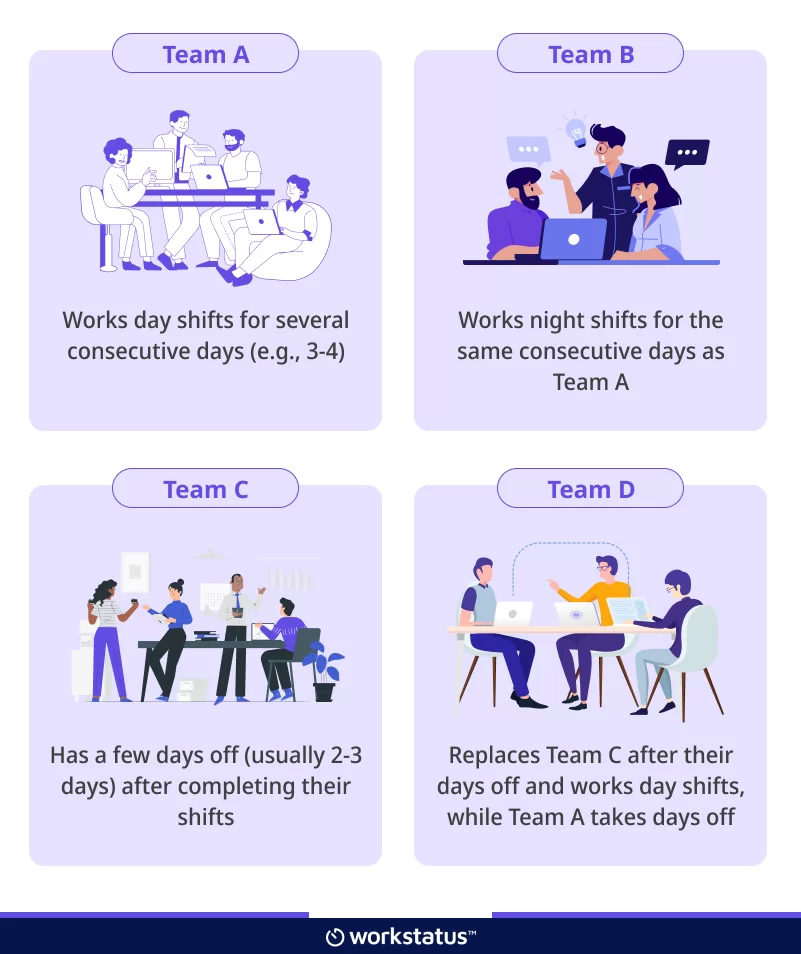
The schedule consists of a repeating cycle of shifts, typically organized as four teams:

  • Team A
  • Team B
  • Team C
  • Team D

Each team follows a rotating schedule, commonly known as a “DuPont Rotation,” which includes day and night shifts.

The shifts are usually structured as follows:

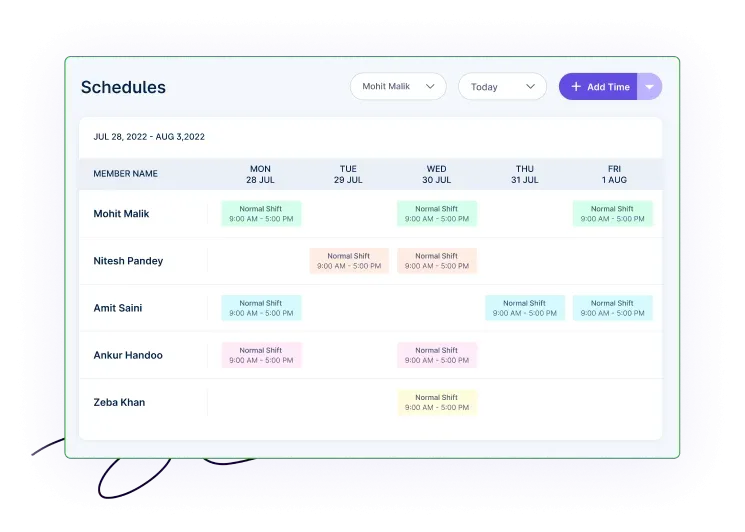
Shift Schedule in Workstatus

After completing their shifts, each team moves to the next shift in the cycle, and the pattern repeats.

Different Variations Of The DuPont Shift Schedule

The DuPont Shift Schedule has a few common variations that organizations may adopt based on their needs.  Some of these variations include:

Forward Rotating Schedule: 

In this variation, the shift rotation pattern moves forward after each cycle. 

For example, after Team A completes their day shifts, they move to night shifts, and Team B moves to the days off, followed by Team C and Team D. 

The cycle then repeats, but with each team on a different shift than before.

Reverse Rotating Schedule: 

This variation is similar to the forward rotating schedule, but the shift rotation pattern moves in the opposite direction. 

After completing their day shifts, Team A moves to the days off, while Team B takes over the night shifts. 

Team C then replaces Team B, and Team D replaces Team C. This reverse rotation continues in subsequent cycles.

Fixed Shift Schedule: 

In this variation, each team remains in the same shift throughout the entire cycle. 

For example, Team A consistently works day shifts, Team B works night shifts, Team C works evening shifts, and Team D serves when any team employee is on leave. 

This fixed pattern repeats in subsequent cycles, providing consistency in the workforce schedule.

The Importance Of The DuPont Shift Schedule

Continuity Of Operations: 

With 12-hour shifts and rotating teams, the DuPont Schedule allows for continuous operation without excessive overtime or gaps in coverage. It ensures there are always trained employees available to handle the workload.

Extended Time Off: 

The schedule’s longer shifts result in more consecutive days off for employees. They can enjoy: 

  • Extended rest periods
  • Spend time with family
  • Pursue personal interests 
  • Engage in part-time work 

Improved Work-Life Balance: 

By providing longer breaks between work periods, the DuPont Schedule can enhance work-life balance for employees. 

They have more time for personal activities and relaxation, which can contribute to overall job satisfaction and well-being.

Reduced Commuting: 

Since employees work longer shifts, they typically have more consecutive days off, leading to reduced commuting frequency. This can save employees: 

  • Time
  • Money
  • Energy 

Resulting in increased job satisfaction.

Enhanced Employee Coverage: 

With rotating shifts and teams, the DuPont Schedule helps distribute work evenly among employees and ensures sufficient coverage throughout all hours of operation. 

It minimizes the risk of understaffing during peak periods and helps organizations maintain productivity.

Overall, the DuPont Shift Schedule is valued for its ability to provide:

  • Continuous coverage
  • Flexibility
  • Improved work-life balance

It is a popular choice in industries requiring round-the-clock operations.

As we are familiar with the DuPont Shift Schedule, let’s move on and explore its pros and cons.

The Pros Of Implementing DuPont Shift Schedule

Improved Productivity:

The DuPont Shift Schedule’s longer shifts, typically lasting 12 hours, can contribute to improved productivity. Here’s why:

  • Longer Work Periods: Employees have extended uninterrupted work periods, allowing them to dive deeper into tasks and projects without frequent breaks.
  • Reduced Transition Time: With fewer shift changes than traditional 8-hour schedules, employees can maintain focus for extended periods, minimizing time spent transitioning between tasks.
  • Reduced Handovers: Fewer handovers between shifts mean less time transferring information and potential errors, leading to increased efficiency.

Enhanced Work-Life Balance For Employees:

The DuPont Shift Schedule offers a better work-life balance, providing employees with more consecutive days off. This has several benefits:

a) Longer Rest Periods: Employees can enjoy extended rest periods, allowing them to recharge and recover physically and mentally.

b) Flexibility For Personal Commitments: The longer breaks between work periods give employees more time for personal commitments, such as:

  • Spending time with family
  • Pursuing hobbies 
  • Engaging in personal development activities

c) Part-Time Work or Education: The schedule allows employees to pursue part-time work or education during their days off, opening additional income or personal growth opportunities.

Increased Coverage And Continuity Of Operations:

The DuPont Shift Schedule ensures continuous coverage and smooth operations within an organization. Here’s how it achieves this:

  • Rotating Shifts: The rotation of teams and shifts ensures trained employees are always available to handle the workload, reducing the risk of understaffing during any shift.
  • Reduced Dependency On Overtime: By spreading the workload across a larger pool of employees, the schedule minimizes the need for excessive overtime, reducing the strain on individuals and maintaining consistent productivity levels.
  • Reduced Transition Periods: The consistent rotation and longer shifts reduce transition periods between shifts, minimizing disruptions and maintaining continuity in operations.

Reduced Overtime Costs:

Implementing the DuPont Shift Schedule can lead to decreased overtime costs for organizations. Here are some reasons:

  • Efficient Shift Coverage: The schedule’s rotation system provides consistent coverage without relying heavily on overtime hours to fill staffing gaps.
  • Less Fatigue-Related Overtime: The longer shifts and consecutive days off help mitigate employee fatigue, reducing the need for additional overtime due to tired workers.
  • Balanced Workload Distribution: By distributing work evenly among teams, the schedule helps prevent excessive workload accumulation on any particular shift, reducing the need for overtime.

Improved employee satisfaction and morale:

The DuPont Shift Schedule can positively impact employee satisfaction and morale. Here’s why:

  • Extended Time Off: The longer breaks between work periods give employees more opportunities for personal activities and relaxation, increasing job satisfaction.
  • Predictable Schedule: The repeating cycle and clear rotation patterns of the schedule provide employees with predictability and stability, which can reduce stress and improve overall job satisfaction.
  • Work-Life Balance: The schedule’s extended time off and flexibility can contribute to a healthier work-life balance, fostering positive attitudes and higher employee morale.

Cons Of The DuPont Shift Schedule

Fatigue And Reduced Alertness During Extended Shifts:

One of the main drawbacks of the DuPont Shift Schedule is the potential for fatigue and reduced alertness during extended shifts. Here are the key points to consider:

  • Longer Work Hours: The 12-hour shifts can increase fatigue, especially during nighttime when the body is naturally inclined to rest.
  • Impact On Concentration: Prolonged work periods without adequate breaks can decrease concentration and alertness, potentially compromising safety and productivity.
  • Increased Risk Of Errors: Fatigue can impair cognitive function and decision-making abilities, increasing the likelihood of errors or accidents in high-stakes industries.

Difficulty In Adapting To Unconventional Working Hours:

The unconventional working hours of the DuPont Shift Schedule can pose challenges for employees. Here’s what to consider:

  • Disruption Of Circadian Rhythm: The rotating shift pattern can disrupt the body’s natural sleep-wake cycle, leading to difficulties adjusting to different sleep schedules and increased risk of sleep disorders.
  • Impact On Personal Life: The non-standard working hours can make it challenging to synchronize with family and friends, participate in social activities, or engage in hobbies typically scheduled during regular daytime hours.

Potential Impact On Employee Health And Well-Being:

The DuPont Shift Schedule may have implications for employee health and overall well-being. Consider the following points:

a) Increased Stress Levels: Shift work can induce higher stress levels due to disrupted routines, difficulties managing personal responsibilities, and potential conflicts between work and family life.

b) Adverse Health Effects: Irregular sleep patterns and disrupted circadian rhythms can increase the risk of various health issues, including: 

  • Sleep disorders
  • Gastrointestinal problems
  • Cardiovascular conditions 
  • Mental health challenges

c) Social Isolation: The unconventional working hours can lead to social isolation, as shift workers may have limited opportunities to interact with family and friends, potentially impacting their mental and emotional well-being.

Challenges In Managing Shift Rotations And Schedules:

Implementing and managing the DuPont Shift Schedule can present logistical challenges for organizations. Consider the following aspects:

1) Complex Administration: Coordinating multiple teams and rotations requires meticulous scheduling and tracking to ensure smooth transitions and adequate coverage, which can be time-consuming and resource-intensive.

2) Employee Preferences and Work-Life Balance: Accommodating individual employee preferences while maintaining fairness and balance in shift assignments can be challenging, as some individuals may have specific preferences or personal constraints that need to be considered.

3) Limited Flexibility: The structured nature of the DuPont Schedule may limit the ability to accommodate ad hoc changes or individual requests, potentially affecting employee satisfaction and morale.

So these were the core pros and cons of implementing the DuPont Shift Schedule. Weighing these aspects can help organizations determine if this shift system suits their needs.

Streamlining Workflows: Tips For Optimizing The DuPont Shift Schedule

Managing the DuPont Shift Schedule can be complex without the right tools and processes.

Introducing Workstatus, the best shift management system for optimizing and streamlining the DuPont Schedule:

Workstatus is a powerful tool that can significantly assist project managers in optimizing their DuPont Shift Schedule. 

workstatus ws

By leveraging Workstatus’s features, project managers can enhance shift scheduling, monitor productivity, and streamline collaboration among team members. 

Here are some valuable tips for project managers to make the most of Workstatus and optimize their DuPont Shift Schedule:

Monitor Shift Hours With A Time Tracker-

Time Tracking software - Workstatus

Workstatus’s built-in time tracking feature makes monitoring the total hours an employee works each shift easy. 

This allows project managers to tweak schedules if needed, ensuring employees are well-rested and enabling companies to stay more productive while maintaining compliance with labor laws.

Attendance Management With Selfie Validation:  

Selfie Validation in Workstatus

The ‘Selfie Validation’ feature helps ensure that shift workers are always ready to work when they clock in. 

Using facial recognition technology, Workstatus automatically sees who clocks in and out, reducing manual timekeeping errors and keeping accurate records.

Efficient Shift Allocation: 

Shift Allocation in Workstatus

Managers can streamline the complex task of managing rotating shifts by using Workstatus’s scheduling tools, which automate the rotation cycles and help maintain continuity in operations. 

It helps managers to assign shifts to employees, considering their preferences, skills, and availability while maintaining fairness and coverage.

Fatigue & Performance Assessment: 

Performance Assessment in Workstatus

Workstatus’s productivity monitoring can help identify signs of fatigue among employees, such as:

  • Decreased activity levels 
  • Prolonged idle time

Which enables timely interventions to prevent accidents and errors. 

Additionally, it allows project managers to assess employee productivity and performance during DuPont shifts using Workstatus’s productivity metrics, facilitating the addressing of any issues and providing support when needed.

Seamless Project Management: 

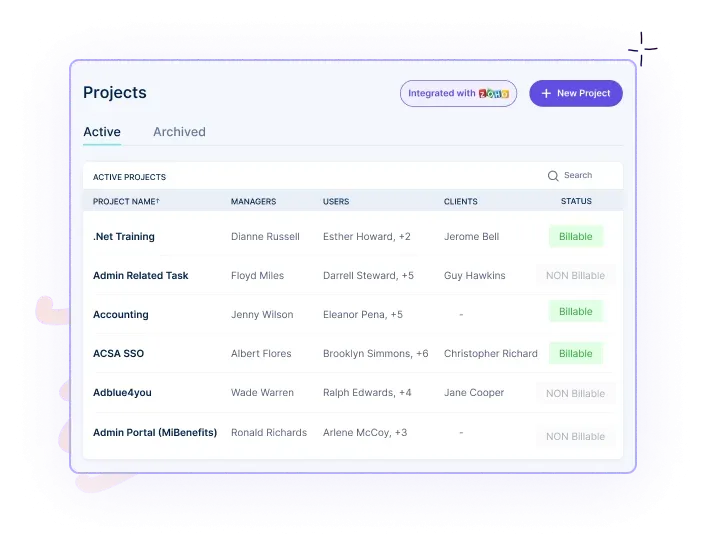
Project Management in Workstatus

Leveraging Workstatus’s project management feature, teams can effectively:

The platform allows managers to allocate tasks to specific team members, ensuring clarity and accountability. 

By tracking progress in real-time, Workstatus empowers teams to execute projects efficiently, even with rotating shifts and diverse work schedules.

Data-Driven Insights and Continuous Improvement: 

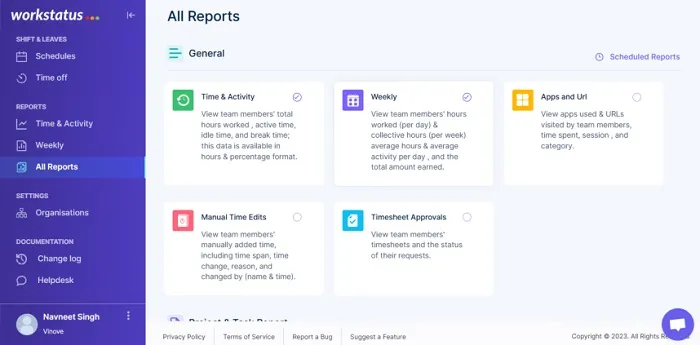
All Reports 2

By harnessing the reporting and analytics capabilities of Workstatus, businesses can unlock valuable insights into various aspects of their workforce, including:

These data-driven insights empower decision-makers to optimize the DuPont Shift Schedule through informed decision-making.

These features of Workstatus ensure the DuPont Shift Schedule is effectively managed and optimized, allowing businesses to maximize productivity and efficiency while maintaining compliance. 

Next Step 

In conclusion, decoding the DuPont Shift Schedule has shed light on its advantages and disadvantages. 

The schedule’s 12-hour shifts and extended rest periods offer benefits such as reduced commute time and increased work-life balance for employees. 

However, it also poses challenges like fatigue and potential health issues.

Utilizing advanced scheduling software like Workstatus can be a valuable next step to implementing the DuPont Shift Schedule effectively. 

Workstatus offers features like automated shift management, real-time communication, and performance tracking, enabling businesses to optimize productivity and streamline operations.

By integrating Workstatus into the DuPont Shift Schedule, organizations can maximize the benefits while mitigating the drawbacks. 

FAQs 

Q: How can project managers determine if the DuPont Shift Schedule suits their teams?

A: Project managers can consider the following factors when evaluating the suitability of the DuPont Shift Schedule:

  • Nature Of The Project: Assess if a continuous operation is required and if round-the-clock coverage is necessary for project success.
  • Workforce Preferences: Consult with employees to understand their willingness and ability to work extended shifts or adapt to rotating schedules.
  • Health & Safety Considerations: Evaluate the potential risks associated with fatigue and employee well-being, ensuring compliance with labor laws and regulations.

Q: Are there any industries or sectors where the DuPont Shift Schedule is particularly suitable?

A: The DuPont Shift Schedule is commonly used in industries that require continuous operations, such as 

  • Manufacturing
  • Healthcare
  • Transportation 
  • Emergency services 

However, its suitability may vary depending on specific project requirements and employee preferences.

Q: Can the DuPont Shift Schedule be implemented in organizations with small workforces?

A: Yes, the DuPont Shift Schedule can be implemented in organizations with small workforces. However, it is essential to consider factors such as:

  • Workload distribution
  • Availability of qualified staff
  • Employee preferences before implementing the schedule

So what are you waiting for?

Start optimizing your scheduling process with Workstatus

So what are you waiting for?

What is a Flex Schedule?

Do you find balancing your personal and professional life hard due to a fixed work time?

If yes, a flexible schedule might be the perfect solution for you!

Did you know?
89% of companies experienced increased employee retention after adopting a flexible work schedule.

Such statistics define that a flexible work schedule is an effective tool for managing employee engagement and stress levels.

But what exactly is a flex schedule, and how does it work?

In this complete guide, we will explore everything you need to know about flex schedules, from:

  • What is a flex schedule?
  • The distinction between flex schedules and traditional fixed schedules
  • What are the different types of Flex Schedules?
  • What benefits do flex schedules bring for employers and employees?

To challenges and the solutions that come with Flex Schedules.

So join us on this journey as we take you through everything you need to know about flex schedules!

So, let’s get started by understanding:

What Is A Flex Schedule?

A flex schedule is a work arrangement that gives employees greater control over when and where they work. It offers flexibility in terms of the following:

The purpose of a flex schedule is to provide employees with the opportunity to align their work commitments with;

  • Personal obligations
  • Interests
  • Preferences

It recognizes that not all employees thrive in the traditional 9-to-5, Monday-to-Friday structure and allows customization based on individual needs and circumstances.

Now let’s understand:

Difference Between Flex Schedules And Traditional Fixed Schedules

Flex and traditional fixed schedules represent two approaches to organizing work hours and routines.

Understanding the distinction between these two types of schedules can shed light on their benefits and differences.

Here are some key points to consider:

Flex Schedules

1. Flex schedules allow employees to adjust their work hours and, potentially, their work location.

2. It offers flexibility regarding when and where work is performed, allowing employees greater control over their schedules.

3. Employees may be able to customize their start and end times, work fewer days with longer hours, or work remotely.

4. Flex schedules prioritize work-life balance, accommodate personal obligations, and support individual preferences.

Traditional Fixed Schedules

1. Traditional fixed schedules follow a standardized routine where employees have set work hours and designated office locations.

2. They typically involve working specific hours per day or week, often from a centralized workplace.

3. Fixed schedules are based on a consistent daily or weekly routine that employees must adhere to.

4. Employees generally have less flexibility to adjust their work hours or location within the traditional fixed schedule framework.

Key Differences:

1. Control & Flexibility

Flex schedules give employees more control over their work hours and the ability to adjust their schedules according to personal needs and preferences.

In contrast, traditional fixed schedules have less flexibility and offer limited opportunities for customization.

2. Work-Life Balance

Flex schedules prioritize work-life balance by allowing employees to manage personal commitments more effectively.

Traditional fixed schedules may provide less flexibility and sometimes lead to challenges in achieving a satisfactory work-life balance.

3. Location Independence

Flex schedules often allow employees to work remotely or from alternative locations, reducing the requirement to be physically present in an office.

Traditional fixed schedules usually require employees to work from a designated workplace.

4. Adapting To Individual Needs

Flex schedules recognize employees’ diverse needs and preferences.

It provides options for adjusting work hours to accommodate personal obligations, such as;

  • Childcare
  • Education
  • Other responsibilities

Traditional fixed schedules may be less accommodating in this regard.

Now, let’s look at the

What Are The Different Types Of Flex Schedules?

Hybrid Work

  • Combines remote work and on-site work
  • Employees split their time between working from home and the office
  • Offers a balance between the benefits of remote work and the collaboration of in-person interactions

Telecommuting

  • Employees work from a location outside the office, typically their homes
  • Requires reliable internet access and remote communication tools
  • Reduces commuting time and allows for a more flexible work environment

Remote Work

  • Employees work entirely outside of a traditional office setting
  • It enables individuals to work from anywhere, such as at home, in co-working spaces, or while traveling
  • Provides autonomy and freedom to manage their schedules

Condensed Workweeks

  • Employees work full-time hours on fewer days per week
  • Commonly includes working four 10-hour days instead of five 8-hour days
  • Allows for extended weekends and potential cost savings on commuting expenses

Flextime

  • Employees have control over their start and end times
  • Offers the freedom to adapt work schedules to personal preferences
  • Increases work-life balance and accommodates individuals’ peak productivity hours

Part-Time Work

  • Employees work fewer hours than full-time employees
  • Provides flexibility for individuals with other commitments or responsibilities
  • Allows for a better balance between work and personal life

Shift Work

  • Employees work in rotating shifts that cover a 24-hour period
  • Common in industries that require continuous operations, such as healthcare or manufacturing
  • Offers flexibility for individuals who prefer or need non-traditional working hours

Job Sharing

  • Two or more employees share the responsibilities and hours of one full-time position
  • Enables individuals to maintain a work-life balance while still contributing to the organization
  • Allows for specialized skills or expertise to be combined for greater productivity

Statistics Showing Why Flex Schedules Are On The Rise

1. 73% of employees said flexible work arrangements boosted their work satisfaction

2. 78% of employees reported being more productive when given flexible work arrangements.

3. Regarding evaluating future job opportunities, 77% of employees consider flexible work arrangements a significant factor.

4. 36% of employees are likely to quit their existing employer due to a lack of flexible work arrangements.

These statistics show that a flex schedule is here to stay, allowing employees to better manage their time and maintain a work-life balance. This leads to improved satisfaction and higher productivity.

Now that we know what flex schedules are and what benefits they offer, let’s take a closer look at:

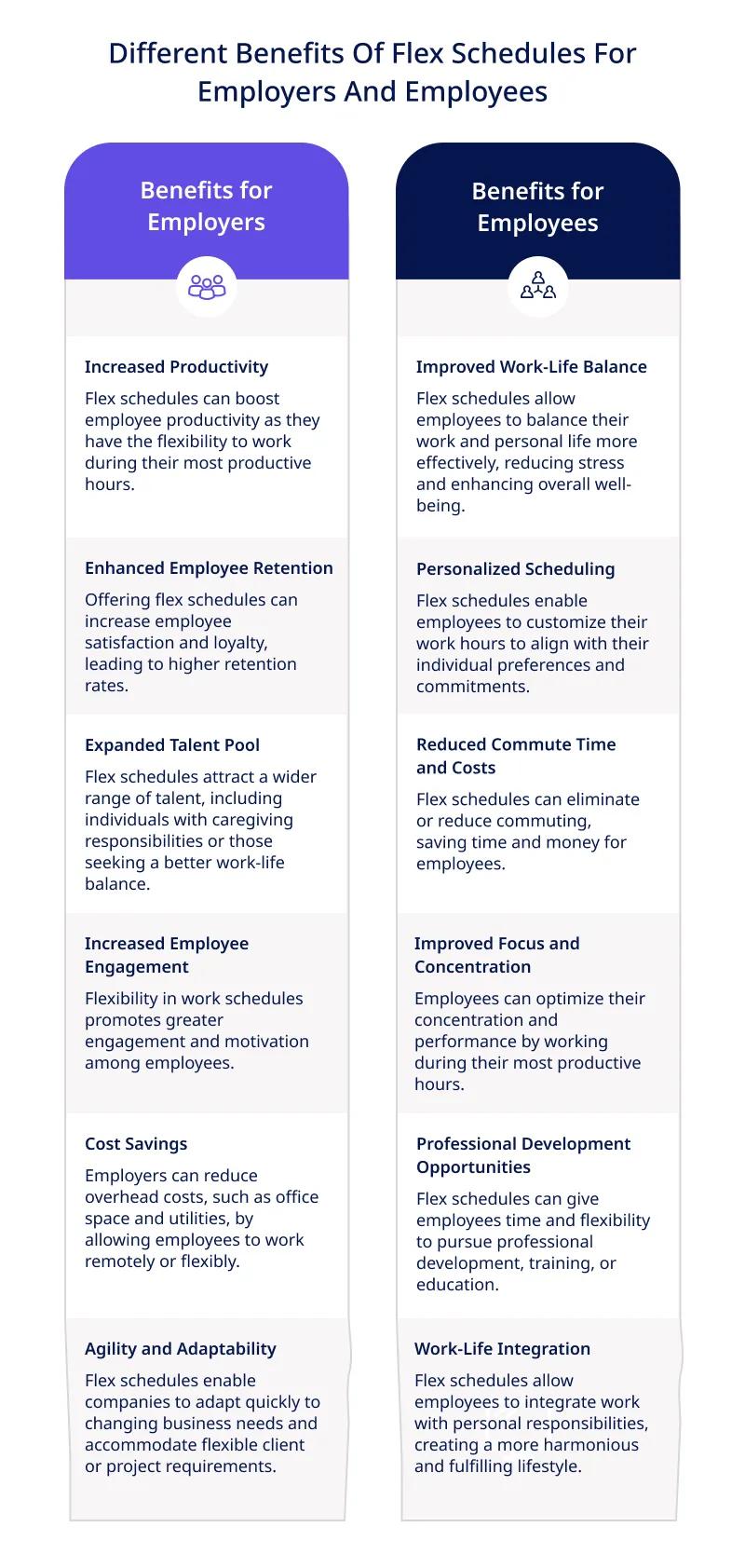
Different Benefits Of Flex Schedules For Employers And Employees

Benefits Of Flex Schedules

Now let’s move to the: 

Flex Schedules In Focus: Navigating Challenges And Crafting Winning Solutions

Flex schedules offer numerous benefits but also present challenges that organizations need to address. 

workstatus ws

Luckily, Workstatus, a comprehensive workforce management tool, provides effective solutions to overcome these challenges and maximize the advantages of flexible work arrangements. 

Let’s explore some common challenges and how Workstatus can help resolve them:

Challenge1: Tracking Employee Task Time In Varying Flextime Work Settings

There can be challenges in accurately tracking employee task time when working in a flexible schedule setting, as their tasks may vary in duration and complexity.

This can create difficulty in accurately assigning work hours and managing employee productivity.

Solution 1: Time Tracker For Effective Time Tracking


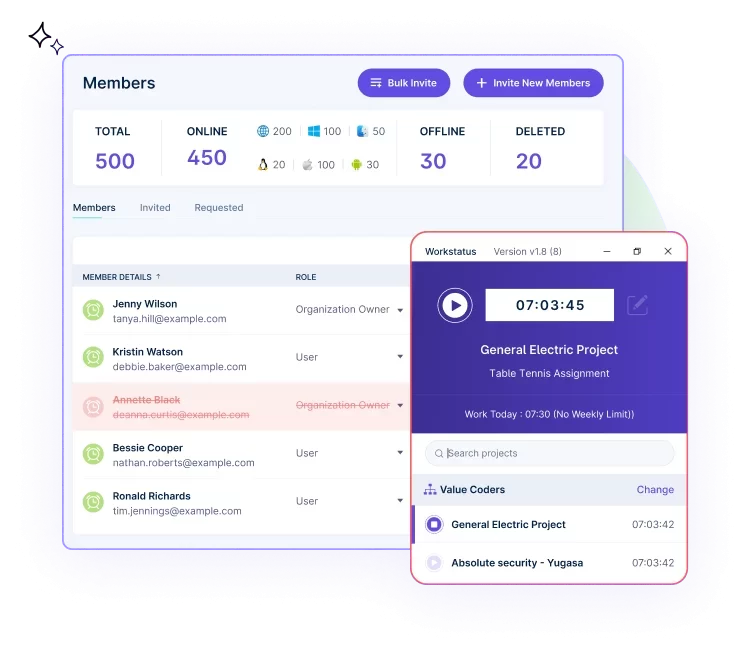
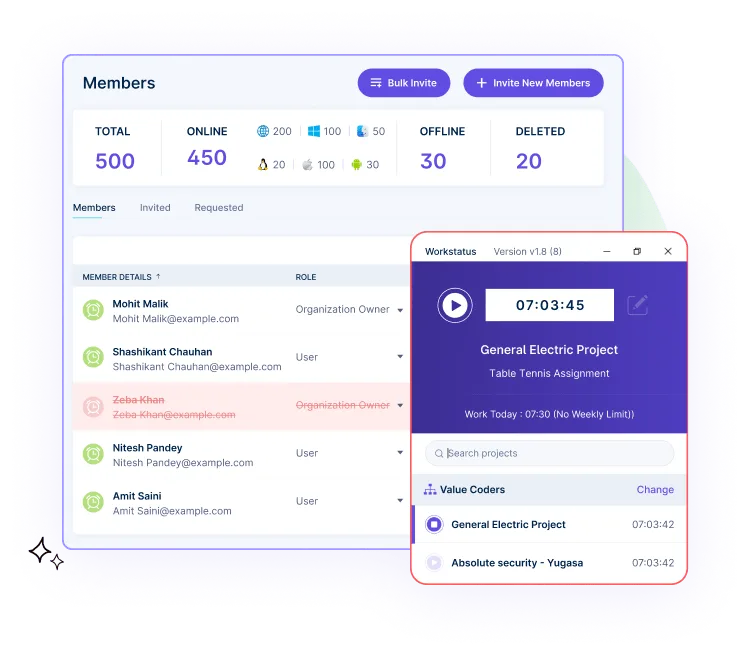
Resource Management members

To address this, organizations can utilize time-tracking solutions provided by Workstatus. These solutions offer features such as:

  • Automated time tracking to capture the time spent on various tasks and projects
  • Integration with project management tools to associate time entries with specific projects or clients
  • Reporting capabilities to analyze time usage patterns and identify areas for improvement
  • This helps organizations to accurately assign work hours and manage employee productivity in different work schedules

Challenge 2: Monitoring Activity And Accountability Of Flextime Employees

Ensuring employee activity and accountability can be challenging in a flextime work setting where employees have varying schedules and locations.

Solution 2: Employee Productivity And Activity Monitoring

time&Activity

Organizations can implement employee productivity and activity monitoring solutions to address this challenge. These solutions offer the following benefits:

  • Real-time tracking of employee activity, including active and idle time
  • Monitoring application and website usage ensure employees stay focused on work-related tasks
  • Screenshots or video recording features to verify work progress and maintain accountability

By implementing these monitoring solutions, organizations can maintain visibility into employee activity and promote accountability in a flexible work environment.

Challenge 3: Workload Distribution

Balancing workload is a challenge in any work setting, but it is even more difficult in a flextime setting where employees have varying schedules and locations, which leads to:

  • Uneven workload distribution.
  • Increased workload for some employees while others are idle.
  • Decreased productivity for overloaded employees

Solution 3: Project Management

Projects

To address this challenge, an organization can use project management tools to divide the workload among team members. This allows for equitable distribution of work as these tools offer:

  • Task assignment and tracking functionalities to distribute and monitor workload
  • Collaboration features for effective communication and coordination among team members
  • Prioritization and deadline management capabilities to ensure timely completion of tasks

By implementing robust project management practices, organizations can address workload distribution challenges and maintain productivity in a flexible work setting.

Don't let project management challenges hold you back

Experience the benefits of Workstatus by booking a free demo now!

Don't let project management challenges hold you back

Challenge 4: Schedule Coordination

Coordinating schedules and tasks among flextime employees can be complex, especially when overlapping or conflicting timeframes exist. This can lead to:

  • Missed deadlines
  • Incomplete tasks
  • Increased employee stress

Solution 4: Schedule & Task Management

Online Employee Scheduling

To address this challenge, an organization can utilize schedule and task management features offered by Workstatus. Explore functionalities such as:

  • Detailed scheduling capabilities to manage tasks and deadlines
  • Task management features to track work progress and assign appropriate resources
  • Reporting features to monitor results and make necessary changes
  • Advanced collaboration to view and share schedules with other team members

By implementing these solutions, organizations can effectively coordinate schedules and tasks among flextime employees and ensure the timely completion of tasks.

Challenge 5: Performance Evaluation

Evaluating employees’ performance in a flexible work setting can be challenging, as their productivity and hours worked may be difficult to measure in different work scenarios.

Solution 5: Reports and Analytics

All Reports 2

To address this challenge, an organization can use the Reports and Analytics features offered by Workstatus. These features offer the following benefits:

  • Detailed performance reports measuring employee productivity and Hourly Wage accrual
  •  Daily, weekly, and monthly reports to track changes in employee productivity and hours worked
  • Advanced reporting capabilities to analyze data in more detail
  • Visualizations and graphs to understand the data more easily

By using Reports and Analytics solutions from Workstatus, organizations can effectively evaluate employees’ performance in a flexible work setting.

Now let’s finally move on to: 

Considerations For Implementing A Flex Schedule

Assessing Job Suitability For Flexible Work Arrangements

Implementing a flex schedule requires evaluating the nature of each job within the organization to determine its suitability for flexible work arrangements. Considerations may include:

  • Identifying roles that can be effectively performed remotely or with alternative schedules
  • Assessing the impact of flexible work arrangements on job responsibilities and deliverables
  • Considering the level of collaboration and interaction required for each role

Communication And Collaboration Strategies

Effective communication and collaboration are crucial when implementing a flexible schedule. Organizations should consider the following:

  • Establishing clear communication channels to ensure effective information sharing
  • Utilizing online collaboration tools to facilitate teamwork and virtual meetings
  • Promoting regular check-ins and updates to maintain team cohesion and coordination

Technology And Infrastructure Requirements

Implementing a flex schedule often requires the support of appropriate technology and infrastructure. Key considerations include:

  • Ensuring employees have access to necessary hardware, software, and communication tools
  • Evaluating the need for secure remote access and data protection measures
  • Providing training and support to ensure employees are proficient in utilizing remote work technologies

Legal And Regulatory Considerations

Organizations must navigate legal and regulatory considerations when implementing a flex schedule. These may include:

  • Complying with labor laws, employment contracts, and collective bargaining agreements.
  • Addressing privacy and data protection regulations when remote work involves handling sensitive information.
  • Adhering to occupational health and safety regulations to ensure a safe working environment, even in remote settings.

Addressing Potential Challenges And Resistance

Implementing a flexible schedule may face challenges and resistance from employees or stakeholders. Organizations should:

  • Anticipate and address concerns about productivity, accountability, and work-life balance
  • Provide training and guidance to managers on managing remote or flexible teams effectively
  • Foster a culture that embraces flexibility and encourages open dialogue about the benefits and challenges of a flexible schedule

By considering these factors, organizations can successfully implement a flexible schedule and reap the benefits of enhanced productivity, improved employee satisfaction, and a more adaptive and resilient workforce.

Next Steps 

In conclusion, a flex schedule refers to a work arrangement that offers employees flexibility in determining their working hours and location. 

It allows individuals to have a:

  • Better work-life balance
  • Increased autonomy
  • Improved productivity

With a flexible schedule, employees have the freedom to choose when and where they work as long as they meet their job responsibilities and deadlines.

One tool that can greatly assist in implementing and managing flex schedules is Workstatus.

Workstatus provides effective time tracking and remote team management solutions, allowing businesses to seamlessly transition to flexible work arrangements. 

So what are you waiting for?

Take the first step towards a more flexible and efficient work environment by exploring Workstatus’s features and solutions today

So what are you waiting for?

A Guide To Calculating Productivity Rates and Percentages

We all understand that measuring and optimizing productivity is the key to success. 

However, 39% of companies don’t measure productivity and frequently find themselves facing the following issues:

  • Poor project planning
  • Missed deadlines
  • No performance evaluation
  • Lost revenue 
  • Employee burnout

This comprehensive guide will provide tools like Workstatus to automate calculating productivity rates and percentages.

Dashboard 5

Let’s dive in-

Defining Productivity Rates and Percentages

Productivity rates and percentages are fundamental metrics used to gauge the efficiency and output of individuals, teams, or entire organizations. 

They provide insights into how effectively resources are utilized and how efficiently tasks are completed. 

Productivity Rates

At its core, productivity rates measure the output or work accomplished relative to the resources invested, typically within a specific timeframe. 

Productivity rates can be calculated in various ways, such as: 

  • Number of units produced per hour
  • Revenue generated per employee
  • Tasks completed per day

It allows companies to assess the efficiency and effectiveness of their operations. 

Productivity Percentages

Productivity percentages provide a relative measure of productivity compared to a benchmark or desired target. 

They indicate the level of efficiency achieved in relation to a predefined standard. 

For example, if a team achieves 90% productivity in a given period, it means they have accomplished 90% of the expected output based on the benchmark or goal.

By tracking these metrics, you can easily do the following:

  • Make data-driven decisions
  • Optimize resource allocation
  • Improve performance

Regular monitoring reveals trends and opportunities for optimization, fostering continuous improvement and competitiveness.

Importance of Tracking Productivity with Workstatus

Tracking productivity with Workstatus offers numerous benefits to organizations:

Performance Evaluation

Workstatus lets organizations track individual and team performance accurately. 

With detailed reports and analytics, managers can easily:

It will help you foster a culture of accountability and continuous improvement.

Resource Optimization

By monitoring productivity with Workstatus, companies can identify inefficiencies and areas of resource waste. 

It helps streamline processes, eliminate time-consuming tasks, and redistribute resources to ensure optimal utilization and cost-effectiveness.

Remote Work Monitoring 

With the rise of remote work, tracking productivity becomes even more crucial. 

Workstatus offers remote employee monitoring capabilities, providing insights into remote work hours, task completion, and overall productivity. 

It helps managers ensure remote teams are aligned, productive, and meeting their targets.

Insights for Process Optimization 

Workstatus provides valuable insights into how work is done, revealing process optimization opportunities. 

By analyzing productivity data, you can streamline workflows, identify bottlenecks, and implement changes to enhance efficiency and productivity.

Data-Driven Decision Making

Workstatus provides real-time data and insights into employee activities, time spent on tasks, and project progress. 

It enables informed decision making, allowing managers to create and manage schedules and make adjustments to optimize productivity.

Optimize your work-from-home setup today!

Choose Workstatus and stay on top of your team's work hours effortlessly

Optimize your work-from-home setup today!

Calculating Productivity Rates Using Workstatus

Here is the step-by-step guide to calculating productivity rates using Workstatus:

Set Clear Objectives

 Define the specific productivity metrics you want to measure using Workstatus. 

For example, you can track the number of tasks completed, hours worked, or revenue generated.

Set Up Workstatus

Install the Workstatus software or app on the devices used by your employees. 

Ensure that everyone is appropriately registered and connected to the platform.

Define Productivity Categories

Create categories or projects within Workstatus to categorize different types of work. 

For instance, you could have categories like client projects, administrative tasks, or research and development.

Assign Tasks and Track Time

Assign tasks to employees within the Workstatus platform and encourage them to track their time accurately. 

It can be done by starting and stopping timers for each task or manually entering the time worked.

Capture Productivity Data:

As employees track their time and complete tasks, Workstatus automatically captures the relevant productivity data. 

Calculate Productivity Rates

To calculate productivity rates, divide the output (tasks completed, revenue generated, etc.) by the input (hours worked, resources utilized). 

Smart Activity Tracking App

By following this step-by-step guide and utilizing Workstatus to track time and tasks, you can accurately calculate productivity rates for individuals, teams, or the entire organization. 

Example To understand Productivity Rate Calculation

Let’s understand how to calculate productivity rate using Workstatus.

Consider a marketing team using Workstatus to track their productivity. 

The team tracked 200 hours in a given week and completed 50 marketing campaigns.

To calculate their productivity rate:

Productivity Rate = Output (Completed Campaigns) / Input (Hours Worked)

Productivity Rate = 50 campaigns / 200 hours

Productivity Rate = 0.25 campaigns per hour

productivity percentage

Source: Replicon

The marketing team’s weekly productivity rate using Workstatus would be 0.25 campaigns per hour.

Example To understand Productivity Percentage Calculation

time&Activity

Let’s understand how to calculate productivity percentage using Workstatus.

Let’s consider an IT company that aims to work for 500 hours to complete their project.

But, they could work only 400 hours tracked through the Workstatus app.

Workstatus will calculate the productivity percentage by using the following formula:

Productivity Percentage = (Actual Output / Target Output) * 100

Using the given example, we can calculate the productivity percentage as follows:

Productivity Percentage = (400 units / 500 units) * 100

Productivity Percentage = 0.8 * 100

Productivity Percentage = 80%

Therefore, the productivity percentage for that day would be 80%.

Workstatus- More Than Just A Productivity Tool!

Workstatus is designed not only to capture the time spent on any task or project.

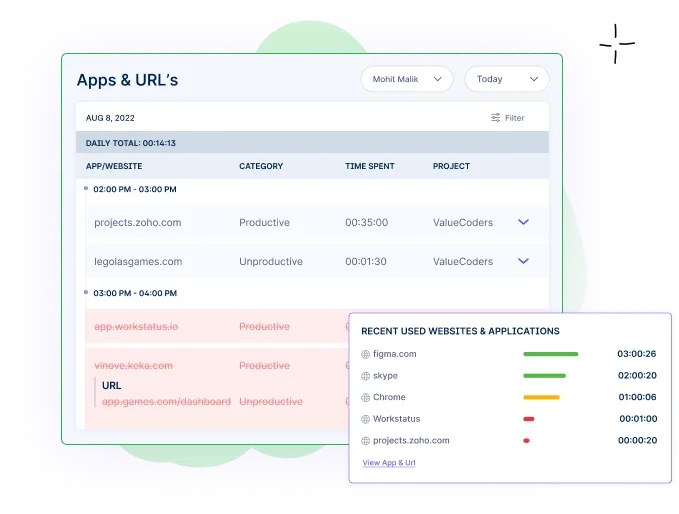
But it will also give you a holistic view of your teams’ activities by capturing the following information:

  • Apps & Websites visited
  • Idle time
  • Productive vs. Unproductive time
  • Active screenshots

Mobile-App Activity Tracking

This data empowers you to make data-driven decisions, identify areas for improvement, and optimize productivity for better performance.

 Real-Life Case Studies

Read some real-life stories of companies using Workstatus for time-tracking. And see what they got in return.

Top 5 Factors Influencing Productivity Rates

Work Environment

The physical and psychological conditions in which work is conducted significantly impact productivity rates.

Factors such as lighting, temperature, noise levels, and ergonomic workplace can enhance or hinder productivity.

Technology and Tools

The availability and effectiveness of tools, equipment, and technology play a vital role in productivity.

Up-to-date software, efficient machinery, and reliable infrastructure enable smoother workflows and faster task completion.

Employee Skills and Training

The skills, knowledge, and expertise of employees greatly influence productivity rates

Well-trained and skilled employees tend to be more efficient in their tasks, leading to higher productivity levels.

Workforce Engagement and Motivation

The level of employee engagement and motivation directly affects productivity rates.

A supportive work culture, recognition, incentives, and clear goals can boost employee morale and improve productivity.

Workload and Task Complexity

The volume and complexity of tasks assigned to employees impact their productivity rates.

An overwhelming workload or highly intricate tasks can reduce efficiency, while a manageable workload promotes higher productivity.

Closing Thoughts

Calculating productivity rates and percentages is essential for companies to assess their efficiency and make informed decisions.

By accurately measuring output and comparing it to the input, organizations can identify areas for improvement, optimize resource allocation, and drive productivity growth.

With the right tools and strategies, you can harness productivity data to enhance performance, achieve goals, and thrive in a competitive landscape.

FAQs

Q: What is the importance of tracking productivity rates?

A: Tracking productivity rates helps businesses identify inefficiencies, optimize resource allocation, and make data-driven decisions to improve overall performance and profitability.

Q: What are some common challenges in calculating productivity rates?

A: Common challenges include accurately measuring output, defining appropriate input metrics, accounting for variations in tasks or job complexity, and ensuring consistent data collection across teams or departments.

Ready to Revolutionize Your Business?

Explore Workstatus and Drive Success!

Ready to Revolutionize Your Business?

What is Workforce Optimization?

Are you tired of your workforce being in disarray?

Do you feel like their productivity levels are not where they should be?

If so, then workforce optimization may be the solution you’ve been looking for!

As Ananya Birla said,’ An empowered and enriched workforce is the backbone of a company’s success framework.’  

This timeless quote perfectly encapsulates the essence of workforce optimization, which revolves around workforce management and workflow for maximum efficiency and productivity.

The significance of workforce optimization cannot be overstated.

Did you know_

These compelling statistics underscore the direct impact that workforce optimization can have on the bottom line and overall business success.
In this comprehensive guide, we delve into the fascinating realm of workforce optimization, uncovering its:

  • History
  • Advantages
  • Major aspects of workforce optimization
  • Challenges and solutions of workforce optimization

So, let’s explore the world of workforce optimization and unleash the untapped potential within your organization.

Let’s begin with a quick introduction to:

What Is Workforce Optimization?

Workforce optimization refers to the strategic management and utilization of resources within an organization to enhance:

  • Productivity
  • Efficiency
  • Performance

Workforce optimization encompasses various practices, including:

The goal of workforce optimization is to ensure that the right people are in the right place at the right time and equipped with the necessary resources to maximize productivity and drive organizational success.

Tracing The Evolution Of Workforce Optimization: From Taylorism To Modern Technique

History

Workforce optimization has its roots in the early 20th century with the advent of scientific management principles introduced by Frederick Taylor.

The focus was on optimizing productivity through time and motion studies. Over time, the concept expanded to include various workforce management practices.

Evolution

Workforce optimization evolved from traditional methods primarily focused on manual labor to modern techniques emphasizing holistic employee management. It has shifted to:

  • Employee well-being
  • Skill development
  • Performance enhancement

Milestones and Advancements

Key milestones in workforce optimization include:

  • The development of workforce planning techniques
  • The introduction of computer-based scheduling systems
  • The integration of analytics and automation tools

With the advancements such as:

  • Cloud-based solutions
  • Artificial intelligence
  • Machine learning

Have further revolutionized the field, enabling more

  • Accurate forecasting
  • Real-time monitoring
  • Data-driven decision-making for workforce optimization

These advancements have significantly improved operational efficiency, leading to higher productivity and organizational success.

Info Workforce Optimization

Examples Of Workforce Optimization In Different Industries:

Software Development:

Software Development IndustryIn the fast-paced software development industry, workforce optimization is crucial in ensuring efficient project execution and delivering high-quality products.

  • Agile Teams: Workforce optimization techniques, such as cross-functional teams and agile methodologies, improve collaboration, communication, and productivity.
  • Resource Allocation: Effective workforce planning enables allocating skilled developers to projects based on their expertise and availability, ensuring optimal resource utilization.

Agency:

Agency 1Workforce optimization is essential in the agency industry to manage diverse client demands, meet deadlines, and maintain a competitive edge.

  • Talent Allocation: Agencies optimize their workforce by assigning projects to individuals with relevant skills and expertise, matching client requirements, and maximizing efficiency.
  • Workflow Automation: Automating repetitive tasks, such as reporting and administrative processes, frees up time for agency professionals to focus on high-value creative work.
  • Collaboration Tools: Implementing digital collaboration tools and project management systems improves communication, facilitates remote work, and streamlines project coordination.

Healthcare:

HealthcareIn the healthcare industry, workforce optimization is vital to deliver quality patient care, manage staffing needs, and optimize operational efficiency.

  • Staffing Optimization: Workforce optimization tools help healthcare facilities forecast patient demand, adjust staffing levels accordingly, and ensure adequate coverage.
  • Task Delegation: Optimizing the allocation of tasks to different healthcare professionals based on their skills and scope of practice increases productivity and enhances patient satisfaction.

Manufacturing:

ManufacturingWorkforce optimization is critical in manufacturing to enhance productivity, optimize production processes, and ensure smooth operations.

  • Production Planning: Workforce optimization includes effective production planning, which involves aligning workforce capacity with production demands to avoid bottlenecks and downtime.
  • Real-time Monitoring: Implementing data-driven monitoring systems allows manufacturers to track production metrics, identify inefficiencies, and make informed decisions for process improvement.

So what are you waiting for?

Discover the power of workforce optimization software and unlock your business's full potential

So what are you waiting for?

Now that we have an understanding of what is Workforce Optimization and how it has evolved, let’s move onto the

Challenges With Workforce Optimization And How Workforce Optimization Can Help:

Challenge 1) Lack Of Visibility: 

One common challenge in workforce optimization is the lack of visibility into employees’ activities and work progress. This makes it difficult for managers to

  • Identify areas of time wastage activities
  • Monitor employee workflow
  • Identify gaps in team performance

Solution 1) Employee Activity Tracking 

Time and Activity reportA workforce optimization system with employee activitiy monitoring feature helps managers get an accurate picture of their team’s performance through:

  • Capturing a real-time screenshot of employee operations
  • Tracking URL and app used by the employee in daily tasks
  • Monitoring the active and idle time of employees

This promotes accountability and enables managers to identify inefficiencies or bottlenecks for better workflow.

Challenge 2) Inefficient Resource Allocation: 

Managers often struggle to allocate resources efficiently.

Without a comprehensive project planning system, an organization may end up over or under allocating or allocating resources to the wrong projects or areas, leading to:

  • Imbalance of workload
  • Poor resource utilization
  • Unnecessary delays in project completion

Solution 2) Project Management

ProjectsA workforce optimization system that helps managers make smarter decisions around resource utilization. This type of software allows managers to:

  • Accurately forecast project tasks and identify best-suited resources
  • Automatically manage team workloads, reshuffle assignments, and track utilization rates
  • Monitor project performance in real-time to identify bottlenecks and underperforming teams

Project management tools can significantly improve the accuracy and efficiency of task allocation, allowing managers to make informed decisions about their team’s performance.

Challenge 3) Inaccurate Performance Evaluation: 

While managing the workforce, it becomes difficult to evaluate the performance of employees accurately. Managers fail to keep track of employees’ work due to:

  • No medium of tracking employee performance
  • No centralized platform for data collection and analysis
  • Lack of transparency in evaluating their work

Solution 3)  Productivity Monitoring 

Employee Screen MonitoringA workforce optimization tool helps managers accurately and efficiently evaluate employee performance. These tools provide:

  • The tracking capability of each employee’s key performance indicators (KPIs)
  • Automated system for collecting, storing, and analyzing employee data
  • Dashboard to view real-time insights on team performance

This enables managers to make more accurate and informed decisions regarding their team’s productivity.

Challenge 4)  Limited Remote Workforce Management: 

For businesses with distributed teams, managing the remote workforce can be a challenge. Managers may encounter issues such as:

  • Difficulties in monitoring employee performance
  • Verifying attendance
  • Tracking time accurately spent on tasks

Solution 4) Attendance & Workflow management

Time and Activity ReportsManaging attendance data, planning shifts, and tracking time for remote employees all become easier with an automated time-tracking system.

A workforce optimization system provides:

  • Better employee visibility and easy monitoring of performance with a performance-tracking feature
  • Selfie validation clock in-out for accurate attendance tracking & management
  • Time tracker for easily tracking, monitoring & managing the hours employees spend on tasks

This facilitates efficient remote working, creating a better collaboration environment and promoting team spirit leading to optimized workforce performance and improved productivity.

Challenge 5) Absence Of Data-Driven Decision-Making:

Without comprehensive data and reports, making informed decisions regarding workforce optimization can be difficult. The lack of data-driven insights may result in:

  • Low accuracy in forecasting and resource planning
  • Difficulty in measuring productivity gains due to process improvements
  • Uninformed decisions lead to the wastage of resources

Solution 5) Advanced Analytics & Business Intelligence 

All Reports 2A workforce optimization tool helps managers identify, monitor and measure key performance metrics. This allows them to:

  • Track data on employee engagement, performance, and operational efficiency
  • Analyze critical KPIs to make informed decisions for process improvement
  • Gather accurate real-time insights to identify areas for productivity gains.

Advanced analytics enables better decision-making and strategic planning of workforce optimization efforts leading to improved organizational performance.

Conclusion 

In conclusion, workforce optimization is a comprehensive approach that aims to maximize the efficiency &  productivity of a company’s workforce.

Workforce optimization enhances operational efficiency and improves employee satisfaction and customer experience. It enables businesses to:

  • Adapt to changing demands
  • Increase profitability
  • Maintain a competitive edge in today’s dynamic

Embracing workforce optimization can lead to a more streamlined and effective workforce, ultimately driving overall success and growth for an organization.workstatus ws

As your next step, you can opt for Workstatus, the best workforce optimization tool designed to enhance your organization’s overall performance. With its features such as:

1) Time Tracking 

2) Productivity Tracking

3) Workforce Management 

4) Employee Activity Monitoring 

5) Active Screenshot Capture

6) GPS Tracking 

7) Geofencing

8) Selfie Validation

9) AI Powered Reports

10) Central Dashboard

Organizations can enjoy the best of what workforce optimization has to offer.

FAQs 

Q: What are the key components of workforce optimization?

A: The key components of workforce optimization typically include:

  • Demand forecasting
  • Scheduling
  • Performance monitoring
  • Employee engagement
  • Kill development
  • Feedback mechanisms

These components work together to ensure that the workforce is effectively managed and aligned with organizational goals.

Q: Why is workforce optimization important?

Workforce optimization is important because it enables organizations to:

  • Streamline their operations
  • Reduce costs
  • Enhance productivity

By aligning resources and tasks effectively, businesses can:

  • Optimize their workforce to meet customer demands
  • Improve service quality
  • Achieve better overall performance

Q: Can workforce optimization benefit businesses of all sizes?

Yes, workforce optimization strategies can benefit businesses of all sizes. Whether a small startup or a large enterprise, optimizing workforce management and operations can lead to:

  • Improved efficiency
  • Increased profitability
  • Competitive advantage in the market

So what are you waiting for?

Optimize your workforce and take your business to new heights!

So what are you waiting for?