











SMARTER SOLUTIONS

Are You Looking For The Best Microsoft Project Alternatives?

Microsoft Project is powerful, but as teams grow, it can feel complex and less collaborative
so teams start looking for simple and all-in-one alternatives with:

  • Productivity Intelligence
  • Automated Reporting
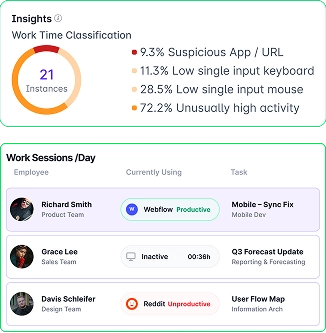
  • Project & Delivery insights
  • Simple setup and dashboards
Start Free Trial No credit card required
Book A Demo Get queries answered from experts
Microsoft Project alternative

Trusted by 35,000+ companies from startups to enterprise

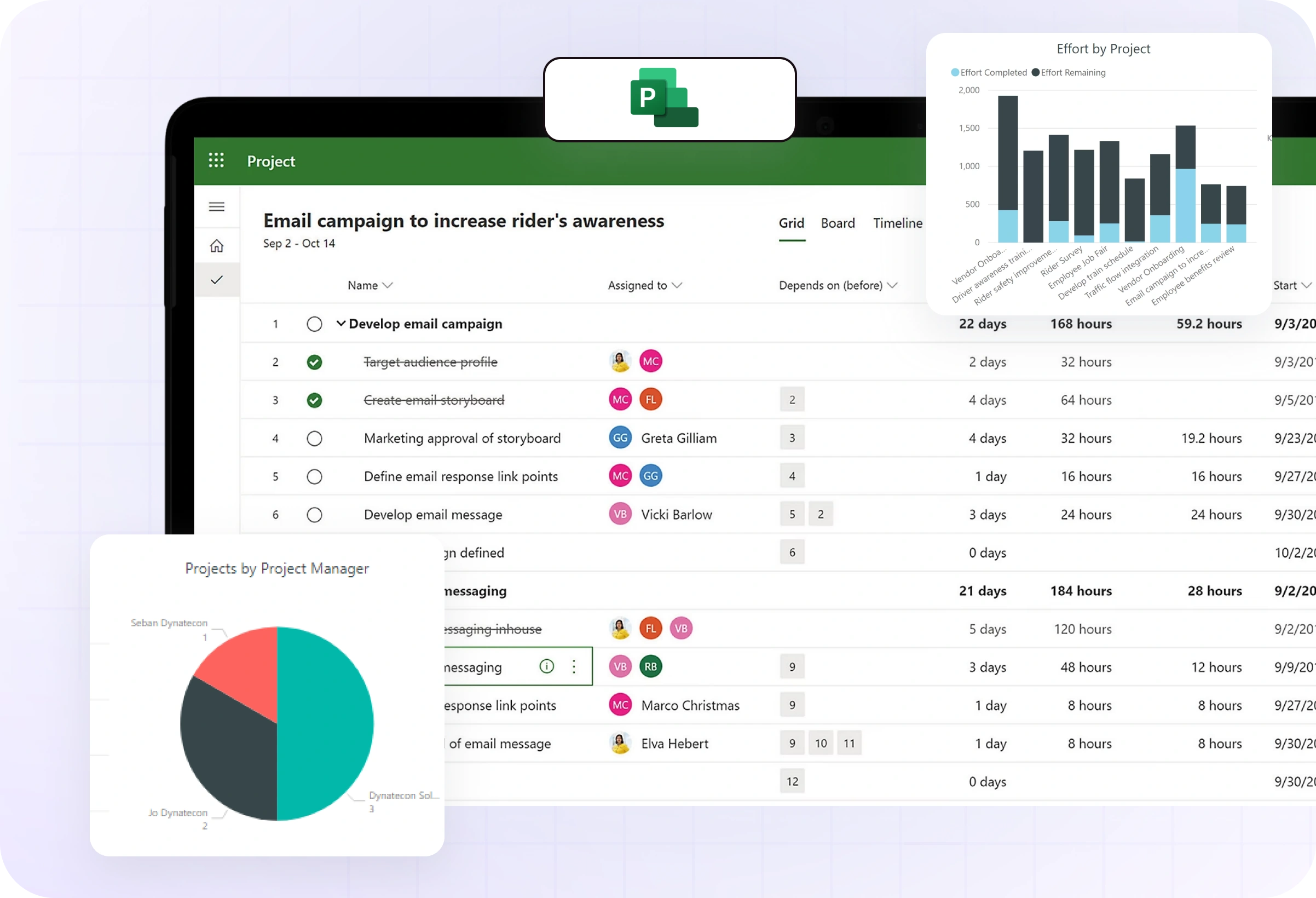
Microsoft Project Dashboard
better choice

Why Look For a Microsoft Project Alternative?

If you’re searching for Microsoft Project alternatives, you’re trying to fix these common issues that affect cost, visibility, and day-to-day work:

  • High licensing costs
  • No Time tracking
  • Client billing
  • No automated reporting
Top Microsoft Projects Alternatives

Workstatus vs ClickUp vs ClickTime vs Wrike vs ProofHub – Which Tool Delivers the Most Value

Compare the leading project management platforms across tasks, budgets, invoicing, and project delivery. See why Workstatus ranks as the most complete, AI-powered alternative- offering work intelligence, productivity insights, stronger controls, and better ROI for modern teams.

Features

logo-WorkStatus
ClickUp Logo
clicktime_WS
wrike_WS
proofhub_WS
Time Intelligence
Productivity Intelligence
Project & Margin Intelligence
on
Field Intelligence
Attendance Intelligence
Idle Detection & Reminders
Timesheets + Screenshots
Activity Levels
App & URL tracking
Productivity Reports
Quiet (Stealth) Mode
Client Portal
Projects & Tasks
Budgeting
Invoicing
Gantt Chart
Kanban Board
Auto Time Tracker
Break Management
Geo-fenced Jobsites
GPS-based Attendance Tracking
Shift Management & Scheduling
Leave & Overtime Management

Pricing

(Per user / Month)
$7₹300
$7₹600
$12₹1100
$10₹900
$45₹4000

Calculate Savings

$70.00₹3000.00 Buy Now
$70.00₹6000.00
$120.00₹11000.00
$100.00₹9000.00
$450.00₹40000.00

Tools Overview & Pricing

Explore tools with key features and pricing to compare quickly.

Microsoft Project

BEST FOR: Project planning
₹900 Per user/mo

Enterprise-grade project planning tools

But limited when:

  • Complex to use
  • No time tracking
  • Limited collaboration
  • High cost

ClickTime

BEST FOR: Time & budget tracking
₹1100 Per user/mo

Time tracking with budget management

But limited when:

  • Limited task management
  • No advanced planning
  • Basic collaboration
  • Costs increase at scale

Wrike

BEST FOR: Project collaboration
₹900 Per user/mo

Advanced workflows for large teams

But limited when:

  • Learning curve
  • Complex for small teams
  • Features locked in plans
  • Limited time tracking

ProofHub

BEST FOR: Team collaboration
₹4000 Per user/mo

Team collaboration with task management

But limited when:

  • Basic time tracking
  • Limited automation
  • Less reporting flexibility
  • Higher cost

ClickUp

BEST FOR: Custom workflows
₹600 Per user/mo

All-in-one project management

But limited when:

  • Feature-heavy interface
  • Setup takes time
  • Overwhelming for teams
  • Advanced reports paid

Stop Tracking Time.
Start Understanding Work.

Get clear visibility into work, projects, and profitability with Work Intelligence.

Book A Demo Get queries answered from experts
Start Free TrialNo credit card required

Why is Better than MS Project

Move from tracking to understanding what drives results.

Icon

Microsoft Project

  • Complex to use
  • No automatic time tracking
  • Limited real-time visibility
  • Collaboration challenges
  • High cost
  • Focus on planning only
WSnew logo

Workstatus

  • Reduces 3-5 tools dependency
  • Clear billable vs non-billable split
  • Real-time work visibility
  • Built for team collaboration
  • Cost-effective
  • Connects planning with execution
Work intelligence
All-In-One

What Makes Workstatus Different

Built for service teams that need clear visibility into time, utilization, and project profitability.


  • Payroll Exports and Payslips
  • Check Budgets & Margins
  • Scheduling, Leave, PTO & Overtime
  • Team Utilization Forecasting
  • Burnout and Workload Signals
  • High vs low-value work
  • Workstatus
  • Workstatus
  • Workstatus
  • Workstatus
  • Workstatus
  • Workstatus
  • 4.8 Excellent Award

    I am so glad I found Workstatus. It has helped me become more productive, track my time.

  • 4.6 Excellent Award

    WorkStatus has been a game-changer for our team's productivity. Its real-time tracking features have brought transparency.

  • 4.5 Excellent Award

    We are able to time track all our team members with screenshots and activity URLs, Task management as well as Project reports.

  • 4.8 Excellent Award

    Workstatus is an amazing tool to help me keep track of what my team is doing. It's very easy, gives powerful insights on projects.

  • 4.6 Excellent Award

    The best thing about Workstatus is how easy it is to use. The app makes it simple for me to track the time I spend on tasks and projects.

  • 4.8 Excellent Award

    I am so glad I found Workstatus. It has helped me become more productive, track my time.

  • 4.6 Excellent Award

    WorkStatus has been a game-changer for our team's productivity. Its real-time tracking features have brought transparency.

  • 4.5 Excellent Award

    We are able to time track all our team members with screenshots and activity URLs, Task management as well as Project reports.

  • 4.8 Excellent Award

    Workstatus is an amazing tool to help me keep track of what my team is doing. It's very easy, gives powerful insights on projects.

More Impact

See How Work Happens To Drive Better Outcomes

Switching From MS Projects is Easy

  • Quick Onboarding
  • Support & Training
  • Data Security
  • Zero Downtime
  • Flexible Plans

What Teams Achieve with Workstatus

  • 2–3x better pricing efficiency
  • 25–35% more billable hours
  • 40% better team utilization
  • 50% better work visibility
  • Faster reporting workflows
  • Clearer project profitability
Team work

Simple, Transparent, Built for Teams

  • Icon Everyone can see their data
  • Icon Clear visibility, nothing hidden
  • Icon Built to support team work
  • Icon No control, no micromanagement
GET ANSWERS FOR

Frequently Asked Questions

What makes Workstatus a good alternative to Microsoft Project?

 Workstatus is simple to use and affordable. It helps businesses:

  • Track project budgets in real time
  • Manage tasks and team schedules
  • Set clear budgets and control costs

 You also get automatic reports and smart dashboards. Overall, Workstatus makes project management smooth and more efficient.

Does Workstatus offer task tracking like Microsoft Project?

Yes, task tracking is simple in Workstatus. You can:

  • Assign tasks to team members
  • Set deadlines and priorities
  • Track task progress in real time

You can also view everything on a single dashboard. This keeps projects on track and avoids delays.

Can Workstatus help with team workload management?

 Yes, Workstatus helps you:

  • See who is working on what
  • Balance tasks between team members
  • Avoid overloading anyone

By using workload insights, you can plan smarter and keep your team productive without employee burnout.

Is Workstatus easier to use than Microsoft Project?

Yes. Workstatus offers a much simpler and intuitive interface compared to Microsoft Project, allowing teams to get started quickly without long training sessions.

Does Workstatus support remote and hybrid work better?

Yes. Workstatus is designed for the modern workforce. It supports:

  • Remote time tracking
  • Attendance and shift scheduling
  • Field team GPS tracking
  • Productivity analytics for remote teams

Is Workstatus more affordable than Microsoft Project?

Yes. Workstatus offers flexible pricing with more built-in features- no need to buy separate tools for time tracking, monitoring, or reports. It’s ideal for growing teams on a budget.

SMARTER SOLUTIONS

Designed for Trust.
Not Surveillance.

Traditional monitoring breaks morale. Workstatus is built differently. We foster accountability through radical transparency.

  • Optional screenshots
  • Full employee visibility into their own data
  • No keylogging or invasive spying
  • Role based access controls
  • Enterprise grade encryption
  • GDPR ready, ISO 27001, SOC 2 Type II

SOC 2 Type II

SOC 2 Type II

SOC 2 Type II Attestation is our commitment to the highest standards of data security, privacy, and confidentiality.

GDPR Compliance

GDPR Compliance

Fully compliant with the General Data Protection Regulation (GDPR), we adhere to strict guidelines regarding the collection, storage, and processing of personal data.

ISO 27001 Certification

ISO 27001 Certification

Our ISO 27001 certification signifies adherence to international standards for information security management systems (ISMS).

HIPAA Compliance

HIPAA Compliance

We are dedicated to upholding the stringent requirements of the Health Insurance Portability and Accountability Act (HIPAA).

TOP RATED GLOBALLY

The #1 Work Intelligence Software

Managing your workforce, projects, and reports gets simple & effective.

Workstatus

Workstatus is a Leader in the 2024 Gartner® Magic Quadrant™ for DevOps Platforms.

Explore More
Workstatus

Workstatus is highly rated on Trustpilot for reliability, ease of use, and workforce visibility.

Explore More

Start Seeing What Your Work Actually Delivers

Tracking time is not enough. Identify up to 20–25% revenue leakage, improve utilization by 15%, and prevent costly overruns.


Book A Demo Get queries answered from experts
Start Free TrialNo credit card required