






Experience the Power of Productivity
Make your team 40% more efficient. Set up your account in just 2 minutes!

Proudly made in India. Trusted Globally
Empower your team with powerful work timer software, streamline tasks, and gain precise insights.


Improve team collaboration and ensure business growth with work timer app.
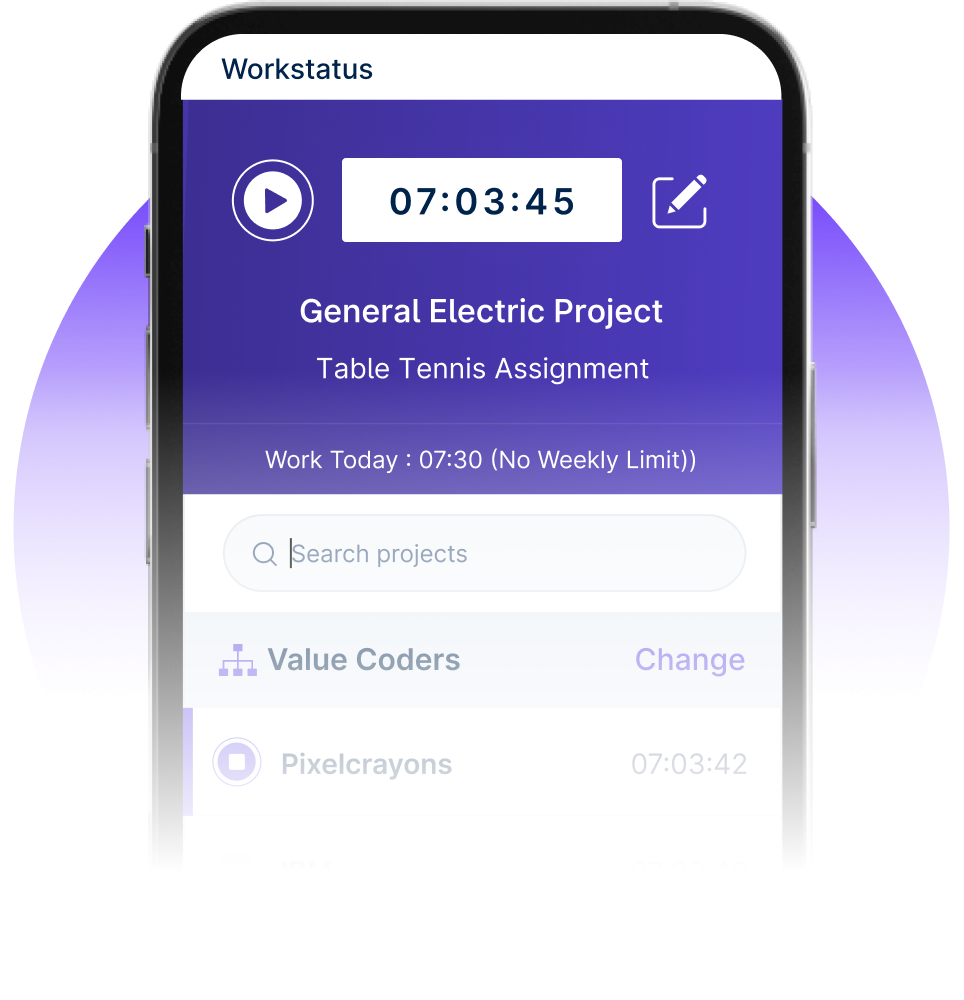

Get in-depth insights into workforce productivity, project progress & budget with this work timer software.


I am so glad I found Workstatus. It has helped me become more productive, track my time.


Our team is more productive than ever with Workstatus. Its real-time tracking provides the visibility we were missing.


We are able to time track all our team members with screenshots and activity URLs, Task management as well as Project reports.

Workstatus is an amazing tool to help me keep track of what my team is doing. It's very easy, gives powerful insights on projects.

The best thing about Workstatus is how easy it is to use. The app makes it simple for me to track the time I spend on tasks and projects.
I am so glad I found Workstatus. It has helped me become more productive, track my time.
WorkStatus has been a game-changer for our team's productivity. Its real-time tracking features have brought transparency.
We are able to time track all our team members with screenshots and activity URLs, Task management as well as Project reports.
Workstatus is an amazing tool to help me keep track of what my team is doing. It's very easy, gives powerful insights on projects.
Active users
Hours Tracked
Enhance team productivity and accountability by tracking work hours, breaks, and task durations with precision.

Logging work hours gets simplified with Workstatus. No room for errors.
Seamlessly track time & improve attendance patterns. Eliminate manual errors.
Promote a culture of transparency with work timer. Track time, monitor projects, and ensure everyone is on the same page.

Intuitive work timer makes time tracking effortless, identifies bottlenecks, and optimizes workflows.
Gain detailed insights into time spent on tasks for better planning and execution.
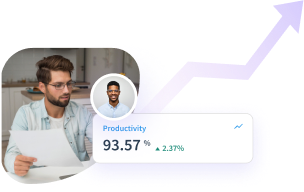

A multi-national marketing firm, boosted overall efficiency.
Increase Your Team Productivity
A Delhi-based startup achieved 30%+ increased ROI with Workstatus.
Enhance Your Business ROIAnalyze & improve performance by identifying patterns and optimizing work habits with actionable habit-tracking insights.

Gain insightful analytics on productivity habits & achieve deadlines.
Automated reminders offer consistent support for better team performance.
Workstatus’s work timer eliminates distractions and helps optimize workflow. Make your teams more productive.

Transform your workday & maximize productivity.
One platform to manage productivity, projects, and workforce operations across any industry.


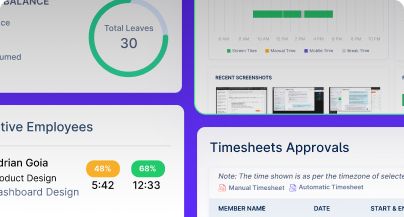
We provide clarity, no matter the industry, by showing you:
Analyze and assess tools side by side to choose the best fit for your team’s needs and goals.
From time tracking to advanced analytics, Workstatus has everything your business needs to elevate operations.
Workstatus fits seamlessly into your existing tools, connecting time, tasks, and insights without changing how your teams work.
Getting started with our work time tracking software is a breeze! After creating your account, you’ll land on the dashboard.
Here’s how to begin:
This free work timer is designed to be intuitive. You’ll be up and running in minutes! You will find this app much better than your average Time Clock App.
You have full control over your time entries in our work time management software. Mistakes happen, and sometimes you need to adjust your records.
Here’s how to edit or delete entries:
Our activity timer app makes managing your time data simple and flexible. You can maintain the accuracy of your records with ease.
These features are designed for efficiency, just like the best time & attendance management software.
Absolutely! Our work timekeeper app allows you to organize your work effectively using categories or tags, just like advanced Employee Productivity Monitoring tools.
This helps you analyze your time usage with more granularity.
Here’s how:
This feature is crucial for understanding your work patterns. It provides insights beyond basic work time tracking software, allowing for detailed analysis, much like the Best Time Tracking Software available today.
Our online work tracker provides a variety of reports designed to give you a clear picture of how you’re spending your time, much like the detailed reports you’d find in Employee Monitoring Software but with a focus on personal productivity.
Here are some key reports:
These reports, similar in functionality to a Web-Based Time Tracker, help you identify time sinks, understand your productivity patterns, and make informed decisions about optimizing your workflow.
It’s like having a built-in productivity coach in our work time software!
Our free work timer is designed to handle multiple projects and clients with ease, providing functionality similar to more complex Employee Productivity Monitoring systems but tailored for individual use. Here’s how to manage them:
This organized approach, akin to the features found in the Best Time Tracking Software, ensures you can accurately track and bill your time, no matter how many clients or projects you have.
Our work time tracking software makes it easy to get started. Simply create an account and add your projects or tasks.
You can also manually add time entries if you forget to start the free work timer.
Yes, our online work tracker is a web-based time tracker that is accessible on any device with an internet connection.
Yes, customizable notifications remind users to start, stop, or resume tracking, reducing errors and ensuring consistent time logs.
Absolutely! By using our work time management software, you gain valuable insights into how you spend your time. Employee productivity monitoring solutions pinpoint areas for improvement.
Yes, we offer a free work timer with basic features to get you started.
This free online timesheet allows for tracking time on unlimited projects and tasks.
Consider upgrading to a paid plan for more advanced features like:
Our task timer software is primarily designed to work as a Web-Based Time Tracker, which means you’ll generally need an active internet connection to access all its features and for your data to sync properly.
Managing your workforce, projects, and reports gets simple & effective.
“Workstatus’s Productivity Measurement feature has helped us improve team’s performance. It helps us track time, spot productivity trends, and set realistic goals. We can set benchmarks and keep our team motivated. I highly recommend Workstatus to businesses looking to improve productivity.”

“Workstatus has helped us improve our architecture and interior design processes. It helps us track time across tasks and projects, spot productivity trends, and identify areas for improvement. The reports & analytics support better decisions. I highly recommend Workstatus for continuous improvement.”

“I’ve been using Workstatus time tracking software for my team, and it has made a real difference in our productivity and time management. It helps us track time accurately across projects. I highly recommend Workstatus to businesses looking to streamline time management and maximize productivity.”

“Workstatus helped us improve employees’ productivity. It helps us track what they do and how much time they spend on each project. This gives us clarity on where we need to focus. Plus, the support team quickly resolves technical issues. We’re looking forward to a long-term association with Workstatus.”

“Workstatus simplified our workforce management and HR operations. It helps us track attendance accurately, with easy clock-ins and clock-outs on smartphones. We can monitor attendance in real time, manage leave requests, and generate attendance and productivity reports. I highly recommend Workstatus for simplifying attendance and HR operations.”
“So far, I am happy with Workstatus. The client support is awesome. There've been some tweaks here & there, but I recommend this application.”

“Workstatus does more than track time. It helps us understand team performance, set realistic goals, and improve team morale. It gives us better visibility into performance and helps our team maintain good standards. I would recommend Workstatus to any organization. ”

“Workstatus has made it easier for us to focus on what matters most. It helps reduce distractions, keeps projects on track, and ensures we deliver the right projects with the best results for our users.”

“Before Workstatus, I struggled with visibility into employee productivity and daily distractions. Workstatus helps me identify top performers and coach team members. The dashboard, screenshots, focused work hours, and app tracking have made management easy. I’m very happy with the platform and its excellent support team.”

“Workstatus has simplified our attendance, task management, and productivity tracking in one platform. As our team has grown, managing people, tasks, and attendance has become significantly simpler with Workstatus. It’s affordable and easy to use, with excellent customer support.”

“"Workstatus has made a significant difference to our team. It helps us track productivity and time accurately across projects and tasks. The real-time tracking gives us a clear view of where time goes, helping us improve efficiency and optimize workflows. I highly recommend Workstatus. ”

Managing your workforce, projects, and reports gets simple & effective.

Workstatus is highly rated on G2 for ease of use, productivity insights, and workforce visibility.
Explore More
Workstatus is highly rated on Trustpilot for reliability, ease of use, and workforce visibility.
Explore MoreTracking time is not enough. Identify up to 20–25% revenue leakage, improve utilization by 15%, and prevent costly overruns.


Get a 14-day free FULL FEATURE trial of Workstatus now. Boost efficiency, accountability, and results – anytime, anywhere.


