

















Experience the Power of Productivity
Make your team 40% more efficient. Set up your account in just 2 minutes!

Proudly made in India. Trusted Globally
Record precise working hours automatically with a smart, work-intelligence-powered time clock app that ensures accurate tracking, improves productivity, and eliminates manual errors.


Simplify time tracking for your team with a user-friendly app that ensures accurate work hours and enhances productivity.
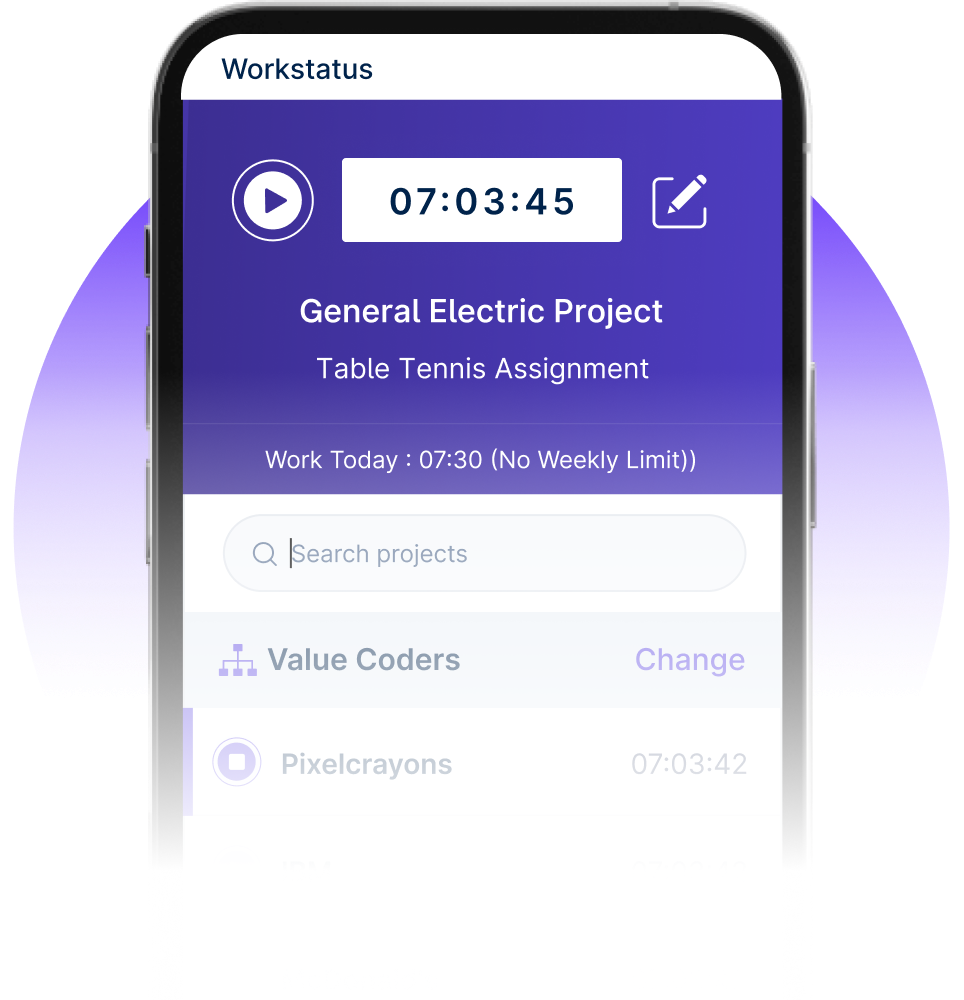

Capture accurate work hours, simplify attendance, and maintain compliance across teams with minimal effort.



I am so glad I found Workstatus. It has helped me become more productive, track my time.


WorkStatus has been a game-changer for our team's productivity. Its real-time tracking features have brought transparency.


We are able to time track all our team members with screenshots and activity URLs, Task management as well as Project reports.

Workstatus is an amazing tool to help me keep track of what my team is doing. It's very easy, gives powerful insights on projects.

The best thing about Workstatus is how easy it is to use. The app makes it simple for me to track the time I spend on tasks and projects.
I am so glad I found Workstatus. It has helped me become more productive, track my time.
WorkStatus has been a game-changer for our team's productivity. Its real-time tracking features have brought transparency.
We are able to time track all our team members with screenshots and activity URLs, Task management as well as Project reports.
Workstatus is an amazing tool to help me keep track of what my team is doing. It's very easy, gives powerful insights on projects.
Active users
Hours Tracked
Streamline your workforce management by automating time-tracking processes that boost productivity and eliminate manual timekeeping errors.
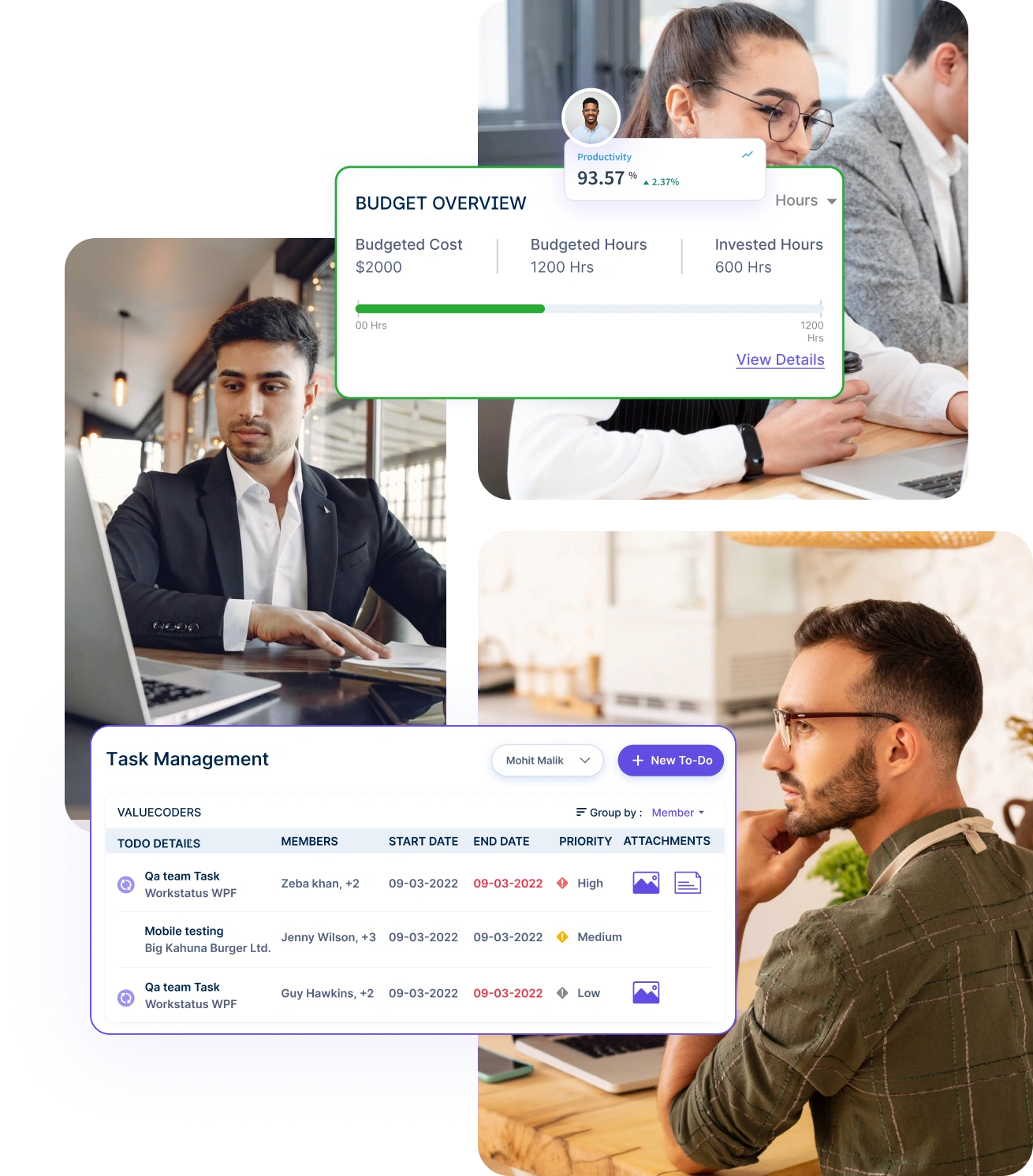
Monitor project progress and team productivity with granular time tracking that breaks down hours spent on each specific project and task.
Simplify resource management with intuitive time allocation tools that help distribute work hours across projects, tasks, and team members effortlessly.
Track attendance with facial recognition technology to prevent buddy punching and ensure authentic employee check-ins through selfie validation.
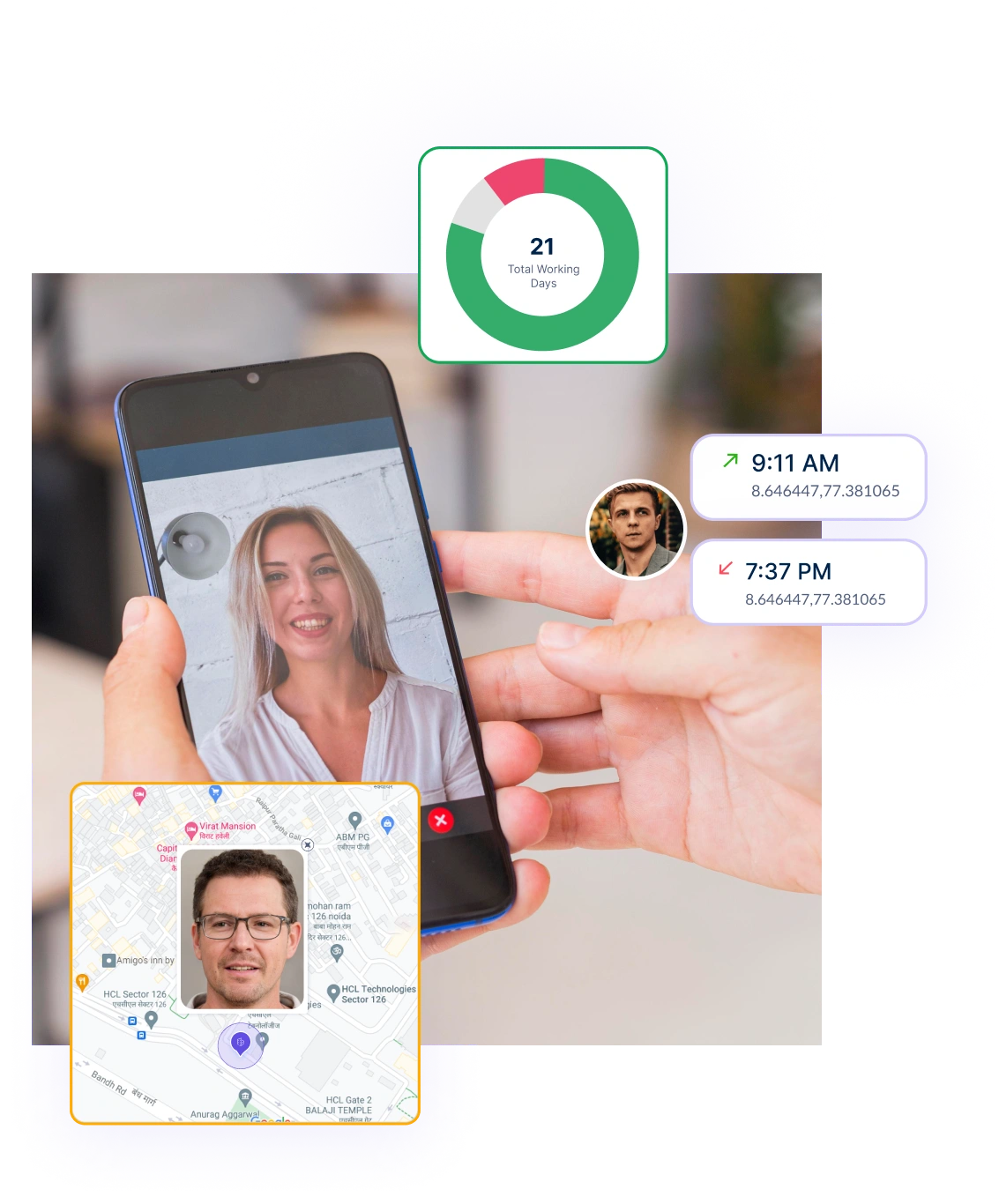
Monitor and validate employee attendance instantly with automated checks that ensure accuracy and maintain workforce compliance.
Access comprehensive attendance insights through detailed reports that help track patterns, manage absences, and optimize workforce scheduling.

A multi-national marketing firm, boosted overall efficiency.
Increase Your Team Productivity
A Delhi-based startup achieved 30%+ increased ROI with Workstatus.
Enhance Your Business ROIGenerate precise reports to quickly analyze employee work hours, helping managers make informed decisions and improve productivity.
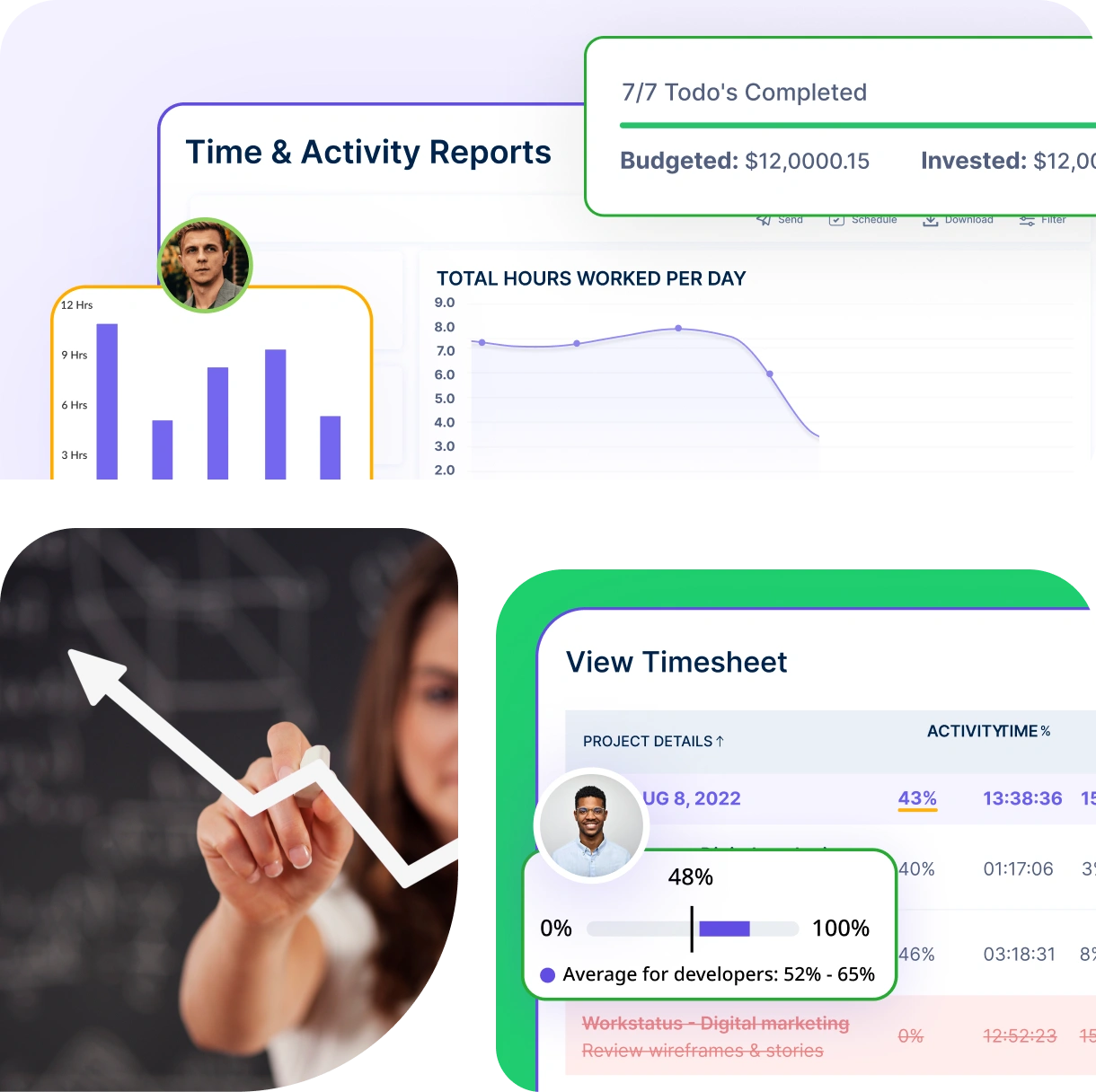
Transform workforce data into actionable insights with comprehensive time analytics.
Stay current with instant timesheet synchronization that provides up-to-the-minute visibility.
Get clearer visibility, smarter decisions, and stronger workforce performance- powered by automation and intelligence.
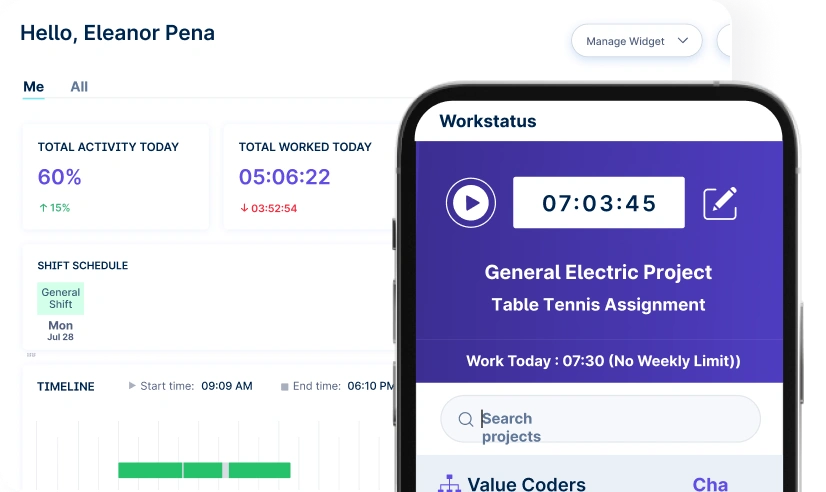
Quick setup, smooth move
A unified intelligence layer that connects your people, projects, and operations.

Unlock workforce potential with digital habits, workload signals, and focus trends-without micromanaging.

Real-time visibility into progress, blockers, delivery estimates, and verified balance for every project.

Clear visibility into billable hours and invoice-ready time, ensuring accurate billing and healthier margins.

Cross-team insights into capacity, utilization, and performance health across roles, teams, and departments.

GPS & geofenced check-ins, biometric verification, shift scheduling, payroll, and compliance-all in one place.
Work together effortlessly, no matter where your team is located, with tools that keep communication and collaboration smooth.

Stay connected and accountable

Balance productivity everywhere

Empower field team efficiency

Optimize office productivity
From IT to healthcare, retail to manufacturing, Workstatus adapts to meet your industry’s unique needs.


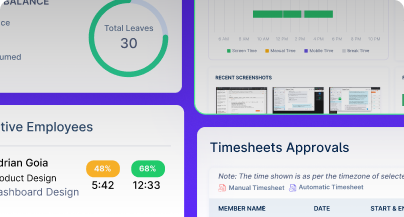
We provide clarity, no matter the industry, with:
Analyze and assess tools side by side to choose the best fit for your team’s needs and goals.
From time tracking to advanced analytics, Workstatus has everything your business needs to elevate operations.
Workstatus fits seamlessly into your existing tools, connecting time, tasks, and insights without changing how your teams work.
Accuracy depends on how reliably the system records when and where employees start and stop work.
The following technical factors can impact a time clock accuracy:
A reliable time clock app like Workstatus should handle these automatically to avoid manual corrections and payroll errors.
Small businesses need tools that are easy to use and require minimal training.
The following are the must-have features in a time clock app:
A free time clock app with these features can reduce timekeeping mistakes and save admin time.
Discrepancies should be reviewed regularly to ensure records stay accurate and fair.
Here’s when managers can review time clock app discrepancies:
A strong review process ensures employee time clock software like Workstatus remains accurate and trustworthy.
Mobile tracking works better for teams who are not always at a desk.
Here’s why teams may choose a mobile over a desktop work time clock app:
This flexibility is a key benefit of using time clock software like Workstatus across different work environments.
Yes, many solutions offer direct payroll syncing to reduce manual work.
Integration works smoothly when using an employee time clock app like Workstatus, built with payroll connectivity.
Digital time tracking helps teams stay accurate, transparent, and organized.
The following are the benefits of utilizing a work time clock app:
The right employee time clock app, like Workstatus, improves efficiency and keeps work-hour data clean and easy to manage.
The Workstatus Time Clock App allows employees to clock in and out with a simple tap on their mobile devices.
It uses GPS and geofencing technology to ensure accurate location-based time tracking, providing you with real-time attendance data.
Certainly! Workstatus provides customizable settings within the Time Clock App.
You can define specific rules per your requirements to align with your company’s attendance and time-tracking policies.
Absolutely! The Time Clock App is designed to track attendance for both on-site and remote workers.
Employees can clock in from anywhere, and you can monitor their attendance and working hours in real time, regardless of their location.
The Time Clock App incorporates robust security measures to prevent time theft and buddy punching.
It utilizes a facial recognition feature, ensuring only authorized employees can clock in and out, eliminating the risk of fraudulent entries.
Yes, the Time Clock App has offline functionality. Employees can still clock in and out even in areas with limited or no internet connectivity.
The app will automatically sync their attendance data once a stable internet connection is available.
Managing your workforce, projects, and reports gets simple & effective.
“Workstatus simplified our workforce management and HR operations, allowing us to track attendance seamlessly and accurately.”

“Workstatus is incredibly easy-to-use. It allows us to track time accurately for each project and task.”

“We started using Workstatus sometime back. It gives a clarity on project progress, and we are able to track the time spent on each task.”

“So far, I am happy with Workstatus. The client support is awesome. There've been some tweaks here & there, but I recommend this application.”

“Workstatus doesn't just track time, it helps us understand how the team is performing. It always boosts team morale.”

“Time management is crucial for us, and Workstatus keeps away the distractions. We can focus more on project and deliver best outcomes to users.”

Managing your workforce, projects, and reports gets simple & effective.

Workstatus is highly rated on Trustpilot for reliability, ease of use, and workforce visibility.
Explore MoreTracking time is not enough. Identify up to 20–25% revenue leakage, improve utilization by 15%, and prevent costly overruns.


Get a 7-day free FULL FEATURE trial of Workstatus now. Boost efficiency, accountability, and results – anytime, anywhere.



