
Table of Contents
Teams without capacity visibility are always one crisis away from another missed deadline.
Work piles up unevenly. Skill gaps go unaddressed. Teams are left reacting to problems instead of preventing them.
Capacity planning software fixes that. It matches your team’s actual availability to real demand using real-time tracking and intelligent workload distribution.
The result is smoother projects, fewer delays, and less guesswork.
In this blog, we have explored the 10 best capacity planning tools, their key features, pros and cons, and how to choose the right one for your team.
What does capacity planning software actually do for your team?
A capacity planning tool is a solution developed to assist organizations in allocating and managing their resources efficiently.
A good workload management software helps you
- See who is available this week and next month.
- Identify overload before it causes a missed deadline.
- Match people to work based on their skills, not just free time.
- Move a project forward without guessing
The best team capacity planning tools don’t stop at a calendar view. They connect planning to real outcomes such as margin, delivery speed, and client trust.
The 10 Best Capacity Planning Tools
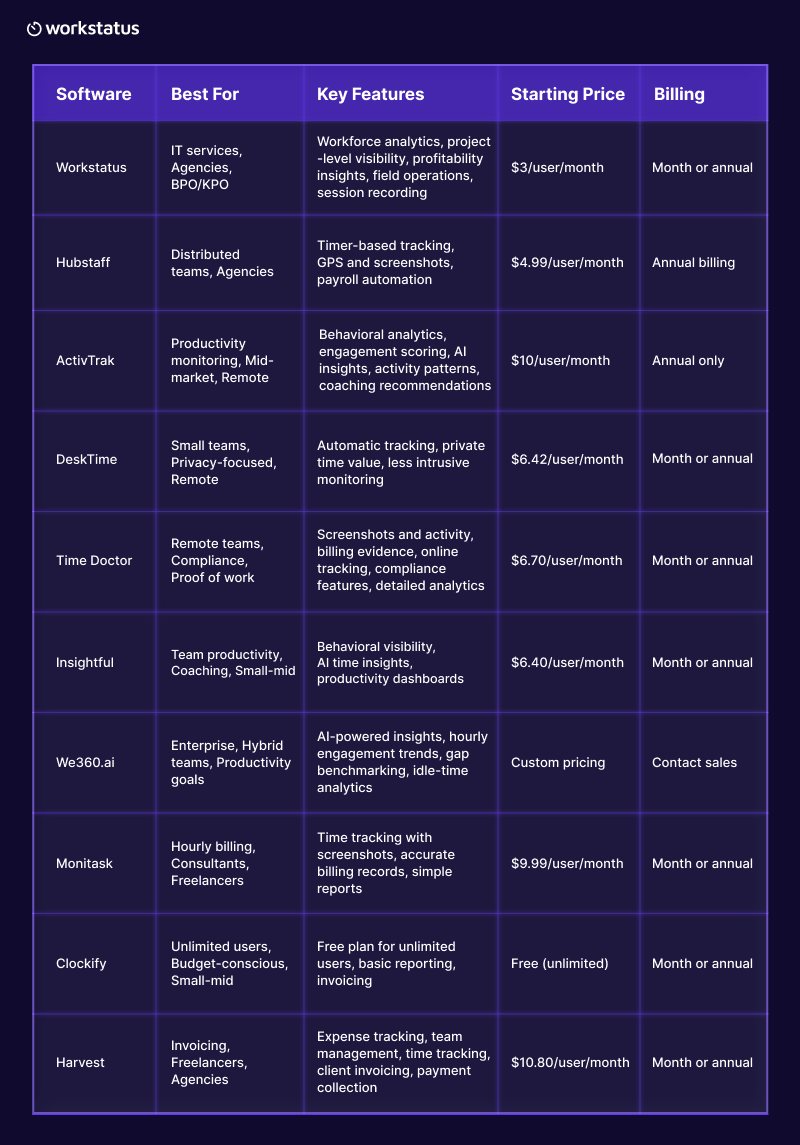
Here’s a quick look at the best capacity planning software tools and what they offer:
With hybrid and distributed teams now the norm, choosing the right resource allocation software can mean the difference between guesswork and data-backed resourcing decisions.
Let’s explore the features, strengths, and limitations of the top capacity planning tools to consider in 2026.
1. Workstatus
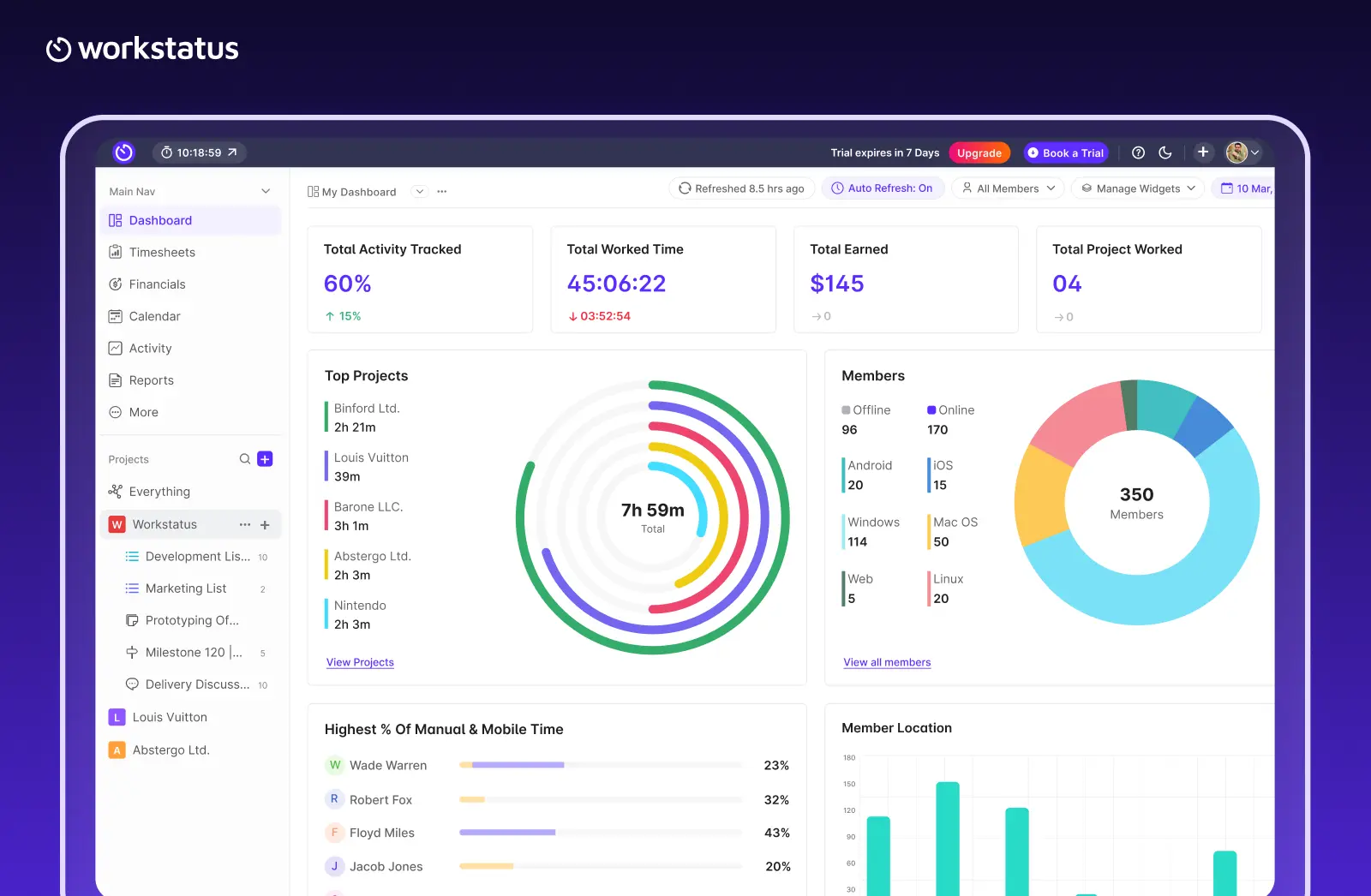
Workstatus is one of the best capacity management software tools designed to maximize capacity utilization across your team. It records real-time attendance and activity across projects, shifts, or client accounts. It allows you to see actual hours worked against planned hours in one place.
Key Features:
- Task management
- Team dashboards
- Project budgeting
- Gantt charts & Kanban boards
- Time tracking & workload management
Pros
- Resource capacity planning based on actual work hours and utilization data
- Real-time visibility into team availability and workloads
- Supports remote, hybrid, field, and shift-based teams
Cons
- Not suitable for long-range forecasting
- May require integration with broader project planning processes
Best for: IT delivery, BPO/KPO, and service teams that want capacity decisions grounded in real data.
2. Hubstaff
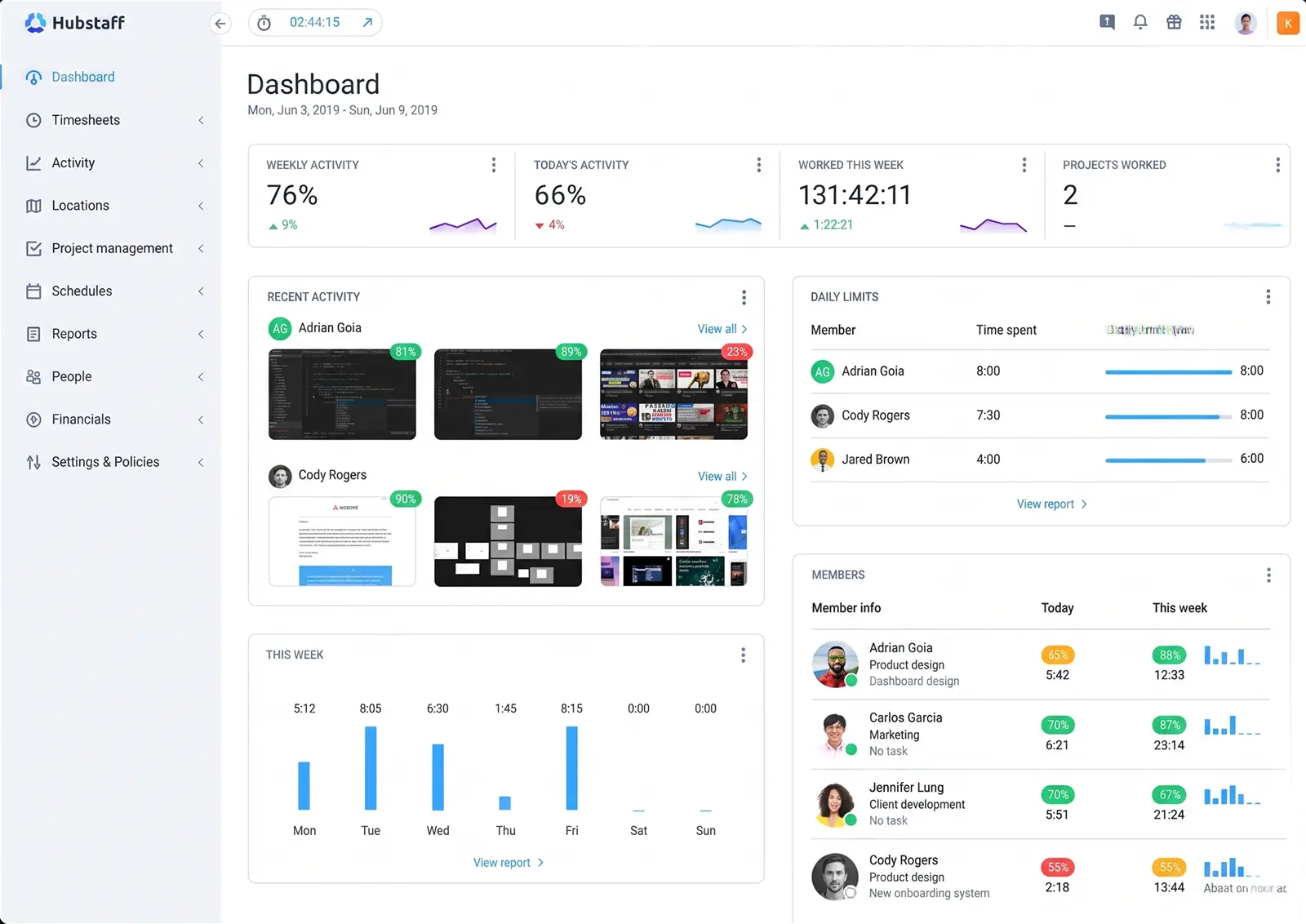
Hubstaff is a time-tracking and workforce-management platform that captures real-time activity data across distributed teams. It combines time tracking with GPS monitoring, activity levels, and productivity insights.
Key Features
- Automatic time tracking
- Activity monitoring
- Capacity and resource planning
- App and website usage tracking
Pros
- Real-time visibility into team activity
- Seamless payroll integration
- Detailed project-based reports
Cons
- Privacy concerns for some remote teams
- Requires employee acceptance of monitoring
Best for
Distributed teams, freelance-heavy organisations, and organisations requiring detailed time and activity tracking for billing and payroll
3. ActivTrak
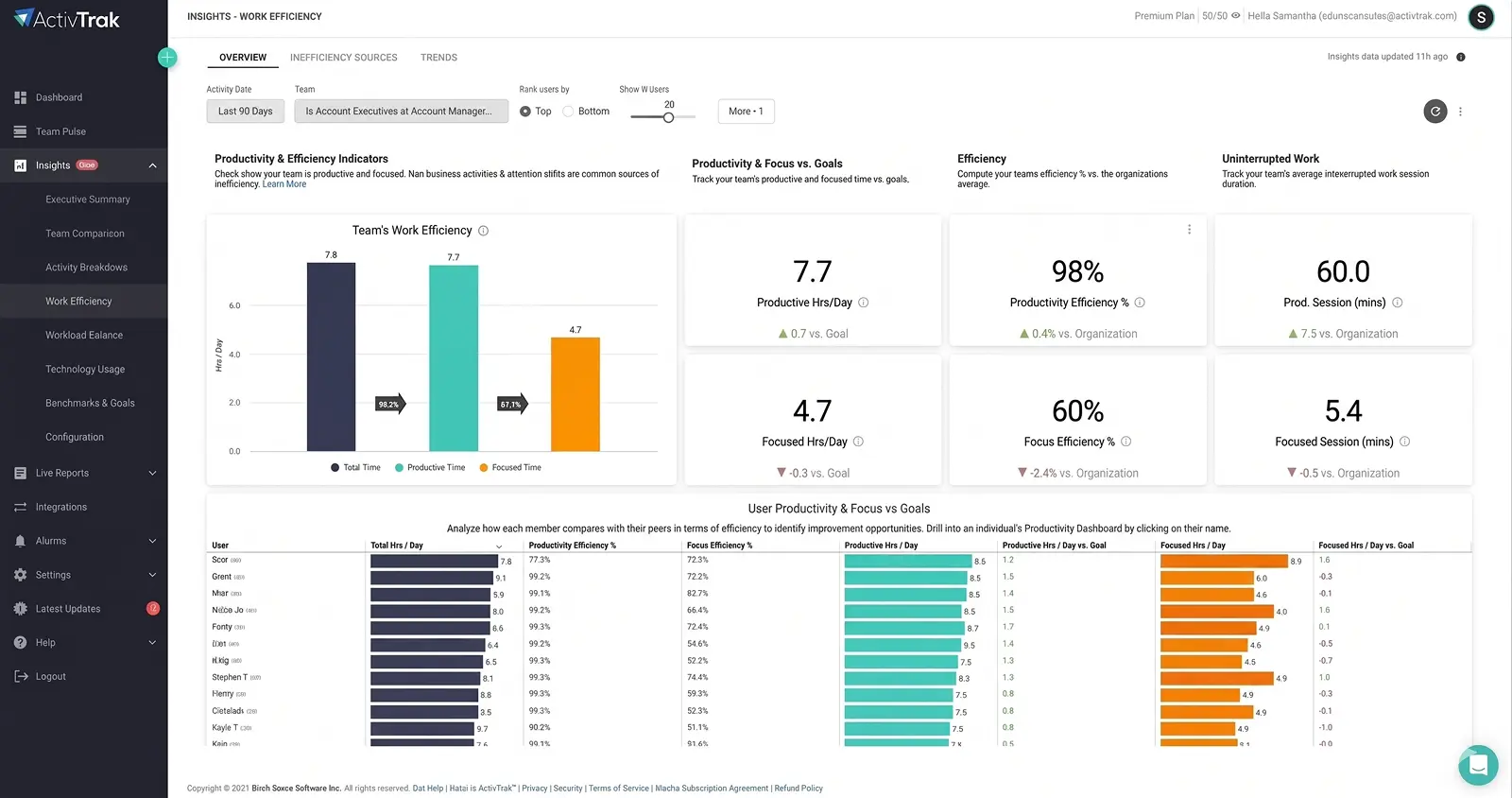
ActivTrak is a resource management software that provides real-time productivity visibility with detailed behavior analytics. This workforce capacity planning software tracks application usage, website visits, and keyboard activity to help understand how employees spend work time.
Key Features
- App and website tracking
- Behavior analytics
- Productivity scoring,
- Real-time dashboards
Pros
- Detailed productivity insights
- Customizable alerts for anomalies
- Strong historical data and trends
Cons
- Can feel intrusive to some teams
- Requires clear communication about monitoring policies
Best for
Managers prioritizing productivity monitoring, companies with WFH policies, organizations needing behavioral insights
4. DeskTime
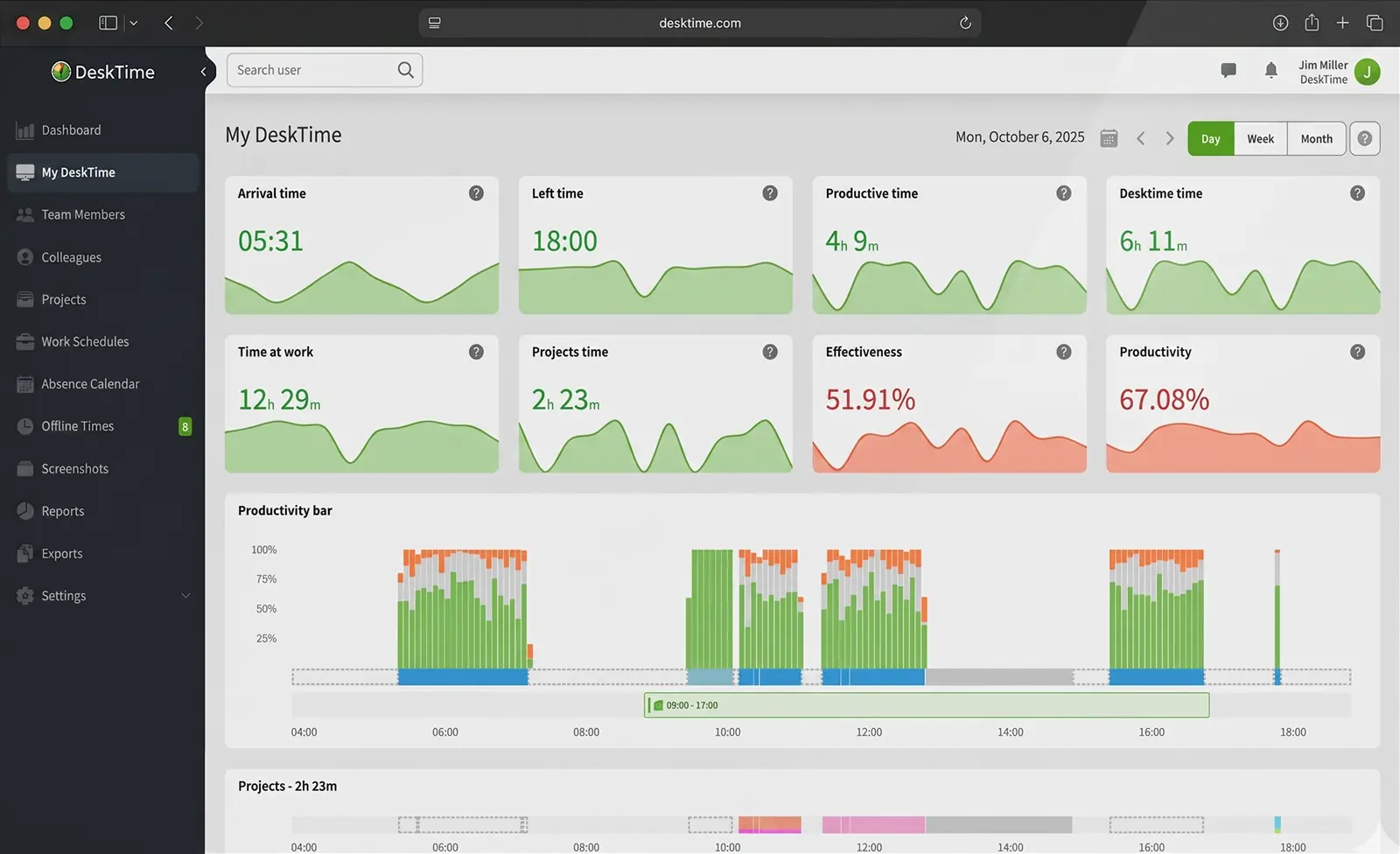
DeskTime is an automatic time tracking tool that runs in the background. It captures which applications and websites employees use. This project management software provides insights into productivity patterns without manual entry.
Key Features
- Automatic time tracking
- Application usage insights
- Productivity reports
- Distraction analysis
Pros
- Completely automatic with no manual entry
- Burnout detection
- Lightweight
Cons
- Limited project management tool integration
- Less detailed than some competitors
Best for
Remote-first companies, organizations focused on employee wellness alongside productivity
5. Time Doctor
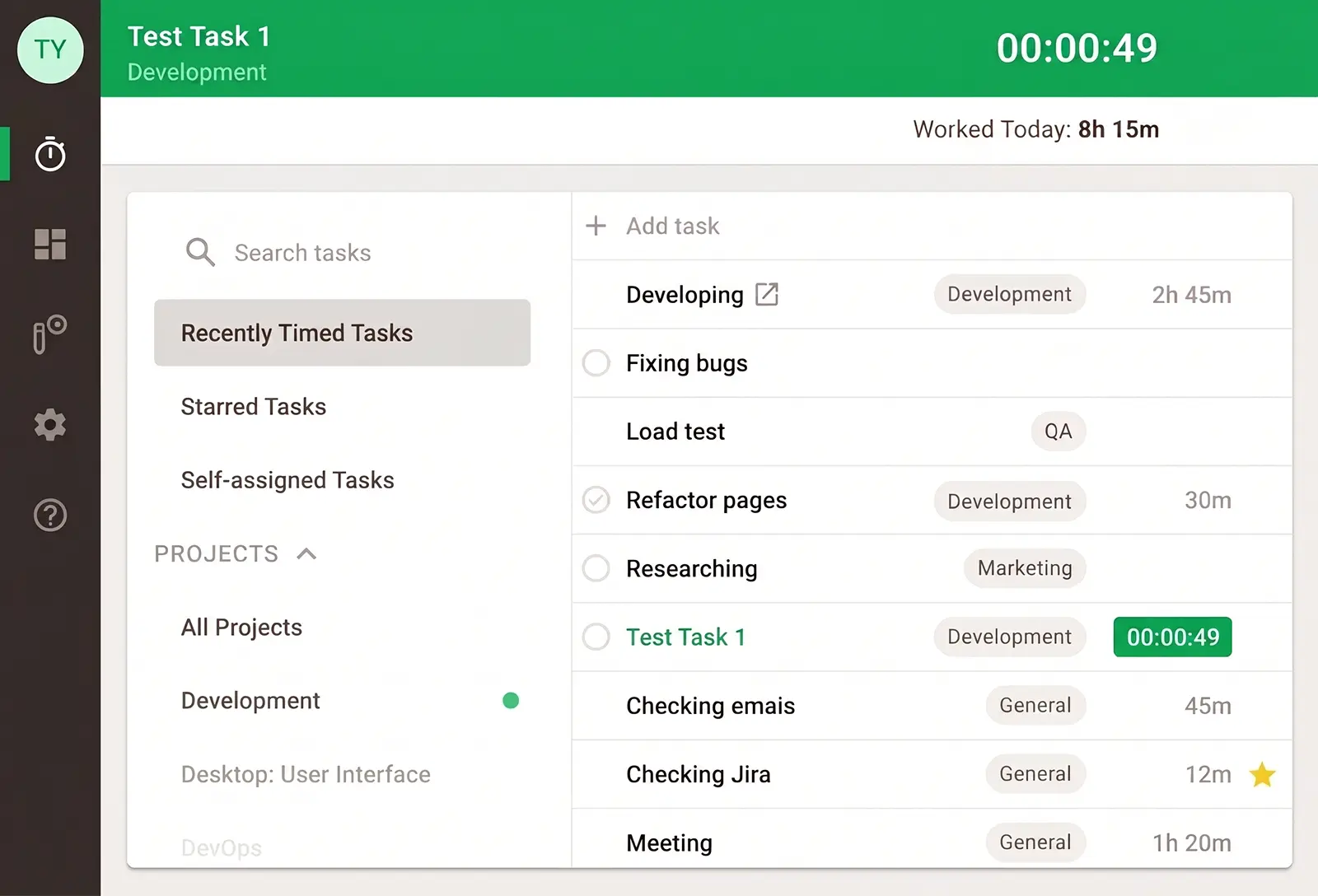
Time Doctor is a project intelligence software that combines time tracking with activity monitoring and project management integration. It captures time spent on tasks, monitors active vs. idle time, and integrates with over 100 project tools.
Notable Features
- Time tracking
- Activity monitoring
- Screenshot capture
- Website and app tracking
Pros
- Extensive integrations with popular project tools
- Strong payroll and invoice automation
- Detailed activity tracking
Cons
- Screenshots can feel invasive
- Interface can be cluttered
Best for
Agencies, service firms, and teams needing time tracking with extensive project tool integration
6. Insightful
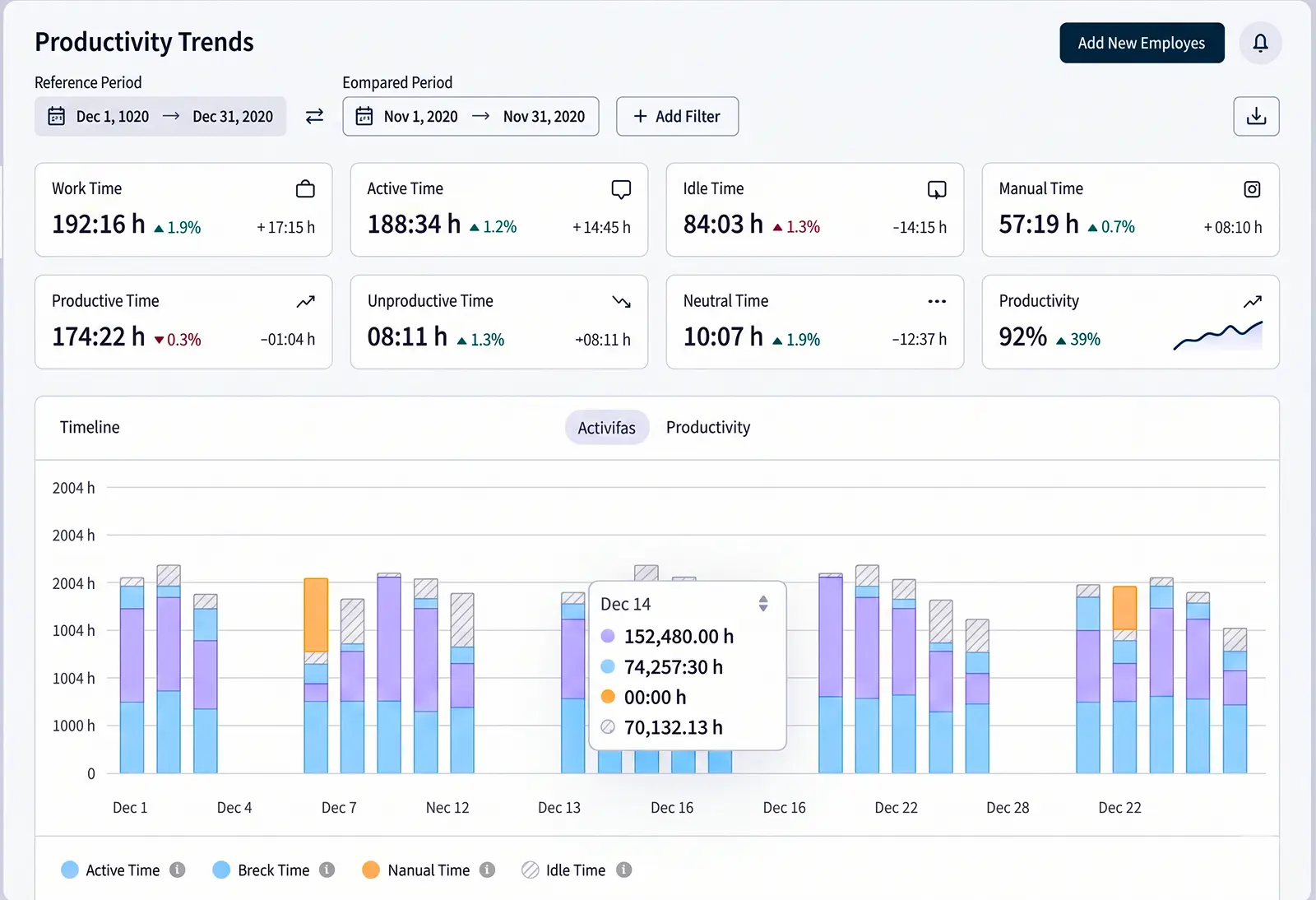
Insightful provides real-time employee monitoring with productivity analytics, attendance tracking, and activity insights. This resource capacity planning tool focuses on showing managers where productivity happens and helps identify optimization opportunities.
Key Features
- Real-time activity monitoring
- productivity analytics
- attendance tracking
- Application usage reports
Pros
- Real-time insights into productivity patterns
- Strong focus on actionable analytics
- Clear productivity scoring
Cons
- Can feel invasive to privacy-conscious teams
- Learning curve for advanced features
Best for
Organizations wanting deep productivity analytics, managers prioritizing data-driven insights, companies with clear monitoring policies
7. We360.ai
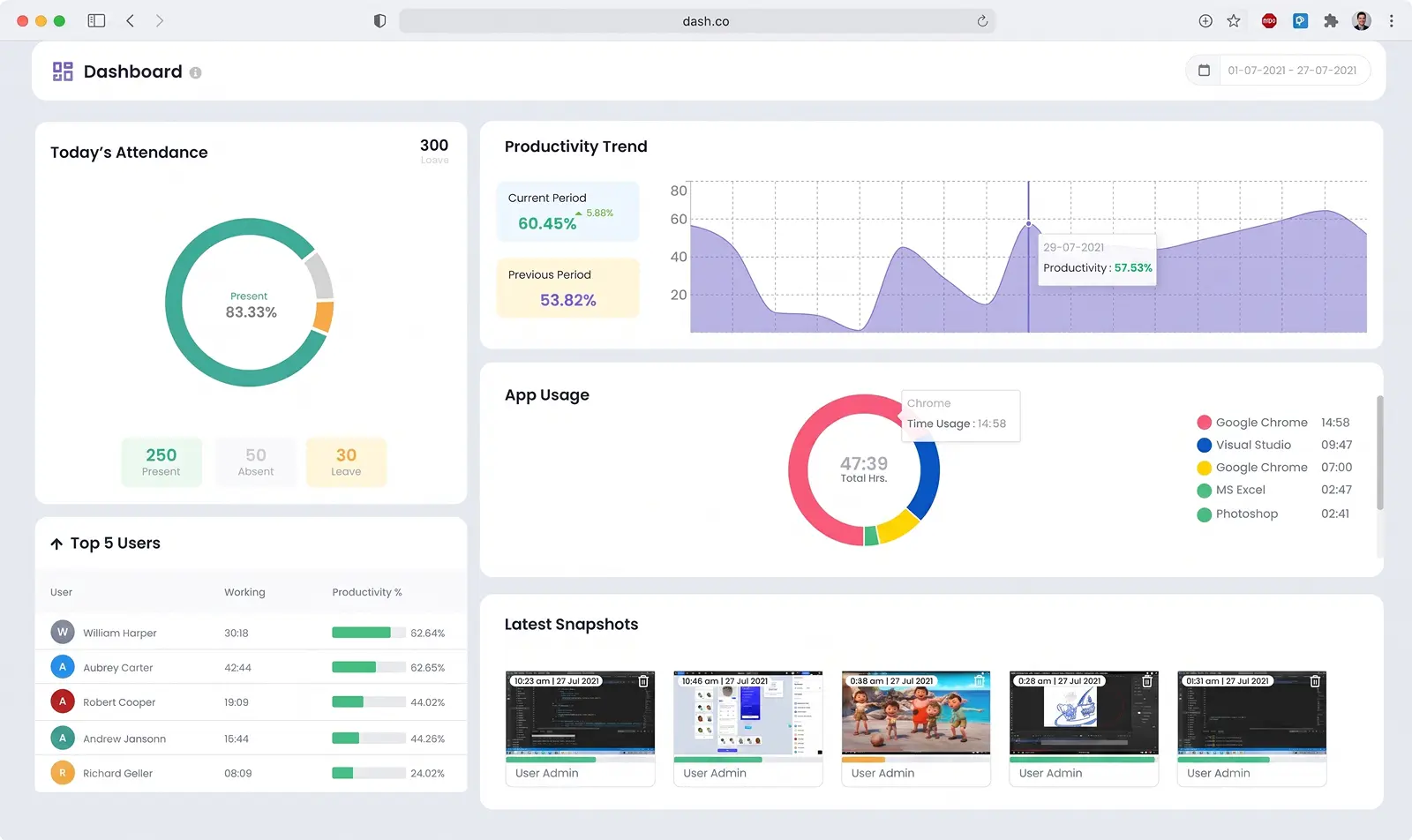
We360.ai is an AI-powered productivity and time management platform that tracks work activity and provides intelligent insights into team productivity, time allocation, and project profitability.
Key Features
AI-powered analytics, time tracking, activity monitoring, project profitability analysis, employee insights, wellness monitoring, productivity recommendations, and real-time dashboards.
Pros
- AI-driven insights and recommendations
- Focus on employee wellness
- Actionable improvement suggestions
Cons
- Newer platform with smaller user base
- Higher pricing for advanced features
Best for
Forward-thinking companies, organizations prioritizing AI insights, firms wanting to balance monitoring with employee wellness
8. Monitask
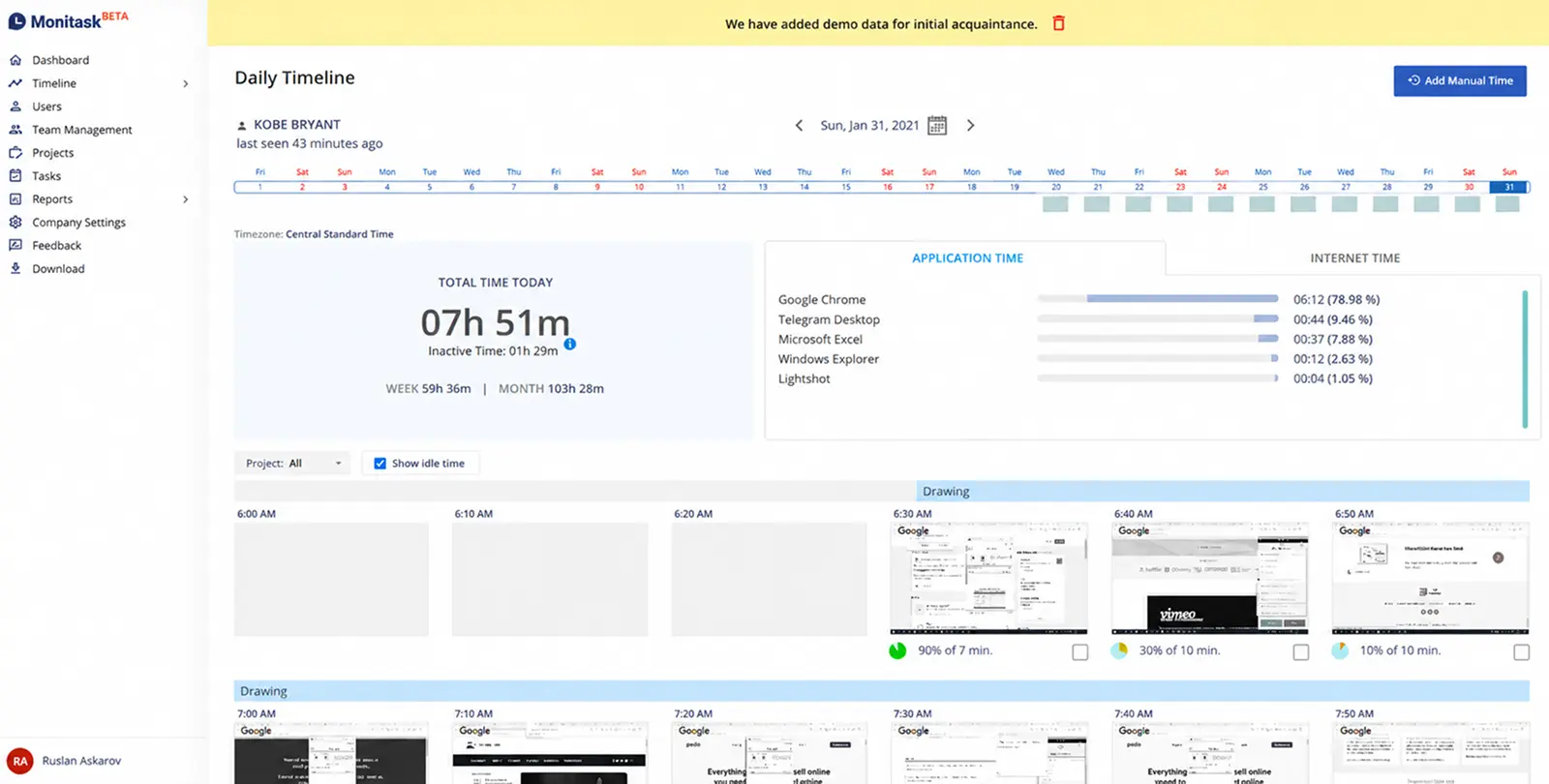
Monitask is a lightweight time-tracking and activity-monitoring tool designed for remote teams and freelancers. It tracks time, takes screenshots, monitors activity levels, and provides simple reporting.
Key Features
- Automatic time tracking
- Activity monitoring
- Screenshot capture
- Website and app tracking
Pros
- Simple and lightweight
- Easy setup and quick onboarding
- Affordable pricing for small teams
Cons
- Limited advanced analytics
- Fewer integrations than larger competitors
9. Clockify
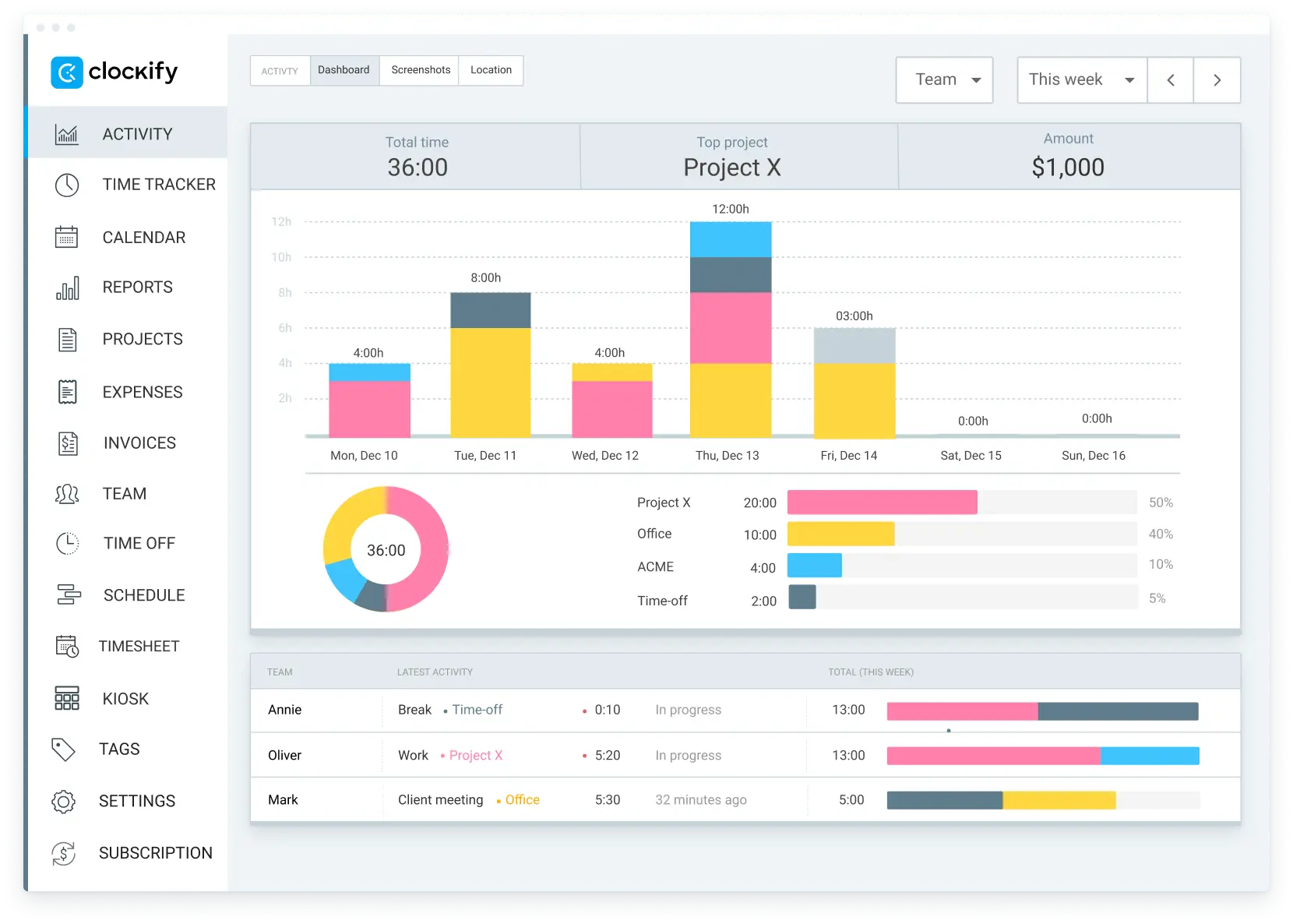
Clockify is a free time tracking solution that allows teams to log time manually or automatically across projects and tasks. It’s known for simplicity and a generous free tier for teams of any size.
Key Features:
- Manual and automatic time tracking
- Project and task tracking
- Timesheet management
- Time reports
Pros:
- Free tier covers most small team needs
- Has a simple, intuitive interface, strong value for cost
Cons:
- Limited activity monitoring
- Less detailed than premium tools
Best for:
Small teams, startups, and organizations wanting simple time tracking without activity monitoring
10. Harvest
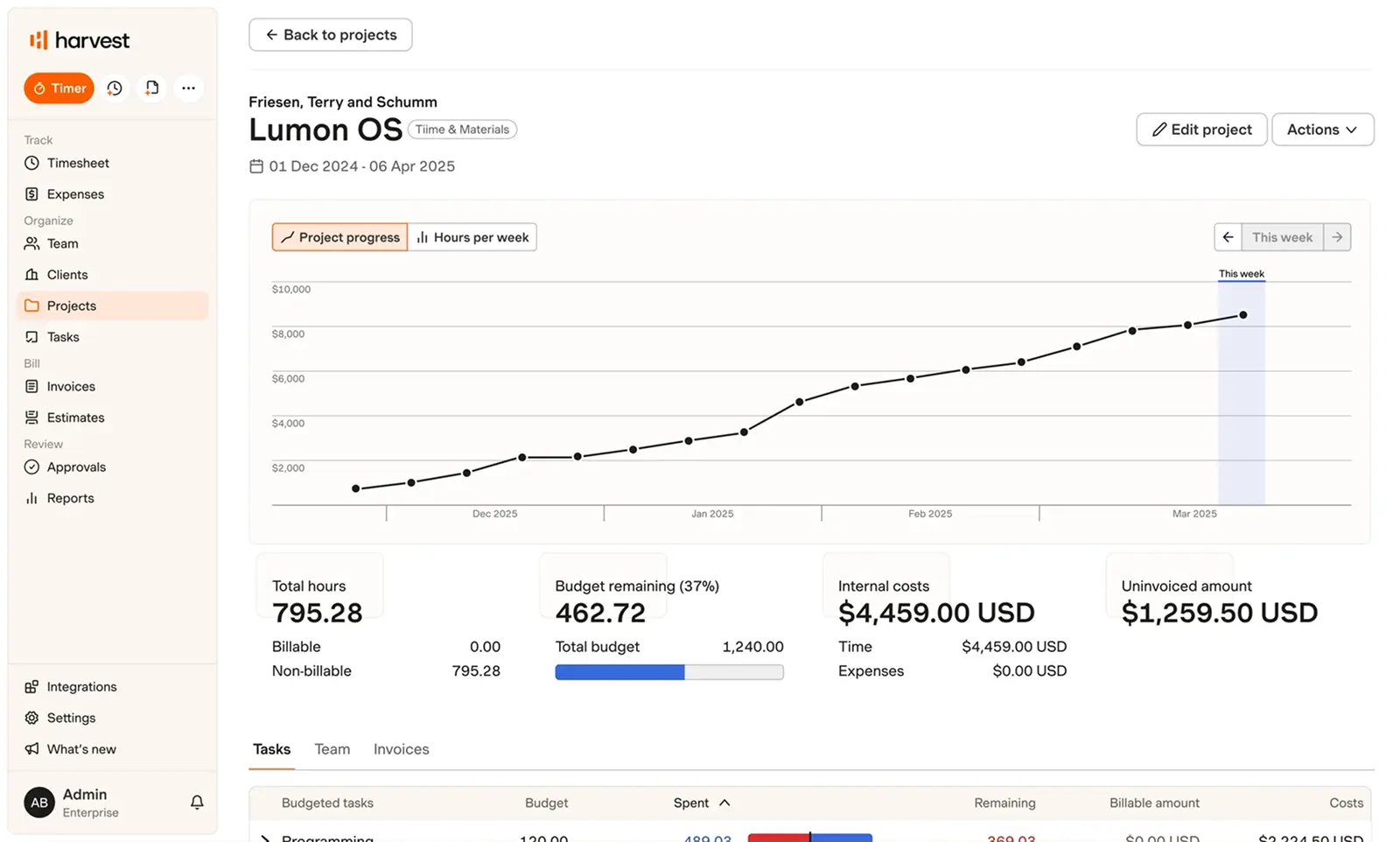
Harvest is a time tracking and invoicing platform that helps teams track time across projects and automatically generate invoices. It combines time tracking with expense tracking and robust reporting for service-based businesses.
Key Features:
- Time tracking, project tracking
- expense tracking
- Invoicing
- profitability reporting
Pros:
- Strong invoicing and billing features
- Excellent for profitability insights
- Clean, easy-to-use interface
Cons:
- Limited activity monitoring
- Less detailed productivity analytics
Best for:
Service firms, agencies, and teams prioritizing billing accuracy and profitability tracking
How to Choose the Best Capacity Planning Software
Here’s the simple truth: pick the tool that matches your team size and how you get paid. That’s it.
The right tool depends on three things.
How big is your team? Small teams need simplicity and speed. Big teams need power and scale.
How do you get paid? Hourly? You care about profit per project. Project-based? You need to spot overload early. Shifts? You need real-time tracking. Pick what matches your billing model.
Is your data clean? If you’re tracking time already, most tools work. If you’re guessing, start simple. If you use Jira or QuickBooks, look for integrations.
Things to look for:
- Real-time project visibility into who’s doing what
- Easy to update and change plans when things shift
- Shows you overload before deadlines slip
- Actually integrates with your other tools
- Reports that matter to your business (profit, utilization, whatever you care about)
- A team can actually use it without training for months
The real move: Don’t just pick based on features. Pick based on fit. Will your team actually use it every day? That’s the only question that matters.
The Takeaway
Capacity planning software won’t add more hours to your week. It shows you how to use the hours you already have.
Start by picking one number to fix first, whether that’s utilization, forecast accuracy, or reallocation speed. Then choose the tool on this list built for your team’s size and way of working. The plan only holds up if the data behind it is real, so pair whatever you choose with clean, accurate time data from day one.
Frequently asked questions
1. What is capacity planning software?
Ans. Capacity planning software is a tool that helps forecast demand and manage resources to ensure teams can meet current and future project demands.
2. What is the best capacity planning software?
Ans. There’s no single best tool for every team. It depends on your size and how you bill for work.
- Small teams needing simple time tracking: Clockify or Monitask
- Agencies billing by the hour: Time Doctor or Harvest
- Teams focused on productivity insights: DeskTime, RescueTime, or Insightful
- Service businesses that want capacity decisions backed by real-time and attendance data, across projects, shifts, or client accounts: Workstatus.
3. How do I find capacity planning software?
Ans. There’s no single best tool for every team. It depends on your size and how you bill for work. Here are things to consider for choosing the best capacity planning software:
- Identify your requirements
- Evaluate scalability
- Assess integration needs
- Consider user-friendliness
- Review support and training
4. How does capacity planning software work?
Ans. Most tools automatically track time as your team works. They show you how much time is spent on projects, tasks, or clients. Then you can see who’s available, who’s overloaded, and where time is actually going vs. where it should go.
5. How is capacity planning different from resource management?
Ans. Capacity planning forecasts whether you have enough people and hours to handle upcoming work. Resource management assigns those people to specific projects and tasks to get the work done.
Think of it this way: capacity planning asks “Can we do it?” and resource management asks “Who does it?”
6. Can small teams use capacity planning software, or is it only for large enterprises?
Ans. Yes. Tools like Workstatus, Clockify, Monitask, and Harvest work for teams of any size. You don’t need a dedicated manager or big budget.
7. Can capacity planning software predict future hiring needs?
Ans. Yes, capacity planning software can predict future hiring needs to an extent. If your team is consistently overloaded and time tracking shows it, that signals when to hire. Tools like Time Doctor and Harvest show this data early so hiring decisions rest on real trends, not panic.