Table of Contents
Your team uses AI every day. It drafts emails, suggests code, and even sums up long documents. Many service businesses now use AI for productivity across their daily work. But here’s the real question. Is AI giving your team more time for client work?
AI can save real time on many tasks. A first draft that took an hour may now take minutes. But most teams can’t see if that time turns into results. Here’s what can happen:
- Unbilled saved hours
- Unchanged project costs
- Project margins remain unclear
Your team may feel faster. But if saved hours never reach client invoices, nothing has really changed. So let’s look at where AI helps and where it falls short.
A Work Intelligence platform like Workstatus links your team’s hours to client work. So you can see if AI is making a real difference in your business.
Where AI Truly Saves Time and Where the Savings Disappear
Ever since AI was introduced a few years ago, it has been integrated into almost everything. While it isn’t perfect at what it does, there are still many areas where it can be beneficial in saving time.
As per Gartner, 62% of employees say AI has saved them time. Yet 7% say AI has actually cost them time.
Where AI Helps
- Writing First Drafts: Your account manager needs a client update by noon. AI gives them a rough draft in a few minutes, so they only need to edit it.
- Suggesting Code: Developers often write the same basic functions again and again. AI can suggest that code, so they spend more time on the tricky parts.
- Summarizing Long Documents: A 40-page client brief can take an hour to read. With AI, your team gets the main points first and digs deeper only where needed.
Where the Savings Disappear
The time AI saves does not always stay saved. It often leaks out in other ways. As per Gartner, 19% of employees reported no time saved with AI in early 2026.
- Checking and Fixing Output: AI can get things wrong. Your team then spends time reviewing and correcting its work.
- Filling the Gap: Free time quickly fills up with more messages and meetings.
- Losing the Link to Client Work: Nobody connects the saved time to a client project.
That last leak has a name. It’s called the attribution gap. The attribution gap means your team spends time but never ties it to the work it was for.
For example: Say a developer saves an hour with AI. That hour never shows up against any client project. So you can’t tell if it helped a client or simply vanished. Time tracking software helps close this gap when every hour links to a client project.
What This Looks Like in Your Business
Here’s how AI for productivity plays out in three common service businesses.
- IT services: A developer on a fixed-price project uses AI to write code faster. But the team spends the saved hours fixing bugs in that code. The project still runs over budget.
- BPO: An agent uses AI to draft replies on a client account. Each reply takes less time. But nobody checks if the agent handles more requests in the shift.
- Agencies: A designer uses AI to create concepts for a retainer client. The client asks for more rounds because the ideas feel generic. The retainer hours run out early.
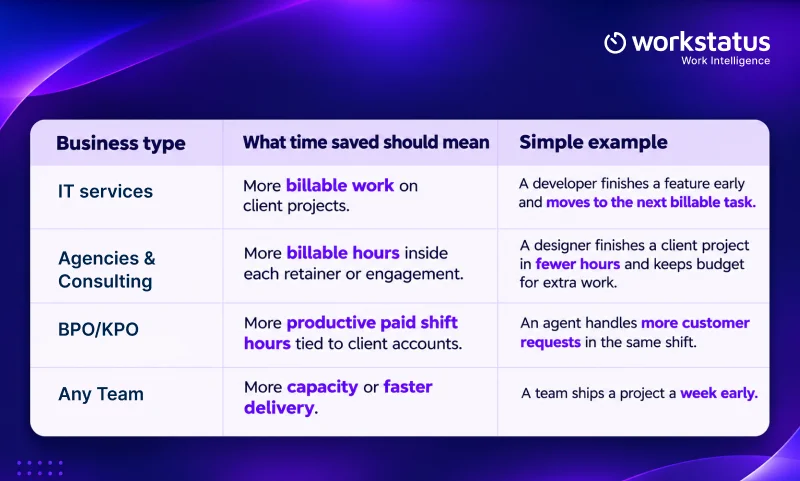
To fix this, first agree on what “time saved” should mean.
What “Time Saved” Should Mean for Your Business
Saved time only counts when it turns into something useful. Otherwise, it’s just a nice feeling.
What counts as useful depends on how your business earns money. That’s the real test for AI for productivity in a service business.
For service businesses, one term matters most here: billable utilization. Billable utilization is the share of work hours you can bill to a client.
As per SPI Research, billable utilization fell to 66.4% in 2025. That’s the lowest level in the survey’s history and well below the 75% target.
For example: Say your team works 8 hours and bills 5. The other 3 hours are where AI should help. If AI saves time but billable hours don’t rise, the savings aren’t reaching your clients.
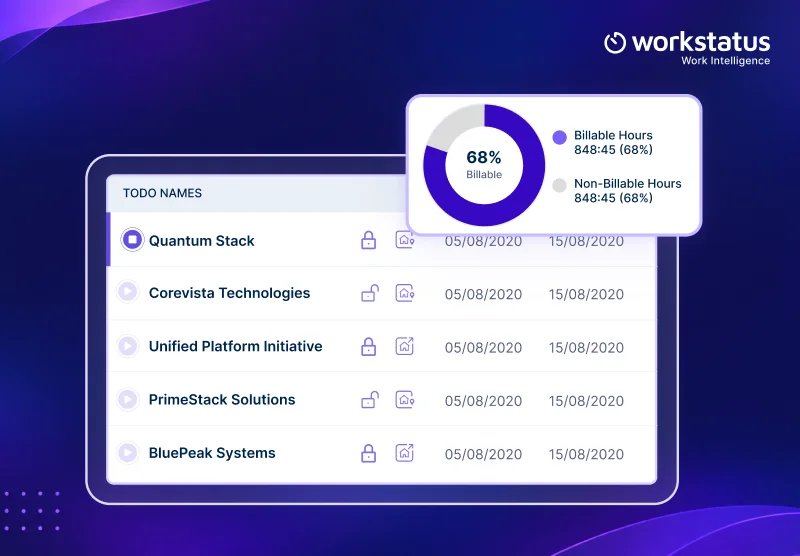
As Time Intelligence software, Workstatus helps you see this shift because every hour links back to the client work it belongs to. Once you know the goal, you can measure it.
How to Measure It: A Simple 30-Day Test
Wondering how to measure AI productivity? You don’t need a big study. You need one month and one clear comparison. This test will run for four weeks, with each step building on the last.
Before you start, pick your focus. Choose one area of client work to test. It could be a single project or a single client account.
- Week 1
Aim: Set your baseline.
Explanation: Record how your team works today without new AI tools. This baseline is the starting point for AI productivity tracking. - Weeks 2 to 3
Aim: Roll out AI on one task.
Explanation: Pick just one task for AI, like writing first drafts. Don’t change anything else during these two weeks. The first few days may feel slow while your team gets used to it, and that’s normal. - Week 4
Aim: Compare the results.
Explanation: Put your baseline next to your AI weeks. Look for real change, not just a feeling of speed.
What to compare
Before you fill in the table, know one key term: work unit.
A work unit is one piece of work you can count. For an IT team, it could be one ticket. For a BPO agent, it could be one call. For an agency, it could be one design.
Measuring by work unit keeps your AI productivity measurement fair. You compare the same kind of work before and after AI. Use a simple before-and-after table like this one.
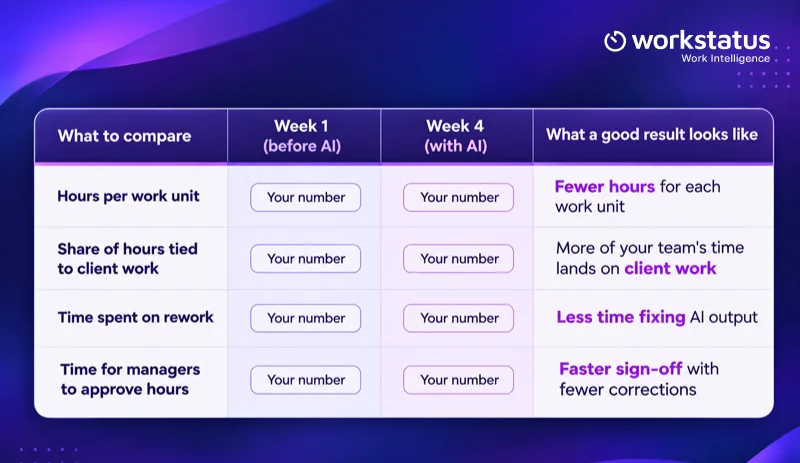
Here’s a sample result for a 12-person design agency. The team tests AI on first-draft concepts for one retainer client.
- Hours per design: 6 hours before AI. 4.5 hours with AI.
- Hours on client work: 61% before AI. 63% with AI.
- Rework time: 3 hours a week before AI. 7 hours a week with AI.
The team saves 1.5 hours per design. But rework climbs by 4 hours a week. So client work barely moves.
The verdict? Keep AI for drafts. Add a quick review step to cut rework. Then run the test again.
These numbers come straight from approved time records. Each hour links to the client and the task.
What Changes When You Can See Where Time Goes
Clear records turn AI from a guess into a decision. Here’s what you gain.
- You Price and Scope Work With Confidence: You know how long tasks really take with AI. So your quotes match reality on fixed-price and retainer work.
- You Staff Projects Based on Real Capacity: You see who has room for more work. So you stop overloading some people while others wait.
- You Show Clients Proof of Value: Approved hours tied to their work give you a clear record. That record helps when clients ask what AI changed.
- You Keep the AI Tools That Work: You see which AI tools for productivity at work cut hours and which add rework. So you only pay for tools that pay you back.
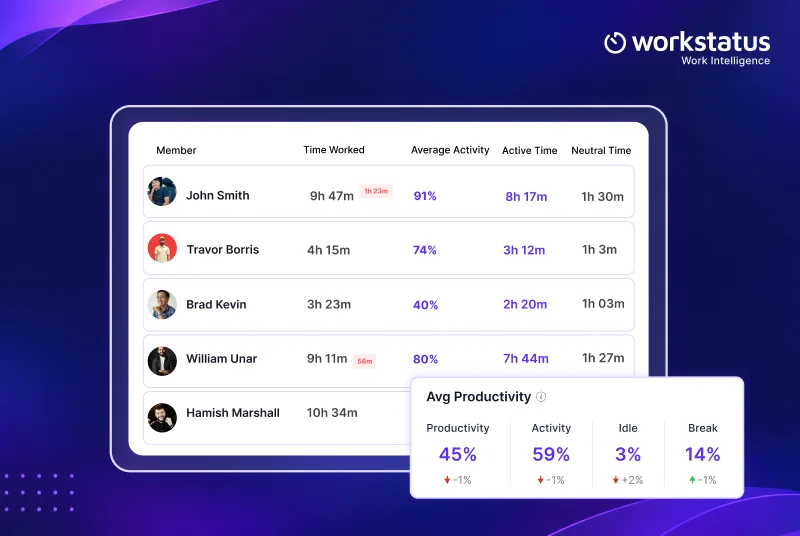
Productivity Intelligence software like Workstatus helps you reach this point by turning daily work records into a clear view of where your team’s time goes.
Conclusion
So, is AI saving your team time? Now you know how to find out. Using AI for productivity does speed up many tasks. But speed alone doesn’t grow your business.
Saved time only counts when it reaches client work. The good news? You don’t need a big project to check. You just need three things:
- A clear goal for what time saved means to you
- One area of client work to test
- Thirty days of clean time records
Once you see where your team’s hours go, the use of AI becomes a choice you can make with confidence. Workstatus gives you that view by linking your team’s hours to the client work they belong to.
FAQs
1. How do you measure how much time AI saves at work?
Ans. Run a 30-day test on one area of client work and compare your team’s records before and after AI. Track hours per work unit and rework time, because savings only count when freed-up time goes back into client work.
2. What is the attribution gap?
Ans. It happens when your team spends time but never ties it to the work it was for. Say a developer saves an hour with AI, but that hour never shows up on a client project.
3. Why doesn’t AI always make teams more productive?
Ans. Saved time often goes into fixing AI output or into extra meetings. If you don’t link hours to client work, those savings can disappear without anyone noticing.
4. Which tasks give the biggest AI time savings in service teams?
Ans. Tasks that start from a blank page save the most time, like first drafts and code suggestions. Savings shrink on work that needs heavy checking before it reaches a client.
5. What metrics should you track to measure AI productivity?
Ans. Start with hours per work unit, such as a client project, to see if tasks finish faster. Then track rework time and billable utilization to confirm the saved hours turn into client work.