
Table of Contents
Managing IT projects isn’t easy:
- Tight deadlines
- Changing priorities
- Endless tools can make things chaotic fast
That’s why many IT project managers are turning to Workstatus, an all-in-one platform that brings time tracking, task management, budgeting, and reporting together.
Here are 10 simple reasons to use workstatus and why IT project managers choose it to manage timelines, teams, and budgets, all in one place.
Let’s go.
Reason 1: Juggling Multiple Tools Slows Teams Down
The Challenge:
Let’s be honest; most IT project managers are drowning in tools.
- One for tasks
- One for time tracking
- One for reports
- And another just to message the team
By the time you switch between all of them, half your focus is gone. Things get missed, updates get delayed, and projects start feeling messy.
Why Project Managers Pick Workstatus:
They’re done with scattered systems. They want one tool that keeps everything in sync, from tracking time to managing projects and teams, without the chaos.
The Workstatus Solution:
Workstatus gives you one smart dashboard where everything lives together:
- Manage tasks, projects, and teams in one place
- Get real-time progress and workload updates
- Say goodbye to endless switching and confusion
Workstatus turns your messy tool stack into one smooth, organized workspace. Less chaos, more control.
Reason 2: Manual Time Tracking Leads to Inaccuracy
The Challenge:
If you’ve ever chased your team for timesheets, you know the struggle, especially with time tracking for IT projects.
- Someone forgets to log hours
- Someone rounds them off
- And suddenly, your project report doesn’t match your client’s invoice.
Manual time tracking isn’t just boring; it’s unreliable. One missed entry can throw off your entire billing and productivity data.
Why Project Managers Pick Workstatus:
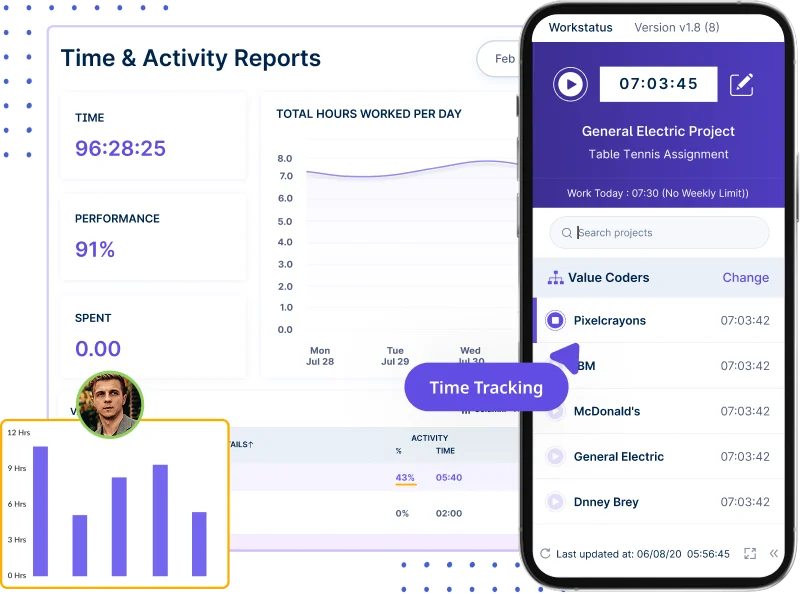
They need proof, not guesses. And with Workstatus for IT project managers, every minute is tracked automatically while teams focus on real work.
The Workstatus Solution:
Workstatus handles time tracking on autopilot:
- Tracks time for every project and task automatically
- Generates timesheets without manual input
- Makes billing accurate and effortless
No more guessing, no more chasing. Just real-time, data-backed hours you can trust; every single time.
Reason 3: Team Effort Gets Wasted on Low-Priority Work
The Challenge:
Ever notice your team working really hard, but not always on the right things?
- Developers fix small bugs while big features wait
- QA tests things that aren’t even in the sprint yet
- Deadlines slip because priorities aren’t clear
When everyone’s busy but not aligned, project progress slows, and effort gets wasted.
Why Project Managers Pick Workstatus:
Because they want their teams working smart, not just hard. Workstatus helps project managers set clear priorities so everyone knows exactly what matters most.
The Workstatus Solution:
With Workstatus, prioritizing tasks becomes effortless:
- Set goals and link them with high-impact tasks
- Assign priorities across teams in one view
- Track progress in real time to keep everyone focused
No more guesswork, no more wasted effort. Workstatus keeps your developers and QA engineers aligned on what really moves the project forward.
Reason 4: Budgets Go Out of Control During Projects
The Challenge:
You plan your project budget tracking carefully… but halfway through, things start going wrong.
- Tasks take longer than planned
- Extra hours get missed in reports
- And before you know it, you’ve spent more than you should
Without clear cost tracking, it’s hard to know where your money is going.
Why Project Managers Pick Workstatus:
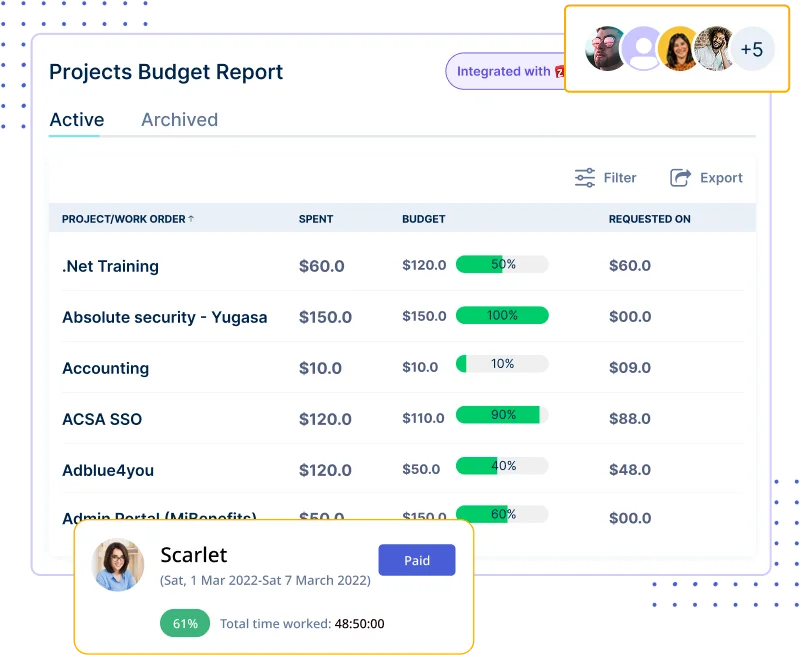
They want to see costs in real time, not after the project is done.
The Workstatus Solution:
Workstatus helps you stay in control of your budget:
- Set spending limits for every project
- See live updates on hours and costs, and schedule your projects.
- Get alerts before you overspend
No more surprises. Workstatus helps you stay on budget and keep profits safe.
Reason 5: Client Updates Take Too Much Time to Prepare
The Challenge:
Clients always want updates, and you spend hours making reports.
- Copying data from different tools
- Formatting spreadsheets
- Explaining progress over long calls
By the time you’re done, you’ve lost half a day you could’ve used managing the project.
Why Project Managers Pick Workstatus:
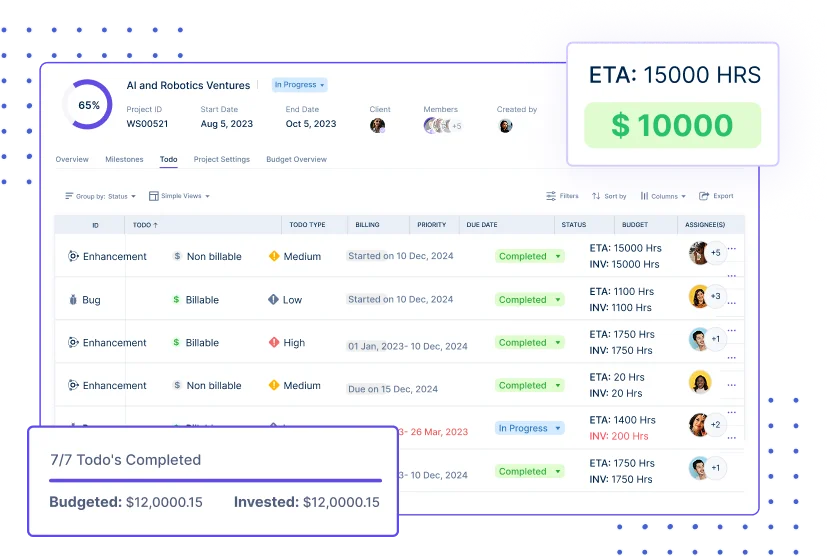
They want reports that build themselves. Workstatus creates professional client reports in just a few clicks; no manual work needed.
The Workstatus Solution:
Workstatus makes client reporting easy:
- Auto-generates reports with time, tasks, and progress
- Shows project status in simple visuals
- Let’s you share reports instantly with clients
Stop wasting hours on manual reports. With Workstatus, client updates are ready before they even ask.
Reason 6: Communication Gaps Derail Sprints
The Challenge:
Ever had a sprint go off track because someone missed an update?
- Messages get lost in chat apps
- Important notes hide in long email threads
- Team members lose track of what’s decided
When communication is scattered, deadlines slip, and confusion grows.
With GitLab integration with Workstatus, development updates, issue progress, and tracked work hours stay connected, helping teams avoid sprint miscommunication.
Why Project Managers Pick Workstatus:
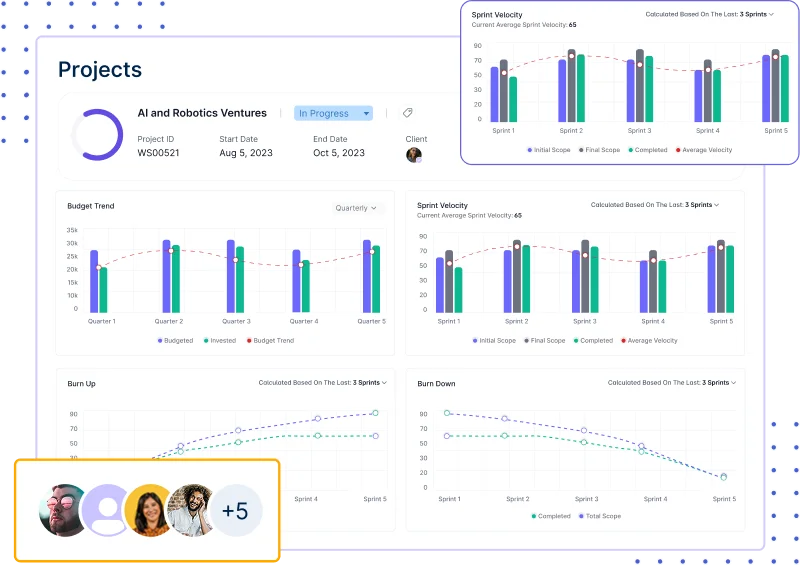
They want every project conversation in one place; easy to find, easy to follow.
The Workstatus Solution:
Workstatus keeps communication clear and organized:
- Message boards linked directly to each task
- All updates, notes, and files in one spot
- No lost context; everyone stays on the same page
Workstatus keeps your team connected, focused, and sprint-ready.
Reason 7: Unclear Goals Slow Project Delivery
The Challenge:
Ever feel like your team is working hard but not moving fast enough?
- Tasks aren’t linked to clear goals
- Team members don’t know what success looks like
- Progress tracking turns into guesswork
When goals aren’t clear, deadlines stretch, and delivery slows down.
Why Project Managers Pick Workstatus:
They want everyone on the same page, with clear goals and real progress tracking.
The Workstatus Solution:
Workstatus helps project managers set, track, and achieve goals easily:
- Set measurable goals for every project
- Assign tasks with clear owners and deadlines with automated project timelines
- Track real progress in one place
No more confusion or missed targets. With Workstatus, your whole team moves toward one clear goal, faster and smarter.
Reason 8: Teams Lose Track of Dependencies
The Challenge:
Ever had one task delayed and the whole project slowed down?
- Teams don’t see how their work connects
- Dependencies get missed
- Deadlines start to slip
Without a clear timeline, it’s hard to see what depends on what, and who’s waiting on whom.
Why Project Managers Pick Workstatus:
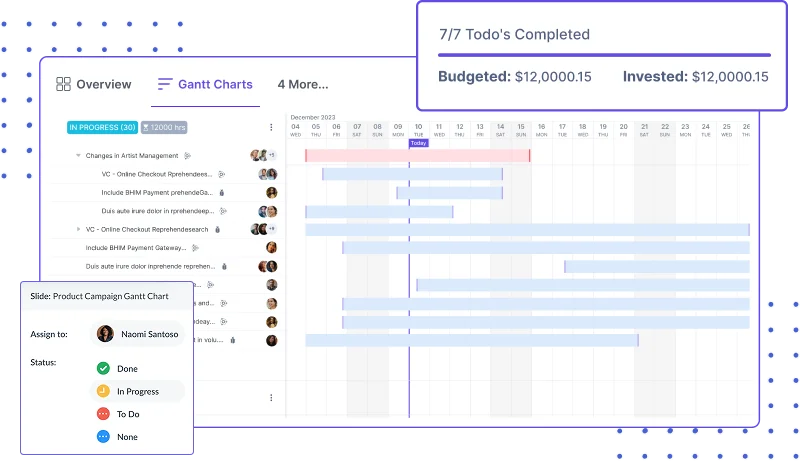
They need a clear picture of every task, timeline, and dependency in one view.
The Workstatus Solution:
Workstatus makes planning simple with Gantt Charts:
- Visualize timelines, tasks, and dependencies clearly
- Adjust schedules easily when things change
- Spot delays before they affect delivery
Workstatus helps your team stay on track, connected, and always one step ahead.
Reason 9: Workflows Feel Disconnected and Hard to Manage
The Challenge:
When tasks are scattered, projects start feeling messy.
- Developers don’t know what’s next
- Managers can’t see real progress
- Updates get lost between tools
Without clear workflows, projects lose flow, and time gets wasted.
Why Project Managers Pick Workstatus:
They want a clear, visual way to manage everything in one place; exactly what great timeline management solutions should do.
The Workstatus Solution:
Workstatus simplifies workflows with Kanban Boards:
- Track every task from start to finish
- Move work easily across stages with drag-and-drop
- See real-time progress for every sprint and project
Workstatus keeps your entire workflow connected, clear, and under control.
Reason 10: Payroll & Billing Eat Into Productive Hours
The Challenge:
End of the month? Here comes the chaos.
- Collecting hours from multiple sources
- Checking approvals manually
- Creating invoices one by one
It’s slow, tiring, and takes time away from actual project work.
Why Project Managers Pick Workstatus:
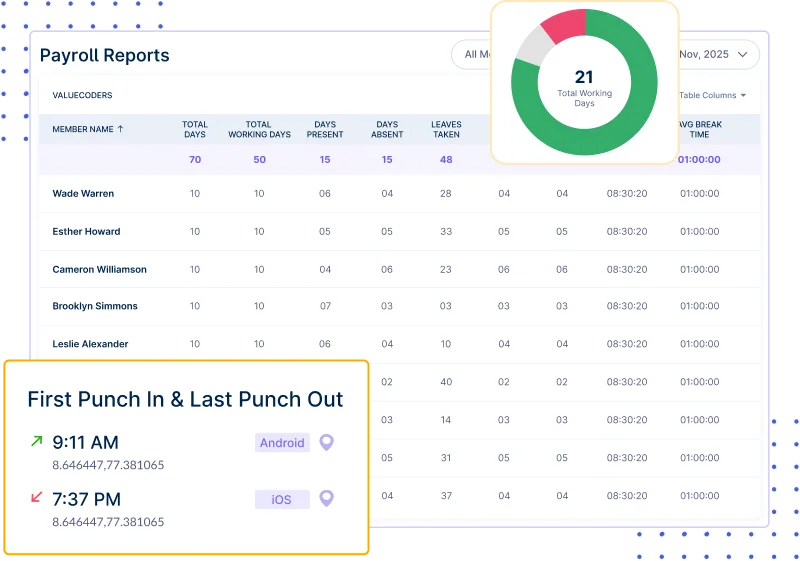
They want payroll and billing that run automatically, without extra effort.
The Workstatus Solution:
Workstatus makes payments and invoicing easy:
- Auto-calculate payroll from logged hours
- Generate accurate invoices instantly
- Reduce admin work with automated approvals
Workstatus saves you hours every month, so you can focus on what really matters: delivering great projects.
Conclusion: Manage IT Projects Smarter with Workstatus
If you’ve ever felt buried under tasks, tools, and tight deadlines; you’re not alone. Every IT project manager faces that chaos at some point.
That’s why IT project managers choose Workstatus, a tool that brings everything together:
- One place for projects, teams, and reports
- Real-time tracking for time, cost, and progress
- Automation that saves hours every week
With Workstatus, you don’t just do project execution; You lead them with clarity, confidence, and control.
FAQs
Ques: What is Workstatus used for?
Ans: Workstatus helps IT project managers track time, tasks, and teams in one place. It’s an all-in-one tool for managing projects from start to finish.
Ques: Can Workstatus track my team’s work automatically?
Ans: Yes! Workstatus tracks time and activity automatically while your team works; no need to fill in timesheets manually.
Ques: Does Workstatus work for remote and hybrid teams?
Ans: Absolutely. Whether your team works from home, office, or both, Workstatus gives real-time updates and visibility across all projects.
Ques: Can I generate client invoices with Workstatus?
Ans: Yes, Workstatus creates accurate invoices automatically using logged hours and approvals. No more manual billing.
Ques: Is Workstatus easy to use for small IT teams?
Ans: Yes. Workstatus is simple to set up and easy to use; even small teams can start tracking and managing projects in minutes.