
Table of Contents
Are you using different tools for time tracking, task management, productivity monitoring, and payroll?
If yes, then you’re likely facing these challenges:
- Too many apps
- Scattered data
- Manual copy-paste work
- Higher tool costs
- Payroll delays
- Low visibility
But what if one tool could do all of this for you?
In this blog, you’ll learn how using one simple system can save up to 50% of your tool costs and make your work much easier.
Let’s see how!!
How Too Many Tools Waste 50% of Your Budget
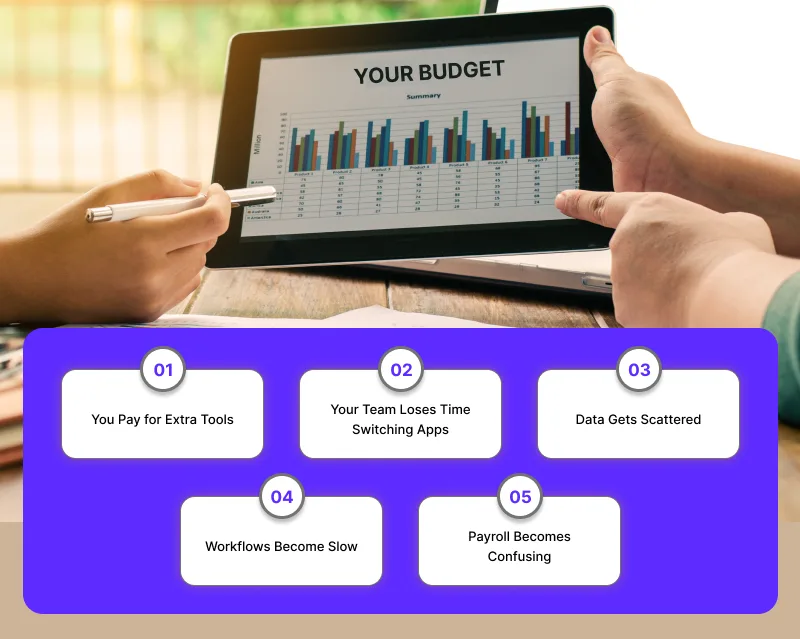
When your team uses many different apps to track time, tasks, and payroll, costs grow without you even noticing. Each tool looks small alone, but together they drain your budget.
Here’s how it happens:
You Pay for Extra Tools
- Many tools do the same thing
- Small fees pile up
- You pay for features you don’t use
Your Team Loses Time Switching Apps
- Moving between apps slows work
- People lose focus
- Tasks take longer
Data Gets Scattered
- Info stays in different places
- More mistakes happen
- You fix the same data twice
Workflows Become Slow
- No single dashboard
- Hard to track updates
- Approvals get delayed
Payroll Becomes Confusing
- Wrong or missing time data
- Manual edits every month
- Late or incorrect payouts
In the end, you spend more money and lose more time than you should.
The good news? One simple, unified work intelligence platform can cut these costs and keep your work clean and easy.
Signs You Need a Tool Stack Audit Right Now
When your team feels like they’re using too many apps to get simple work done, it’s a clear warning sign. A tool stack audit helps you see what’s not working.
Here are the signs:
- Your team switches between apps all day
- Data doesn’t match across tools
- Payroll takes too long to fix
- You pay for tools no one uses
- Reports take forever to prepare
- Tasks, time, and payroll don’t connect
- Too many logins slow everyone down
A tool stack audit makes these problems easy to spot. With one simple system, you can cut costs and streamline workforce operations and make work smoother for everyone.
What an Effective Tool Stack Audit Looks Like
A good tool stack audit shows you what’s working, what’s not, and where you’re losing time and money.
Here’s why it matters and what it should look like:
1. Clear List of All Tools
- What tools do you use
- Who uses them
- How often are they used?
2. Check for Overlapping Features
- Tools doing the same job
- Unused features
- Paid add-ons you don’t need
3. Review of Costs
- Monthly tool spend
- Hidden fees
- Tools that cost more than they help
Want to see how this spend breaks down across teams, roles, or billable vs non-billable work? Use the Workforce Cost Allocation Calculator to quantify where your workforce cost is actually going.
4. Workflow Mapping
- How data moves between tools
- Where manual work happens
- Steps that slow teams down
5. Identify What Can Be Unified
- Tools that can be replaced
- Workflows that can be combined
- One platform that can handle more jobs
A strong audit helps you remove extra tools and move toward a simple, unified system that saves money and makes work easier.
How Workstatus Replaces 3+ Tools in One Platform
You know how messy it gets when you use too many tools? Workstatus fixes that. It brings everything your team needs into one simple place.
Here are the features you get inside one single tool:
1. Time Tracking
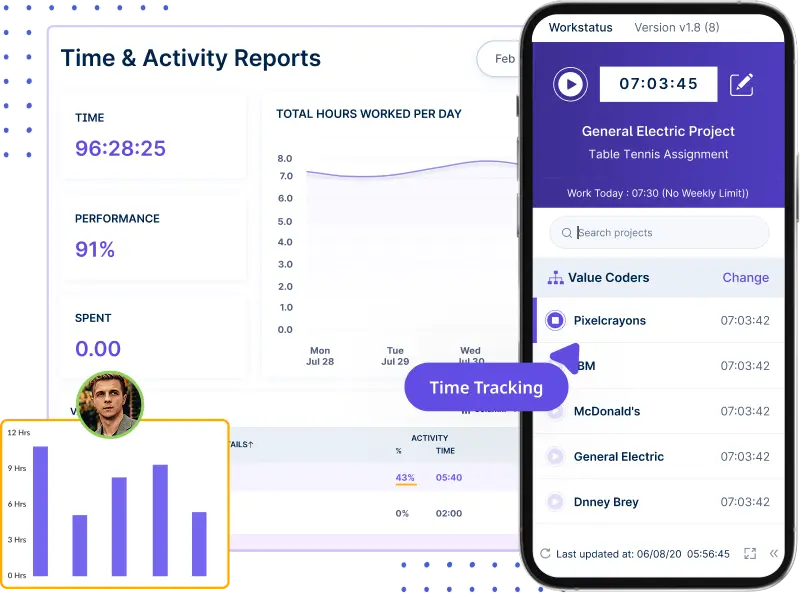
If tracking time feels like a chore, Workstatus turns it into something that almost runs by itself.
- Easy online timesheets
- Simple shift planning
- Quick time-off requests
- Auto time tracking, no manual work
- Tracks idle time and screen activity
2. Task Management
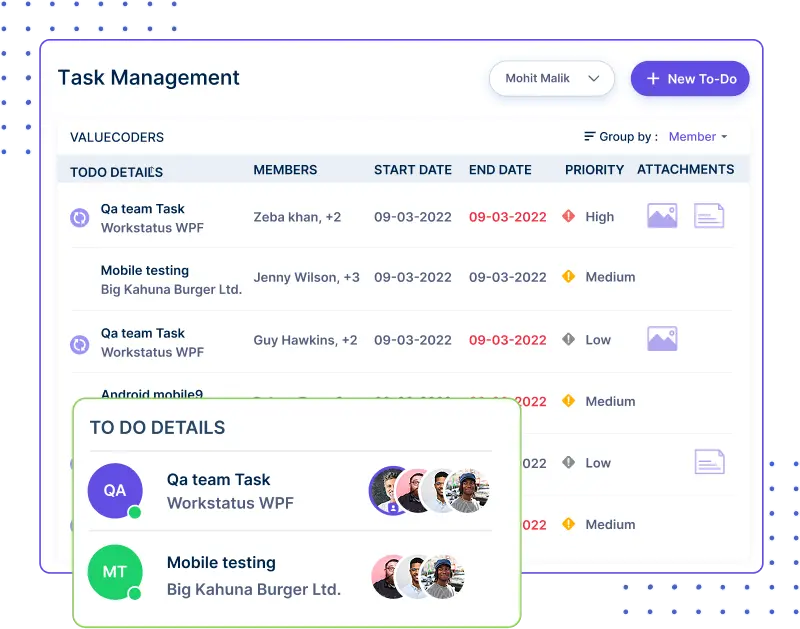
Ever wish all your tasks could just stay in one calm, organized place? That’s exactly what workforce management software does.
- Create and assign tasks fast
- Track progress in real time
- Set and follow deadlines easily
- See every task in one dashboard
- Know exactly who is doing what
3. Payroll
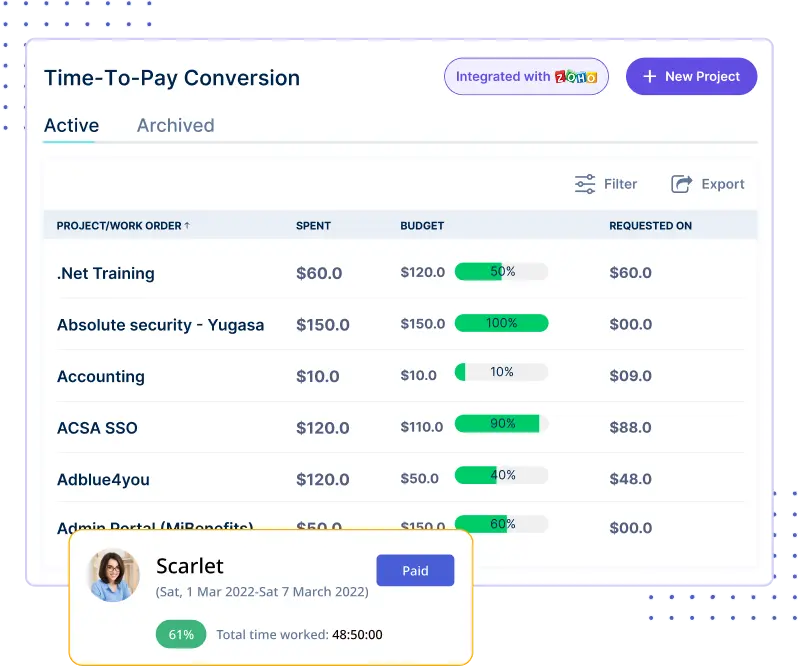
Payroll gets so much easier when the right data shows up on its own—no chasing, no correcting.
- Time data flows straight into payroll
- Run payroll manually anytime
- Stripe payouts supported
- Fewer errors every month
- Faster, smoother payroll closing
4. Productivity Management
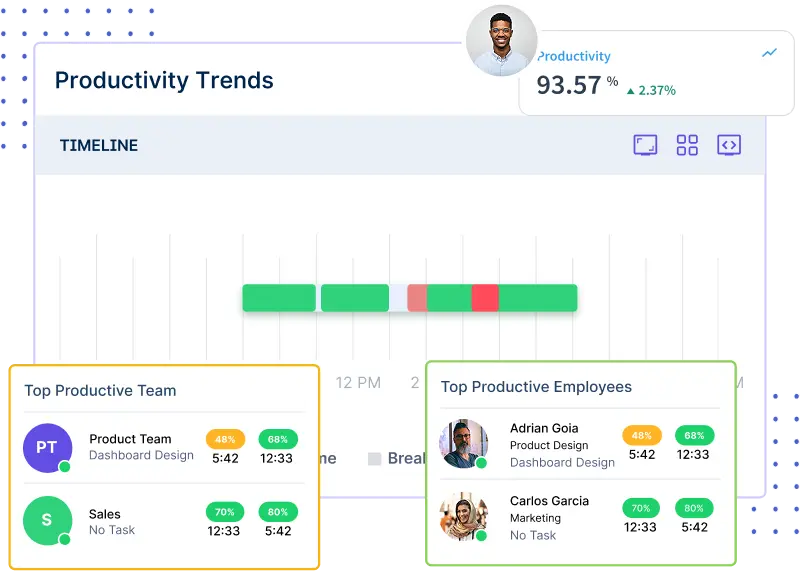
Seeing how your team works shouldn’t feel like guesswork; this turns it into a clear, simple picture.
- Check daily productivity clearly
- Spot burnout early with habits
- Auto break scheduling for better health
- Balanced workload for every member
- Active vs. inactive time made easy to see
How an IT Company Cut 50% Costs With Workstatus

Sometimes a team is doing everything right… But their tools make life harder. That’s what happened with this mid-sized IT company of 180 people.
Let’s see how things have changed.
Challenges They Faced
- Too many tools for simple work
- High monthly software bills
- Manual fixes every week
- Slow and messy payroll
- No clear view of team activity
After Switching to Workstatus
- One tool replaced all their apps
- Time, tasks, and payroll synced in one place
- Faster approvals and cleaner data
- No more tool confusion
- Work felt lighter and more organized
Quick Data Wins
- 50% lower tool costs
- 40% less manual work
- Payroll done 2x faster
One switch made everything simple. Fewer tools, less stress, and a team that finally worked in one smooth flow, all powered by a smart workforce optimization platform.
Top 5 Metrics to Track Post-Migration
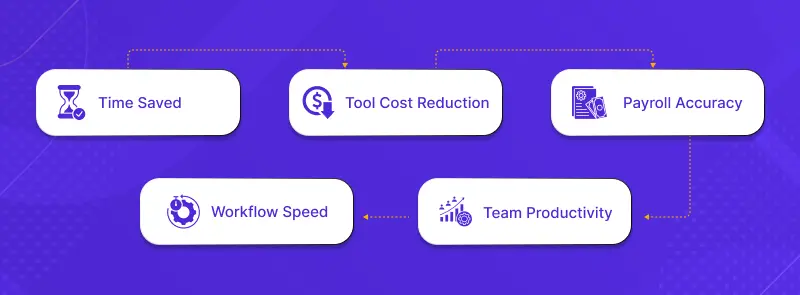
Moving to a new system feels great, but the real magic is in what you track after the switch. These numbers tell you if the move is actually helping your team work better and faster.
Here are the top metrics to watch:
1. Time Saved
- How much faster does your team finish tasks
- Less time wasted switching tools
- Fewer manual steps every day
2. Tool Cost Reduction
- How much money do you save each month
- Fewer paid apps on your list
- Lower per-employee software cost
3. Payroll Accuracy
- Fewer corrections
- Faster payouts
- Cleaner time data in payroll
4. Team Productivity
- More active work hours
- Better task completion rates
- Less idle time
5. Workflow Speed
- Faster approvals
- Quicker task updates
- Shorter reporting time
Track these five numbers, and you’ll know exactly how well your new system is working and how much your team is winning after the migration.
Closing Thoughts
If you feel stuck with too many tools, you’re not the only one. That’s why using one simple all-in-one employee management tool like Workstatus makes such a big difference.
It brings everything together so your team can work better.
With one workforce management software, you get:
- Lower tool costs
- Less manual work
- Faster payroll
- Clear daily visibility
- Smooth and easy workflows
Sometimes the best way to work smarter is to keep things simple, and Workstatus helps you do exactly that.
FAQs
Ques: What is a tool stack audit?
Ans: A tool stack audit is a quick check of all the tools your team uses. It helps you see which tools you really need and which ones you can remove.
Ques: How does Workstatus help me save money?
Ans: Workstatus replaces many tools with one platform. This means you pay for fewer apps and cut your software costs by up to 50%.
Ques: Can Workstatus really handle time, tasks, and payroll together?
Ans: Yes. Workstatus tracks time, manages tasks, and sends clean data straight to payroll; all in one place.
Ques: Will my team find it easy to use?
Ans: Yes. Workstatus is simple and clean. Most teams learn it fast because everything is in one dashboard.
Ques: How fast can I see results after switching?
Ans: Many teams see faster work, fewer errors, and lower tool costs within the first few weeks.