
Table of Contents
Payroll mistakes don’t start big. They begin with tiny things no one notices, like:
- A few extra minutes added
- Overtime not approved
- Timesheets filled from memory
- Buddy punching
- No GPS to confirm location
One small slip isn’t a problem. But week after week, these little errors add up and quietly eat 1–3% of your payroll.
The good news?
A few smart timesheet fixes can stop these leaks fast.
So, here are 10 simple timesheet fixes we’ll cover in this blog; each one designed to save money and reduce payroll errors.
Let’s go!!
How Inaccurate Timesheets Trigger Payroll Losses

Small-time mistakes add up fast and quietly increase the consequences of payroll errors. Here are the biggest gaps that cause hidden losses.
Extra Minutes Added Increase Payroll
- Small rounding adds up
- Extra minutes turn into extra pay
- Happens daily without notice
Unapproved Overtime Slips In
- Extra hours go unchecked
- Overtime rules not followed
- Payroll rises without planning
No Audit Trail Hides Errors
- No record of changes
- Wrong edits stay hidden
- Hard to verify entries
Buddy Punching Adds False Time
- One person clocks in for another
- Fake hours increase payroll
- No proof of who worked
No GPS Leads to Off-Site Logging
- Attendance marked from anywhere
- Wrong locations recorded as work
- Idle time counted as working time
These small gaps quietly raise payroll costs; fixing them early saves real money.
10 Timesheet Fixes That Pay for Themselves
Small time tracking mistakes often go unnoticed, but they slowly increase payroll costs. Here are 10 timesheet fixes that pay for themselves by keeping time accurate and clear.
Fix 1: Set Clear Time Entry Rules
This is where most problems begin. When people are not sure how to track time, they just do what feels right.
Some log early, some log late, and some log from memory. And that’s when the payroll leaks start.
Pain Point:
- Everyone logs time in a different way
- Hours don’t match the real work done
- Timesheets look messy and hard to trust
Workstatus Solution:
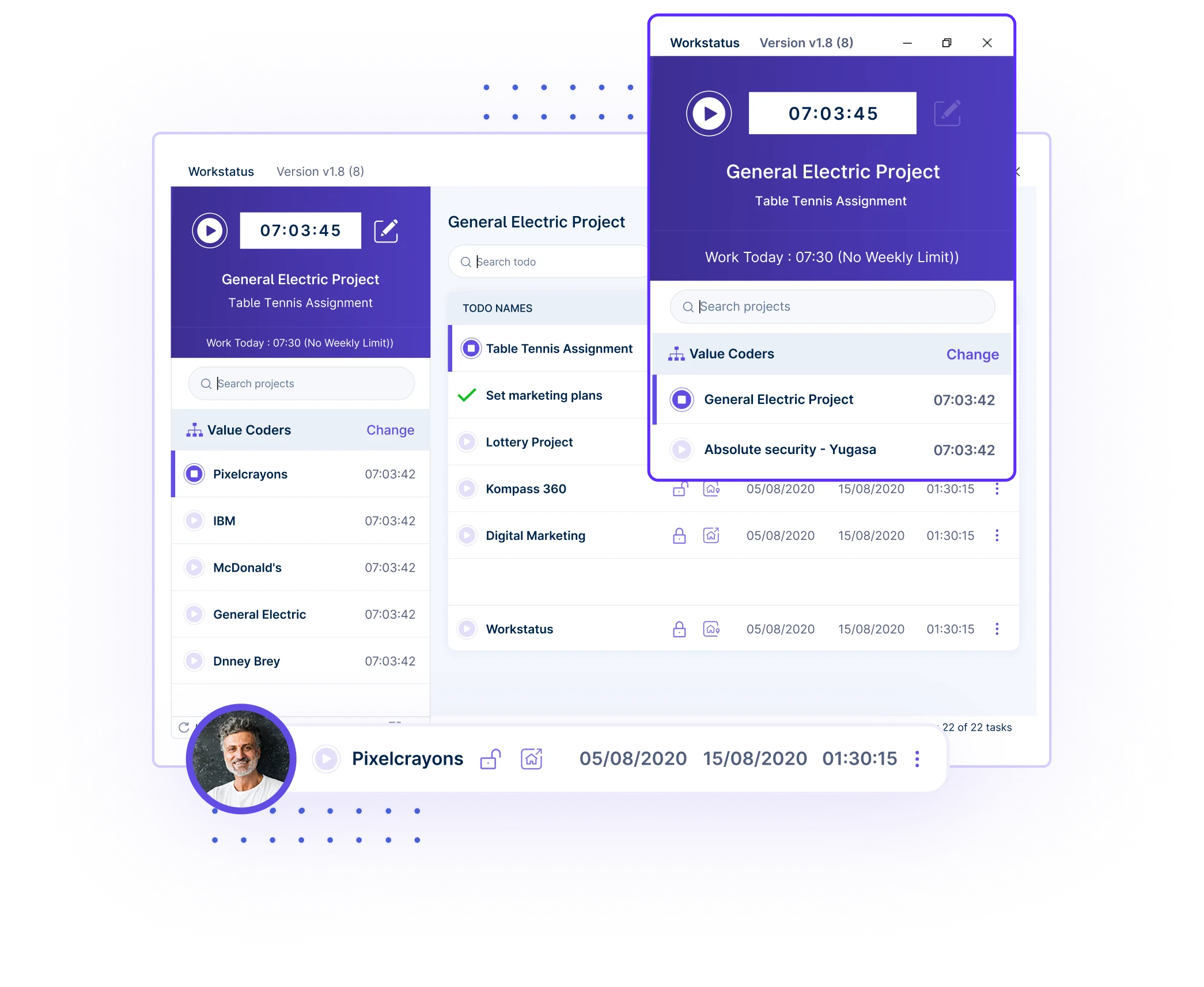
- Improves timesheet accuracy with automatic time tracking
- Records real-time entries that match actual work
- Sends simple reminders to follow time rules consistently
When everyone follows the same time rule, the leaks stop, and your payroll finally stays true.
Fix 2: Use Automated Time Tracking
Guesswork is one of the biggest reasons timesheets go wrong.
When people track time by memory, they often miss hours, add extra minutes, or log the wrong tasks. This is where automation makes a huge difference.
Pain Point:
- People forget to start or stop timers
- Hours are logged at the end of the day or week
- Memory-based entries cause big payroll mistakes
Workstatus Solution:
- Auto time tracking starts in real time
- No need to remember anything; the system captures it
- Accurate logs of work, tasks, and activity without manual effort
With automated payroll management, time becomes honest and exact, so payroll finally matches the real work done.
Fix 3: Enforce Approval Workflows
Even when time is logged, the real trouble starts when no one checks it. Some hours slip through, some entries stay unchecked, and small mistakes turn into bigger payroll costs. A clear approval step stops this early.
Pain Point:
- Managers approve time without full details
- Wrong or missing hours go unnoticed
- No review means errors reach payroll directly
Workstatus Solution:
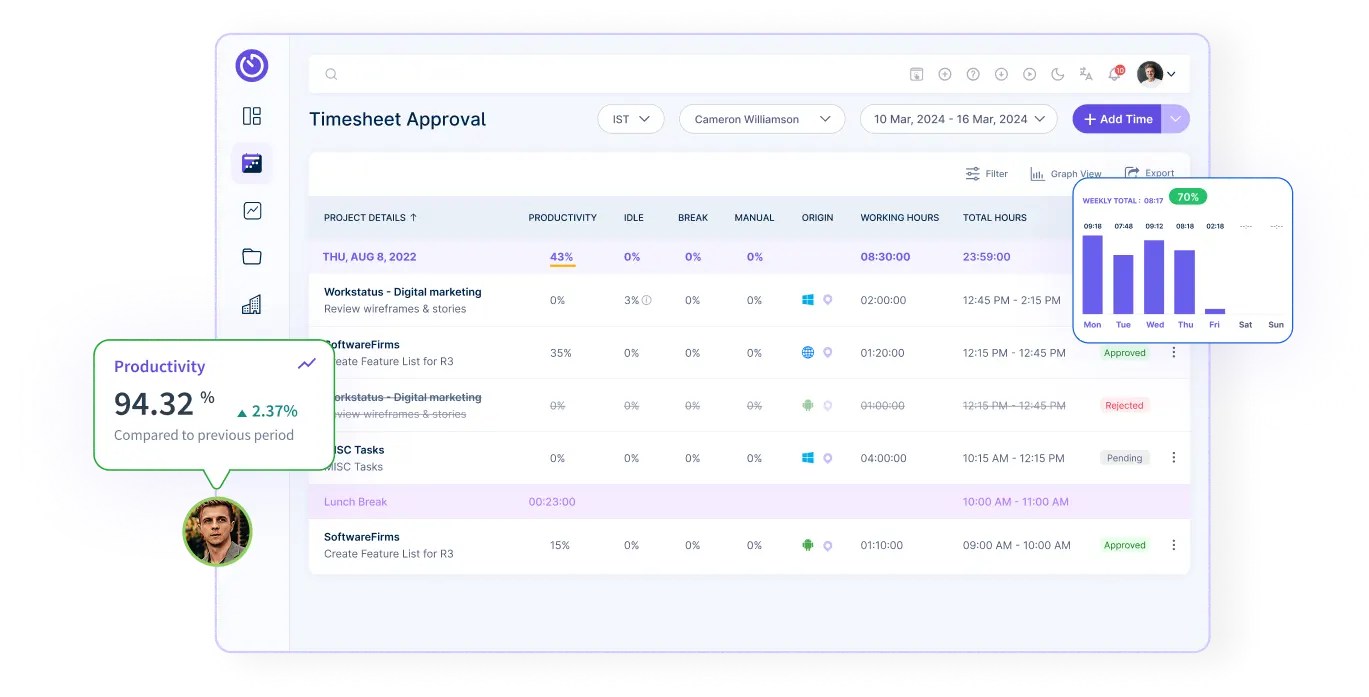
- Smart approval workflow with clear steps
- Managers see screenshots, activity, and timelines
- Easy review ensures only correct hours move to payroll
When every hour gets approved the right way, you stop mistakes before they hit payroll, and protect your bottom line.
Fix 4: Use Role-Based Permissions
Many payroll problems start when too many people can edit or change time entries. One small change in the wrong hands can create big payroll errors.
Giving the right access to the right people keeps timesheets safe and clean.
Pain Point:
- Anyone can change time entries
- Wrong edits go live without checks
- Sensitive data is not protected
Workstatus Solution:
- Only approved roles can edit or update time
- Locked entries to prevent unwanted changes
- Clear control over who sees what
When the right people have the right access, your timesheets stay accurate, and payroll stays secure.
Fix 5: Enable GPS & Geofencing
Many payroll leaks happen because time is logged from the wrong place.
Without knowing where the work was done, it’s easy for hours to get mixed up or misused. Location checks keep everything honest.
Pain Point:
- People mark attendance from anywhere
- Wrong job sites get logged
- No proof of who was actually on-site
Workstatus Solution:
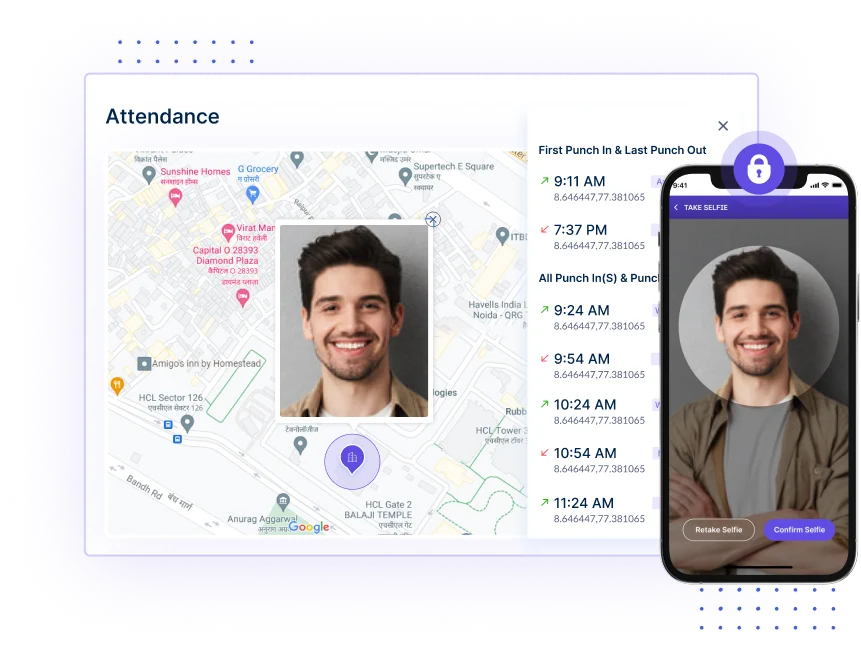
- GPS tracking to confirm work location
- Geofencing that auto-clock-in/clock-out on job sites
- Selfie verification to make sure the right person checks in
With GPS, geofencing, and selfie checks, you get real proof of where work happened, and payroll stays fair and accurate.
Fix 6: Prevent Late Timesheet Submissions
One big reason payroll goes wrong is late timesheets. When people fill them in at the end of the week, they guess the hours.
And guesses always lead to mistakes. Getting timesheets on time keeps payroll clean.
Pain Point:
- People submit timesheets days late
- Hours are filled from memory, not reality
- Payroll gets delayed or filled with errors
Workstatus Solution:
- Auto reminders to submit time daily
- Alerts for missing or incomplete timesheets
- Easy one-click submission to keep everything on track
When timesheets come in on time, the errors drop, and payroll runs smoothly without stress.
Fix 7: Add Activity & Productivity Insights
Sometimes the hours look correct, but the work behind those hours is unclear.
Without knowing how time was spent, it’s hard to trust the timesheet. Clear activity insights help you see the real story.
Pain Point:
- Hours logged don’t match real work
- No visibility into tasks or focus time
- Hard to spot low activity or misuse of work hours
Workstatus Solution:

- Activity levels to show real work patterns
- App/website usage to confirm tasks
- Smart productivity insights that match time with output
When you can see both time and activity, you finally know the hours are real—and payroll becomes truly reliable.
Fix 8: Track Overtime Accurately
Overtime is one of the biggest reasons payroll costs jump. When overtime isn’t tracked the right way, extra hours slip in without approval, and the payroll bill rises fast.
Using an overtime calculator helps teams quickly see how extra hours convert into payroll costs, making it easier to control overtime before it drains budgets.
Pain Point:
- Extra hours added without permission
- Overtime rules not followed
- Payroll increases without a clear reason
Workstatus Solution:
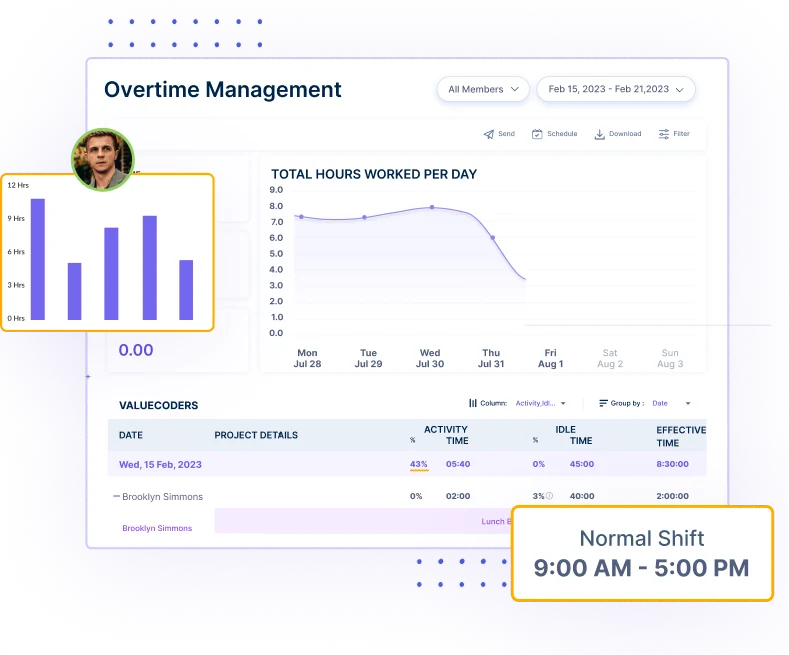
- Auto overtime tracking based on set rules
- Alerts when someone crosses regular hours
- Clear logs for approved vs. unapproved overtime
When overtime is tracked the right way, you control costs and protect your payroll from surprise jumps.
Fix 9: Audit Timesheets Regularly
Even good systems need a quick check.
If no one reviews timesheets often, small mistakes stay hidden and grow into big payroll losses. A regular audit keeps everything honest.
Pain Point:
- Wrong entries stay unnoticed
- No way to track who changed what
- Old errors show up during payroll
Workstatus Solution:
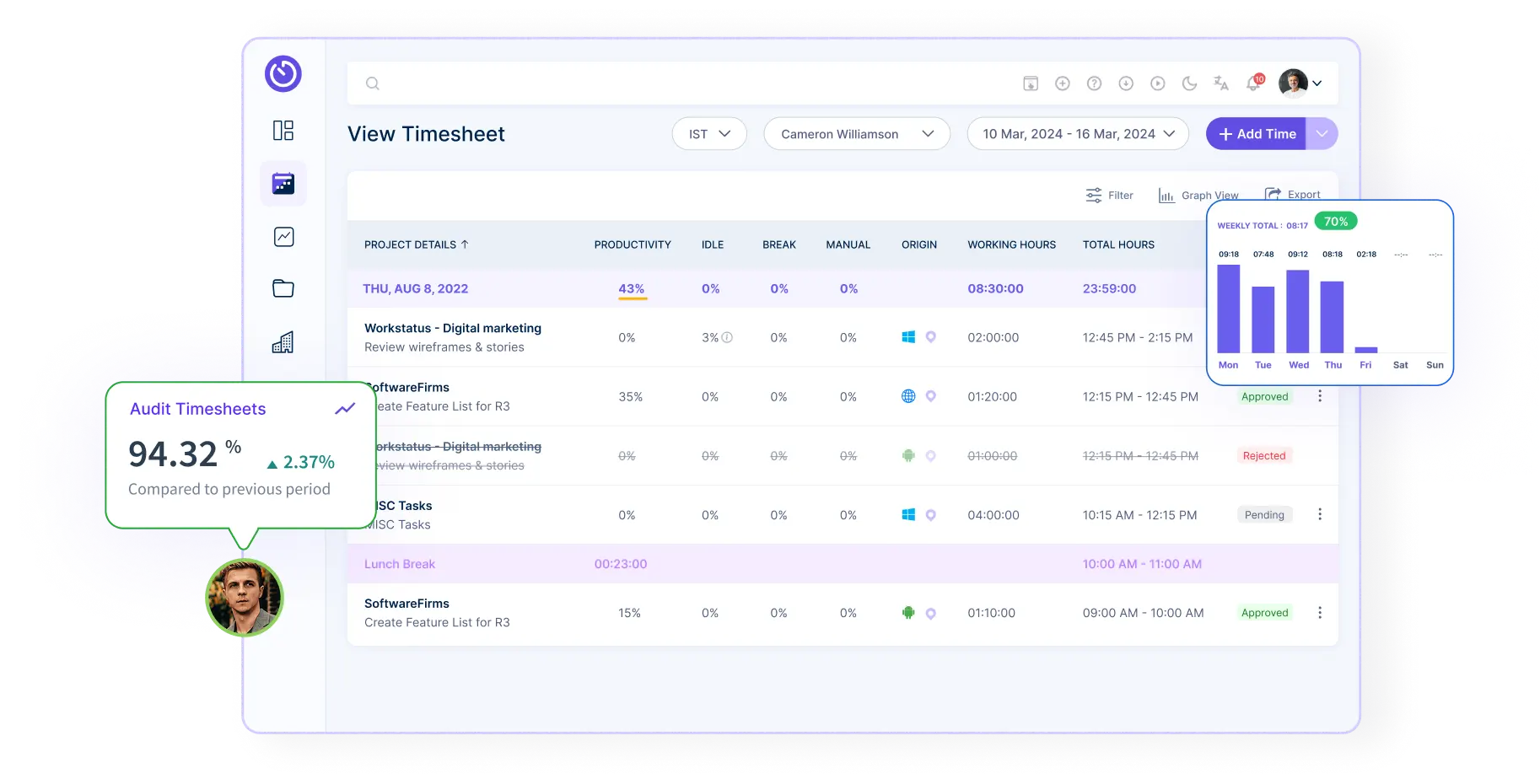
- Full audit trail of every change
- Easy logs to see edits, updates, and approvals
- Quick reports that catch issues early
Regular checks make sure your timesheets stay clean, and your payroll stays safe from hidden errors.
Fix 10: Integrate Timesheets with Payroll Automatically
Many payroll errors happen during the handoff. When timesheets are moved by hand, data gets lost, copied wrong, or mismatched. Automatic syncing removes all that stress.
Pain Point:
- Manual data entry causes mistakes
- Hours don’t match payroll records
- Long delays in processing payments
Workstatus Solution:
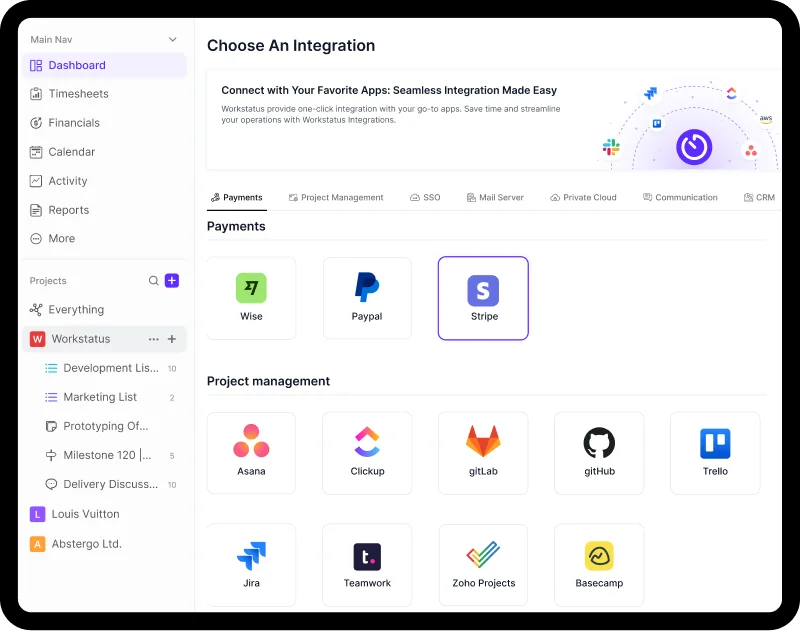
- Direct integration with payroll tools
- Clean sync of all approved hours
- No manual uploads or messy spreadsheets
With automatic syncing, payroll becomes smooth, fast, and error-free every single time.
Workstatus Results: Accuracy You Can Measure
When time is tracked the right way, payroll becomes clean, fast, and fully compliant.
Workstatus, which is an employee time tracking system, brings real accuracy; you can see it in the numbers.
- 95% fewer payroll errors with automated time tracking
- 40% faster payroll processing with direct integrations
- 100% audit-ready records for full compliance
- 90% drop in unapproved overtime with smart alerts
- 85% reduction in false check-ins using GPS + selfie verification
With Workstatus, your payroll stops guessing and starts running on real, trusted data.
Conclusion
Small-time mistakes can slowly make your payroll cost more than it should. The good news is that you can resolve most of these issues with a few simple steps.
With the right system, you get:
- Correct time entries
- Faster and cleaner payroll
- Clear view of real work
- Fewer mistakes
- Less stress for everyone
Workstatus helps you do all this in one place. It stops the small leaks and keeps your payroll honest and accurate.
A few simple fixes today can save you a lot of money tomorrow.
FAQS
Ques: Why do small timesheet mistakes cost so much?
Ans: Small mistakes happen every day, and they add up fast. Over time, they can quietly increase your payroll by 1–3%.
Ques: How can I make sure time entries are correct?
Ans: Use clear rules and automated time tracking so people don’t guess their hours.
Ques: What is the easiest way to stop time theft?
Ans: Tools like GPS, geofencing, and selfie check-ins make sure the right person is logging time from the right place.
Ques: How does Workstatus help with payroll accuracy?
Ans: Workstatus tracks time automatically, checks activity, and sends clean data straight to payroll with no manual work.
Ques: Can these fixes really lower my payroll costs?
Ans: Yes. When time is tracked the right way, you prevent extra hours, false logs, and overtime mistakes, saving real money every month.